

Monitoring website traffic sounds like one task. It's actually four completely different jobs stitched together: measuring how many people visit your site, figuring out where they came from, watching what they do once they land, and benchmarking your numbers against competitors.
That distinction matters. A site can be growing in total visits while quietly losing search visibility. It can be getting plenty of traffic while hemorrhaging conversions because users are confused by the layout or blocked by a broken form. Different problems, different tools. And that's why no single free tool gives you the complete picture, according to Google's own analytics documentation.
For most websites, the best free starter stack is straightforward:
This guide walks through all eight tools, explains when each one is the right choice, and shows you how to combine them into a monitoring system that actually works. Just the practical setup most sites need in 2026. For a focused look at how to track website visitors specifically, that guide covers the measurement layer in detail.
Why One Tool Can't Monitor All Your Website Traffic
Most articles on this topic treat "website traffic" like it's one number sitting in one dashboard. That framing leads people to install Google Analytics, glance at the visitor count, and call it done. They're missing three-quarters of the picture.
A better mental model: website monitoring breaks down into five distinct jobs, and each job needs a different type of tool.

| Job | What it answers | Best free tool(s) |
|---|---|---|
| Exact on-site traffic | How many people visited? Where from? What did they do? | GA4, Cloudflare Web Analytics, Ahrefs Web Analytics |
| Search visibility | Are people seeing my pages in Google/Bing? | Google Search Console, Bing Webmaster Tools |
| Behavior analytics | Why are visitors leaving, scrolling past, or getting stuck? | Microsoft Clarity |
| Competitor benchmarking | How does my traffic compare to rivals? | Similarweb |
| Reporting & dashboards | Can I see all of this in one place, weekly? | Looker Studio |
Once you separate those jobs, choosing the right free tools gets much simpler. You stop asking "which one tool should I use?" and start asking "which combination covers the gaps?"
Understanding your website traffic sources is the foundation of this separation. Different source types (organic, direct, social, referral) require fundamentally different diagnostic approaches. This mental model comes directly from Google's analytics support documentation, which makes clear that own-site analytics, search performance, and user behavior are fundamentally different measurement problems.
Google Analytics 4: Free Traffic Tracking and Conversions
Google Analytics 4 is still the default web analytics tool for most sites, and for good reason. Google's Marketing Platform describes GA4 as a free, event-based analytics tool that collects data from websites and apps, with privacy controls including cookieless measurement and behavioral modeling.
The numbers back this up. According to W3Techs (whose reports update daily), Google Analytics is used by 43.7% of all websites and 78.6% of websites whose traffic-analysis tool is known. That kind of adoption means a massive community of tutorials, templates, and support. Is Google Analytics free? Yes, and this guide explains exactly what the free tier includes and where the limits are.
GA4 is the tool you reach for when the question is: "How much traffic did we actually get?" It's also where you track conversions, campaign attribution, top landing pages, and returning visitors. Its Realtime report lets you see active users, their sources, the pages they're viewing, and which events they're completing, all as it happens. If you want to learn how to use Google Analytics effectively, that guide covers setup, event configuration, and reporting workflows end-to-end.
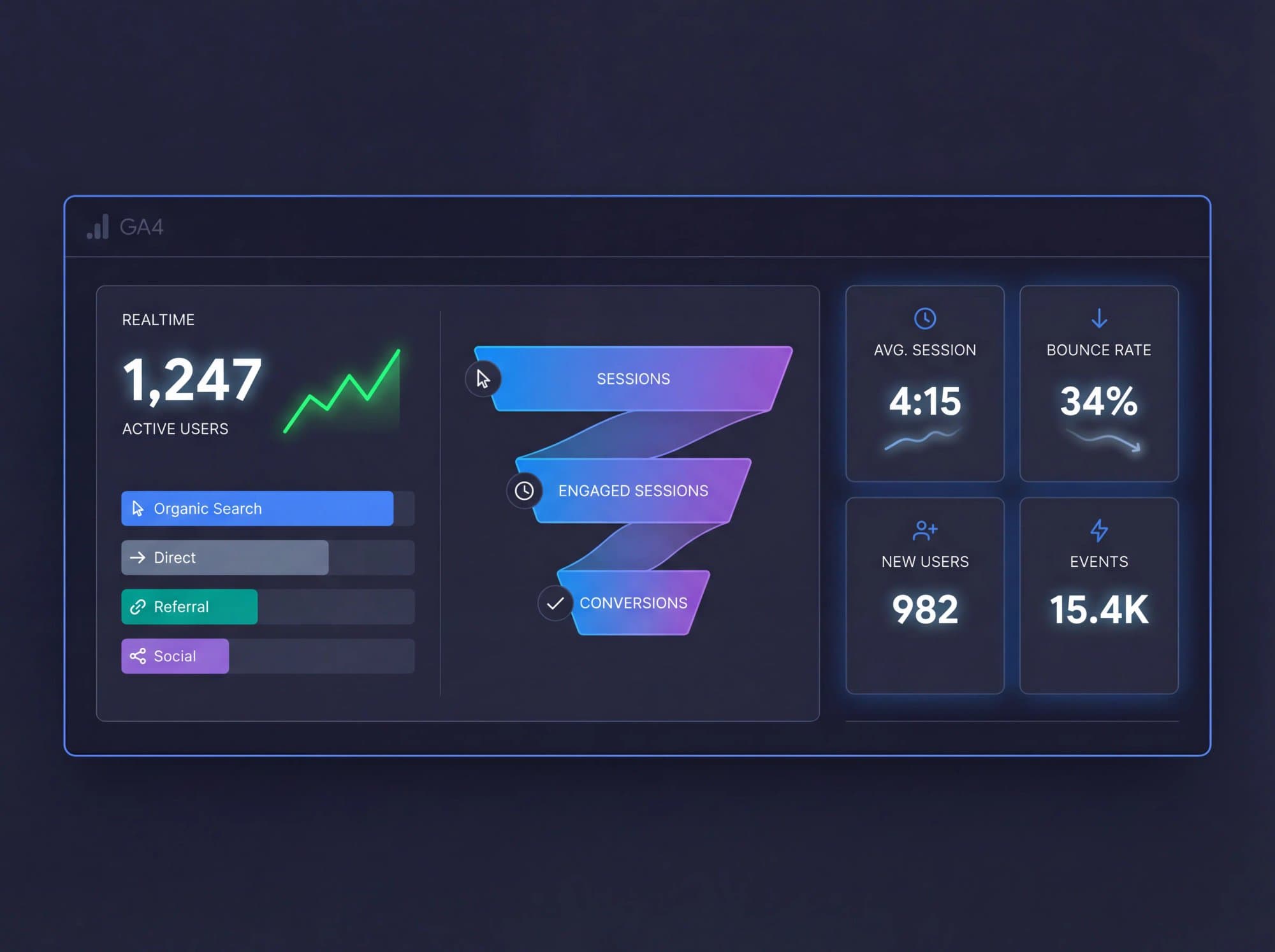
The honest catch: GA4 is powerful, but it's not especially beginner-friendly. The interface can feel overwhelming if you're setting it up for the first time, and the event-based model is a genuine shift from the old Universal Analytics sessions-and-pageviews approach. Google also notes in their support documentation that Realtime is a best-effort view with limited attribution and no formal service-level objective. Use it to validate installs, launches, and sudden spikes. Don't treat it as your only source of truth for weekly reporting.
Google Search Console: Track Your Google Search Performance
Search Console answers a fundamentally different question than GA4. Where Analytics tells you what happened after someone arrived on your site, Search Console tells you what happened inside Google Search before the click.
Google describes Search Console as the tool that helps you measure your site's search traffic and performance, fix issues, and make your site look better in search results. Its performance reporting breaks traffic down by queries, pages, and countries. And Google's documentation recommends it for ownership verification, index coverage, sitemap submission, URL inspection, security checks, and Core Web Vitals monitoring.
That's a lot of ground to cover, but the core value is simple. Search Console answers: "Are people even seeing me in Google?"
That's a different question from "How many people visited?" You can have steady traffic from direct bookmarks and email campaigns while your search visibility quietly declines. Search Console is how you catch that before it turns into a traffic cliff. Knowing how to check your keyword rankings is the critical complement to Search Console data. Raw impressions and clicks need to be paired with ranking position data to form a complete picture.
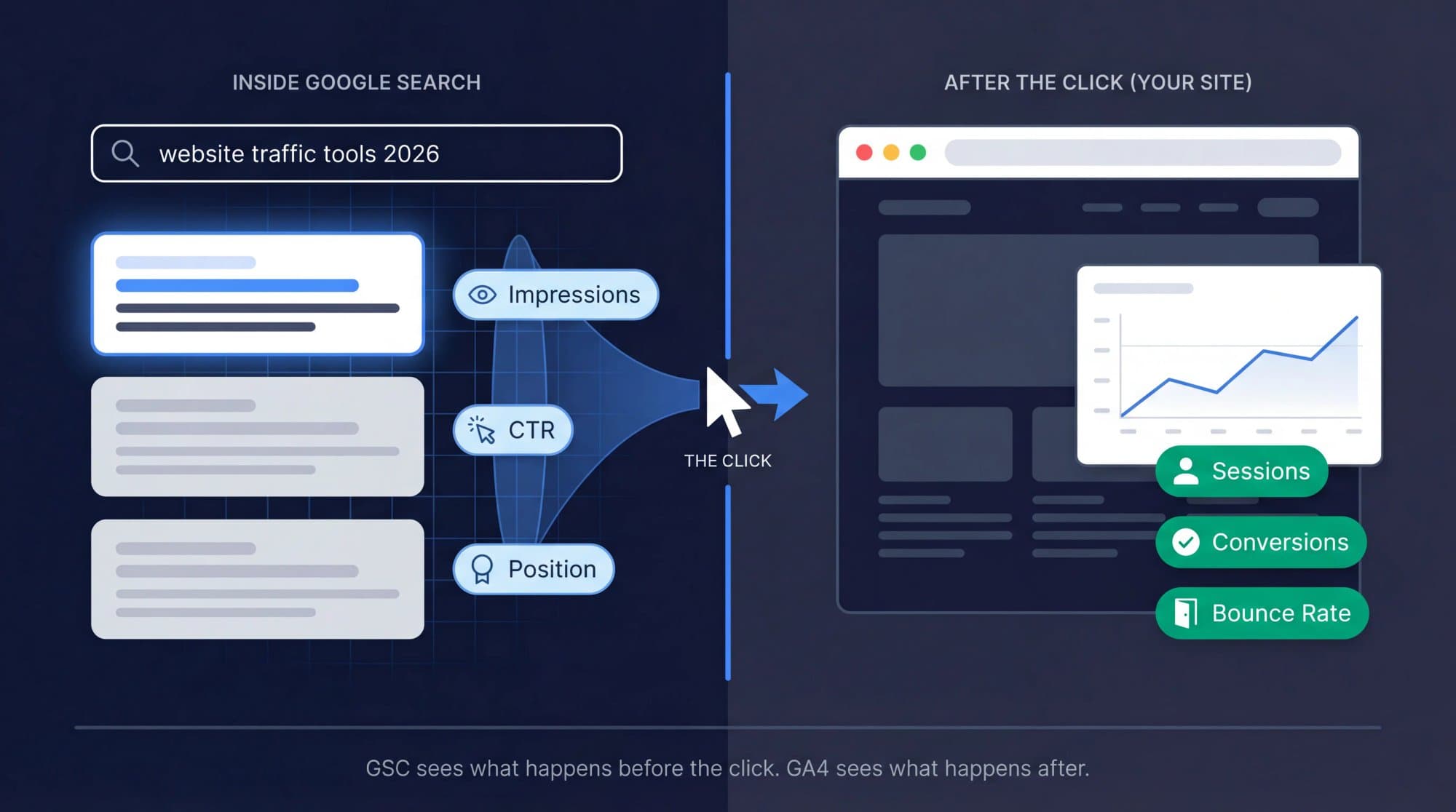
One important caveat. Search Console data in linked Analytics reports is capped at 16 months and becomes available about 48 hours after collection. It's invaluable for search performance, but it's not your realtime traffic dashboard. That's GA4's job.
A key metric Search Console surfaces directly is click-through rate. A page ranking on position 4 with 0.8% CTR when the industry average is 5% is a title and meta description problem, not a ranking problem. That distinction drives very different fixes. Your SEO keyword ranking report becomes the bridge between raw Search Console position data and actual strategic decisions. Search Console also flags indexing problems; if pages aren't ranking, sometimes they're not indexed at all. Search Console's Coverage report is your first diagnostic step for that scenario.
Microsoft Clarity: Free Heatmaps and Session Recordings
This is the tool that fills the gap between knowing traffic numbers and understanding what's actually happening on your pages.
Microsoft Clarity is free forever with no traffic limits. That alone makes it unusual. But what makes it genuinely valuable is what it shows you: session recordings and heatmaps that reveal where users click, how far they scroll, and exactly where they drop off. GA4 can tell you a page underperformed. Clarity helps you see why.
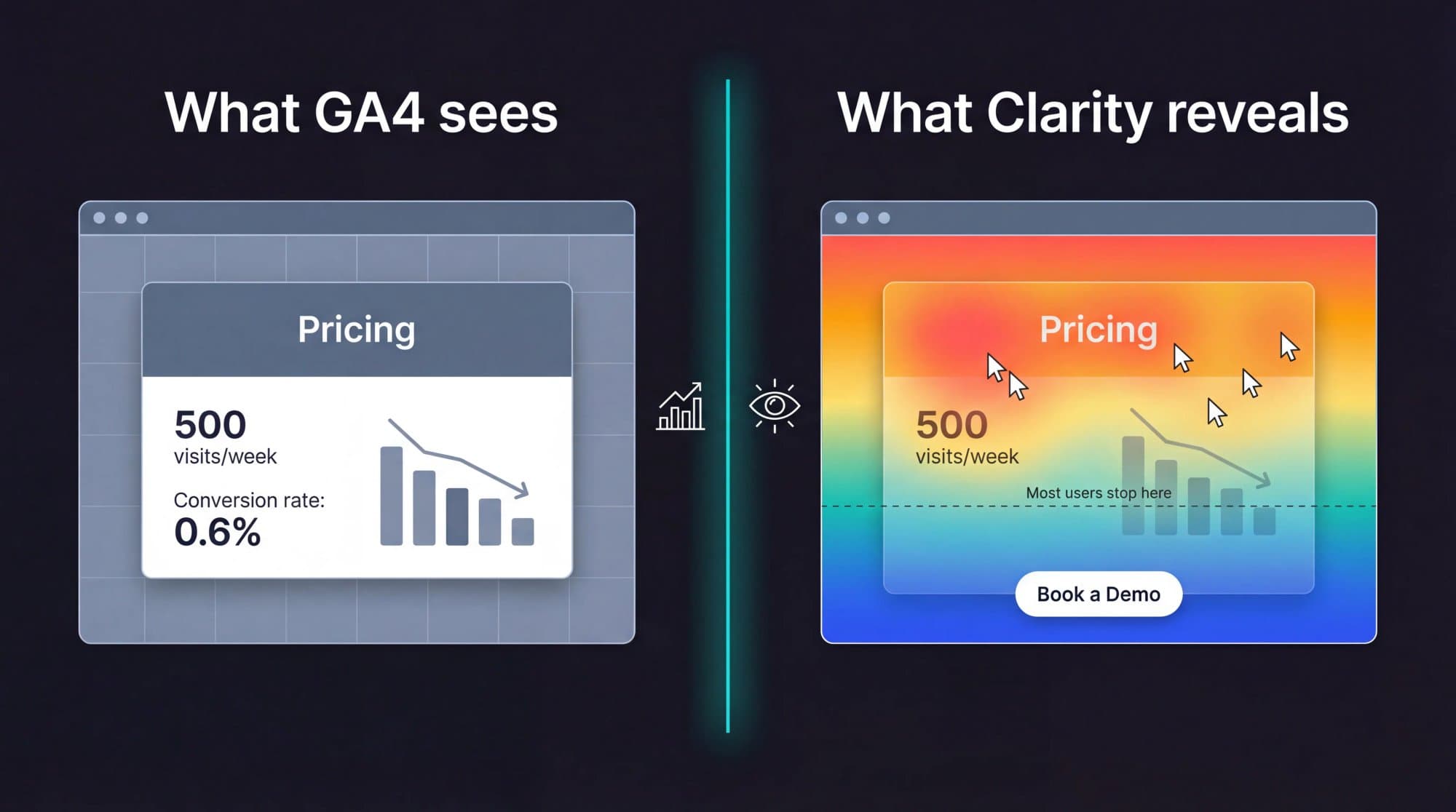
Picture this scenario. Your pricing page gets 500 visits per week but only 3 demo requests. GA4 shows the conversion rate is terrible. But it can't tell you that 60% of visitors scroll past your CTA without ever seeing it, or that they're clicking on an image that isn't actually a button. Clarity can.
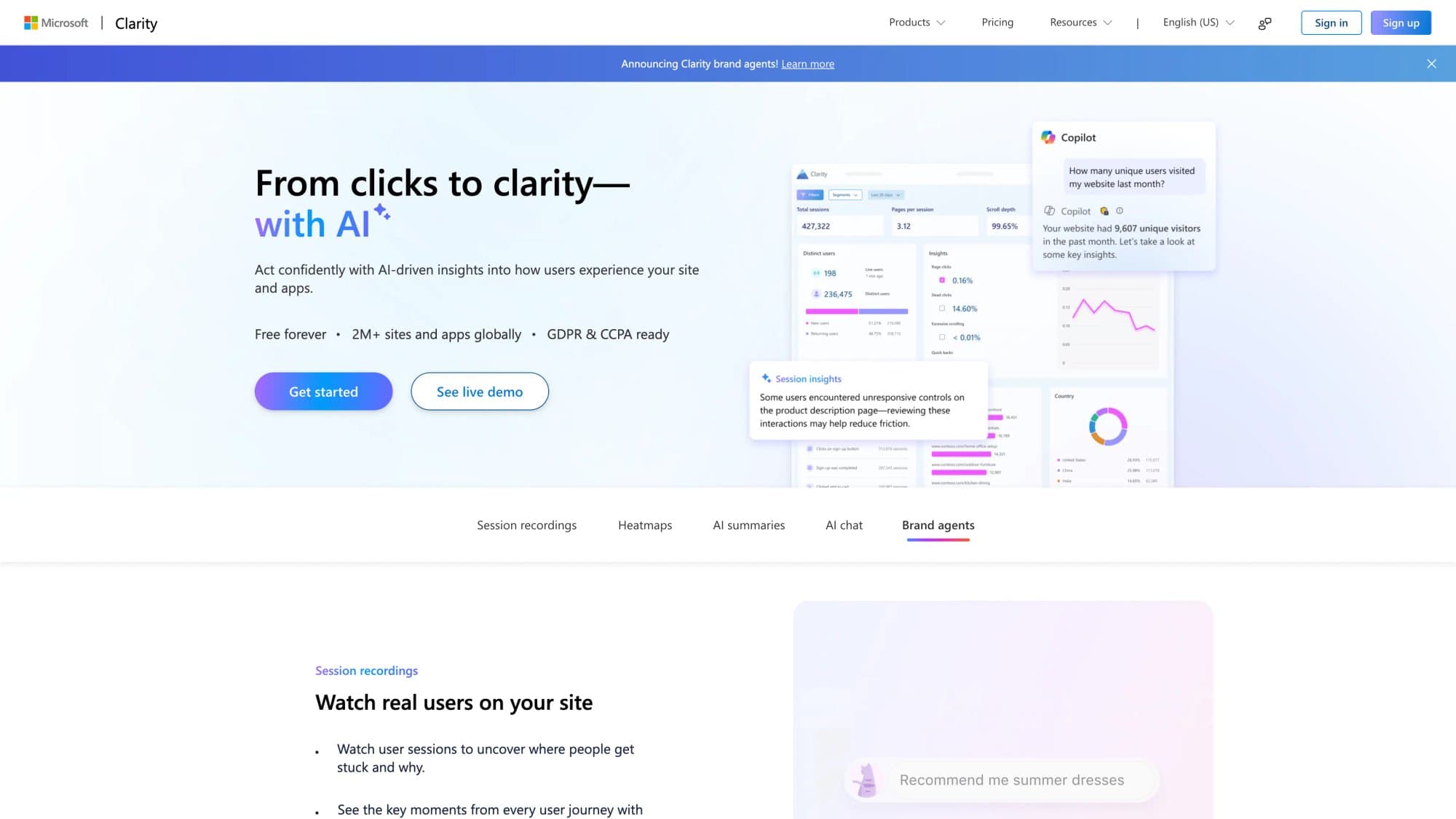
The 2026 advantage is AI traffic tracking. Microsoft added dedicated AIPlatform and PaidAIPlatform channel groups to track traffic from generative AI platforms. Newer AI Visibility features surface bot activity from supported server or CDN integrations. According to Microsoft's documentation, Clarity doesn't charge for AI Visibility or the Bot Activity dashboard, though enabling those integrations can create separate server, CDN, or cloud costs.
For teams tracking referrals from ChatGPT, Perplexity, Gemini, Copilot, or Claude, that's a real edge in 2026.
A practical warning: heatmaps and recordings show symptoms, not business value on their own. Always pair Clarity with GA4 or Search Console so you can connect behavior observations to acquisition data and actual outcomes. This kind of content performance analysis (linking behavioral signals to business outcomes) is where most teams find the most value.
Bing Webmaster Tools: Free Search Data and IndexNow
Bing Webmaster Tools is easy to dismiss. Most teams treat Bing as an afterthought because Google dominates search market share. But dismissing it in 2026 is increasingly a mistake.
Microsoft describes Bing Webmaster Tools as a free set of reports, tools, and resources to improve your site's performance in search. Its Search Performance report shows which keywords from organic, non-paid search drive traffic. And the refreshed Webmaster Tools include IndexNow, which lets you notify Bing and other search engines about content changes for faster crawling.
Why this matters beyond Bing search results. Bing's Webmaster Guidelines explicitly state they cover how Bing discovers, crawls, indexes, evaluates, and surfaces content across Bing search experiences, Copilot, and the grounding API. Bing visibility can influence more AI-adjacent surfaces than many teams realize when they only watch Google.
The setup cost is near zero. There's almost no downside to adding it early, and you gain another search data source plus faster content discovery through IndexNow. If you're already verified in Search Console, Bing lets you import that verification directly.
Ahrefs Webmaster Tools: Free SEO Audits and Site Analytics
Ahrefs has quietly built one of the more interesting free offerings in this space. Ahrefs Webmaster Tools includes website analytics, technical audits, and SEO metrics for verified sites.
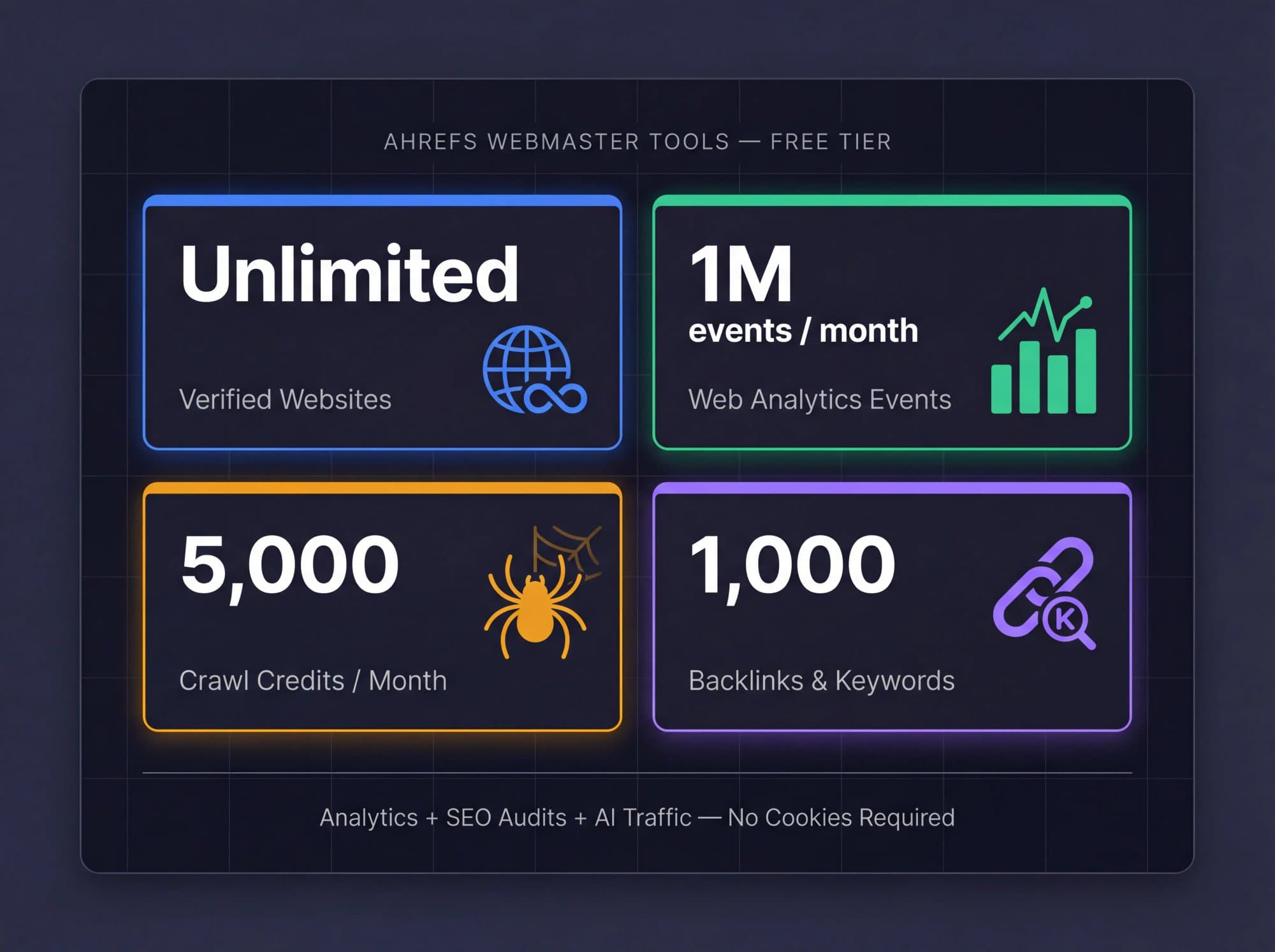
The current free limits are generous enough to be genuinely useful:
- Unlimited verified websites
- Up to 1 million web-analytics events per project per month
- 5,000 crawl credits per project per month
- Visibility into up to 1,000 backlinks and keywords at a time
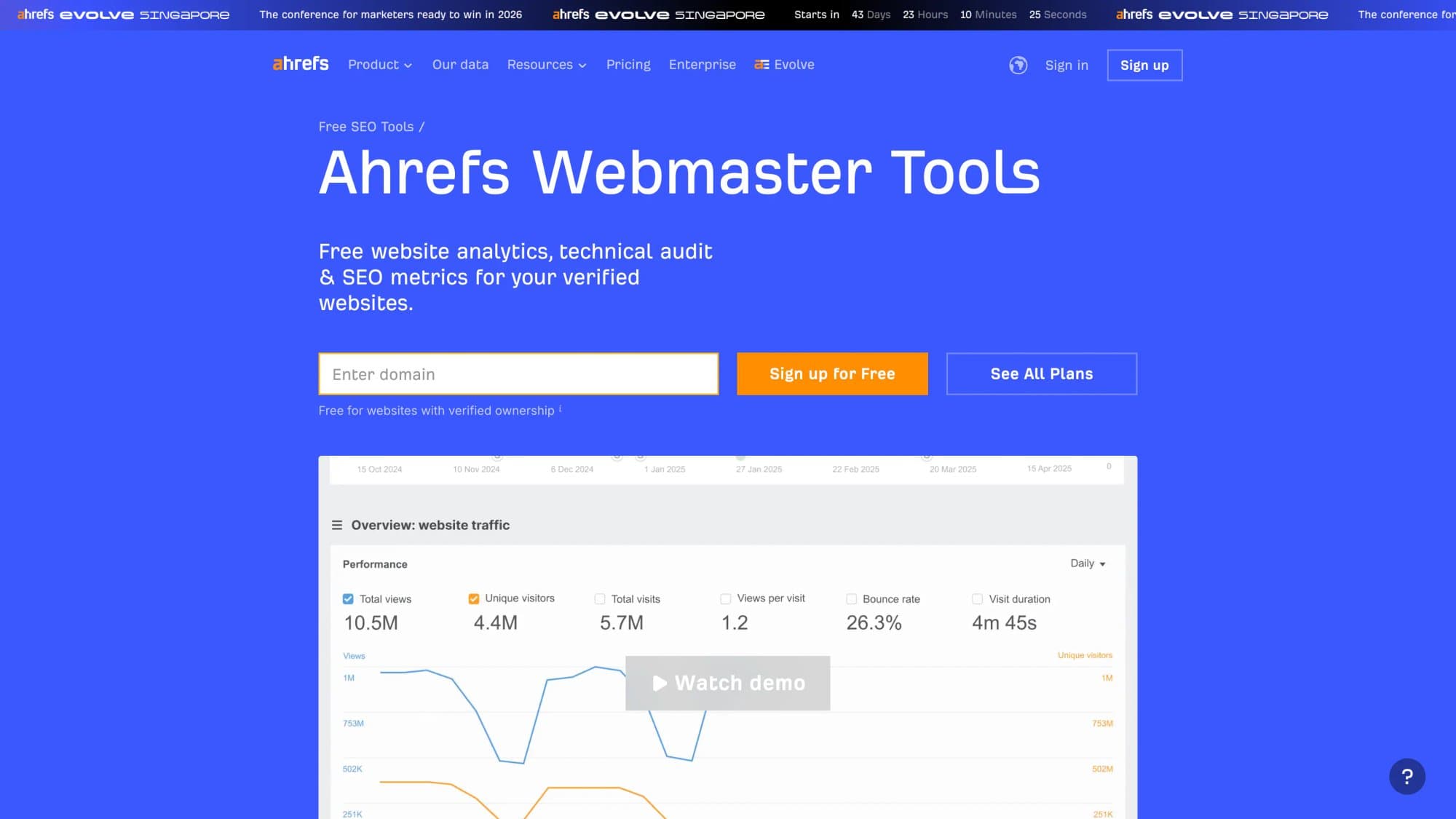
Ahrefs also positions its Web Analytics product as a simple, privacy-friendly, cookie-free alternative to GA4. It can show visitors within one minute, supports custom events and funnels, and can identify AI traffic from chatbots like ChatGPT, Perplexity, and Gemini.
That combination (lightweight analytics + SEO diagnostics + AI traffic identification) makes it a smart choice for content-heavy sites that want both analytics and SEO context in one place, without the complexity of GA4.
The catch is straightforward: it's for verified sites only, and the free tier has clear limits. Use it as a lean alternative or a second opinion alongside your primary analytics. Don't expect it to replace a full enterprise setup. For teams that need more structured SEO tooling, reviewing the best SEO tools for small businesses gives you a broader comparison of what's available.
Cloudflare Web Analytics: Free Privacy-First Traffic Monitoring
If you want the simplest possible analytics setup that respects visitor privacy, Cloudflare Web Analytics is hard to beat.
Cloudflare's documentation describes it as free, privacy-first, requiring no DNS changes and no Cloudflare proxy. You just need a Cloudflare account and a JavaScript snippet. It collects real user monitoring data, surfaces page views and visitor information, and according to Cloudflare, does not collect or use visitors' personal data.
This is a strong choice for founders and marketers who care more about clean traffic monitoring and basic performance data than about complex attribution models. If all you need is "how many people visited, and which pages did they see?" without dealing with consent banners and cookie configurations, Cloudflare delivers that cleanly.
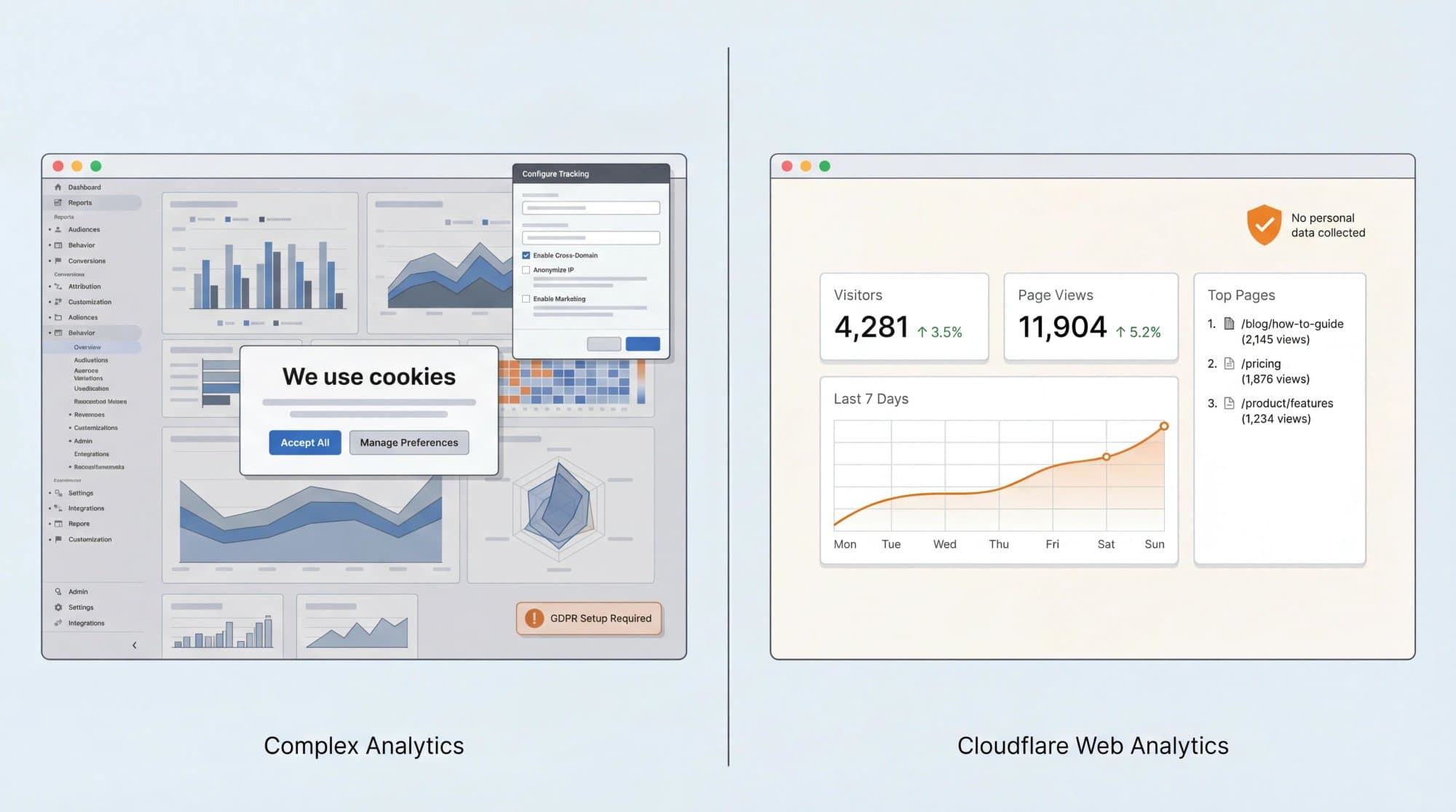
The tradeoff is depth. Cloudflare isn't trying to replace a full conversion analytics stack. It won't track custom events, funnels, or multi-touch attribution. It also has a current site limit for non-proxied properties: 10 sites on the free setup, while sites proxied through Cloudflare have no limit.
Similarweb: How to Check Competitor Website Traffic Free
Every other tool in this list analyzes your own site. Similarweb flips the question: "How much traffic is my competitor getting?"
The Similarweb Website Traffic Checker lets you analyze traffic and engagement stats for any domain. You can compare up to 5 competitors, review which channels drive their traffic, inspect keyword opportunities, and uncover referral and traffic-gap insights.
This is invaluable for context. Knowing your site gets 10,000 monthly visits means nothing in isolation. Knowing your top three competitors get 50,000, 30,000, and 8,000 tells you where you actually stand. A full competitor website analysis goes deeper than traffic numbers alone. It connects traffic estimates to keyword gaps and content opportunities you can actually act on.
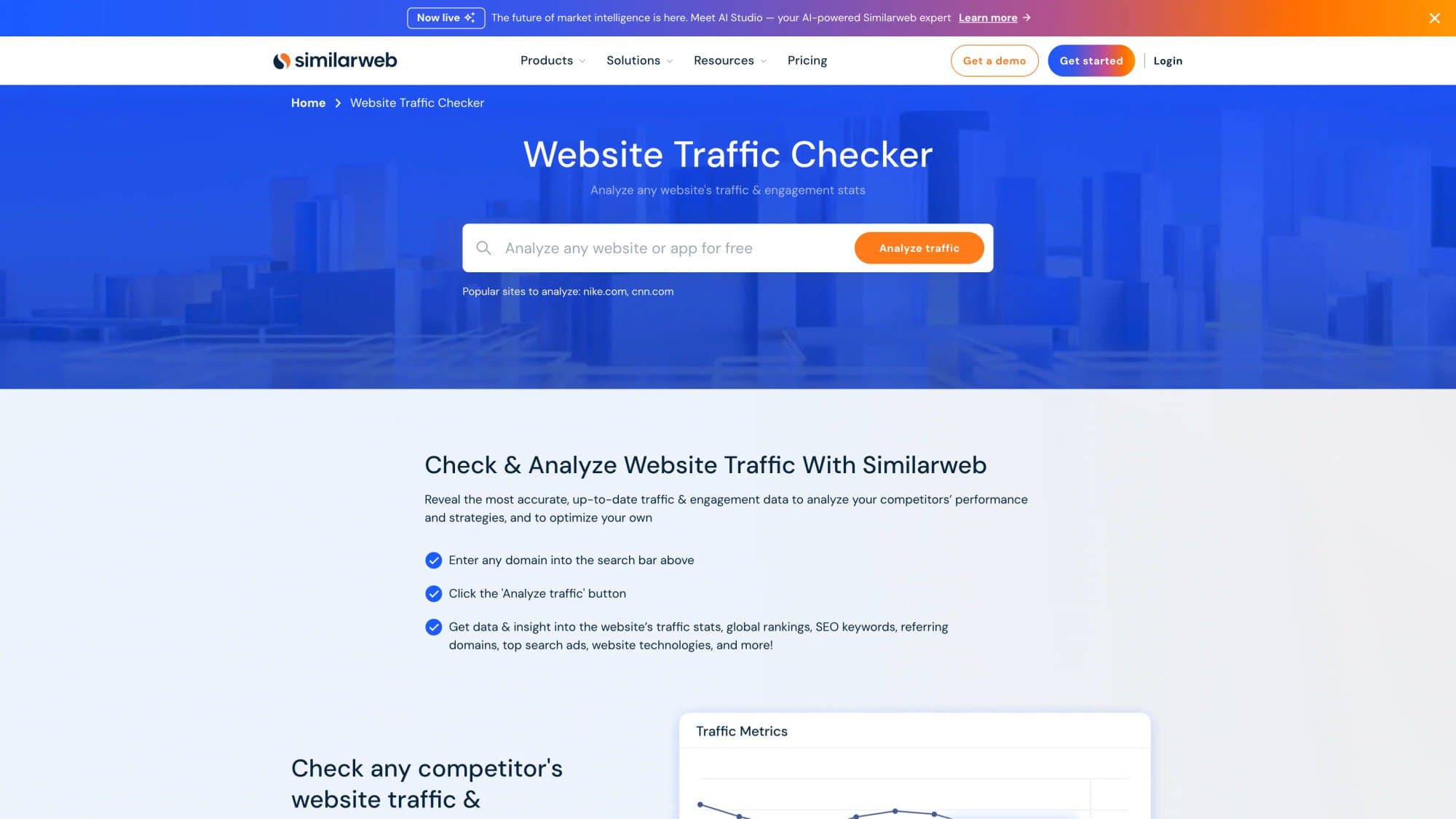
The 2026 bonus. Similarweb also offers a free AI Traffic Checker that can show AI traffic volumes, top prompts, top pages, and which engines (ChatGPT, Gemini, Claude, Copilot, Perplexity) are sending visits. That's useful for competitor research because it reveals where AI-driven discovery is headed in your industry.
Once you have competitor traffic data, a keyword gap analysis is often the next logical step. It turns "they rank for more keywords" into a concrete list of topics to target.
Looker Studio: Combine GA4 and Search Console in One Dashboard
Looker Studio doesn't collect traffic on its own. Its job is something most free monitoring stacks are missing: unifying and visualizing the data you're already collecting.
Google describes Looker Studio as easy and free, and provides official connectors for both Search Console and GA4. That means you can build one weekly dashboard that combines GA4 traffic and conversions with Search Console clicks, impressions, CTR, and average position, as the Google Cloud documentation details.
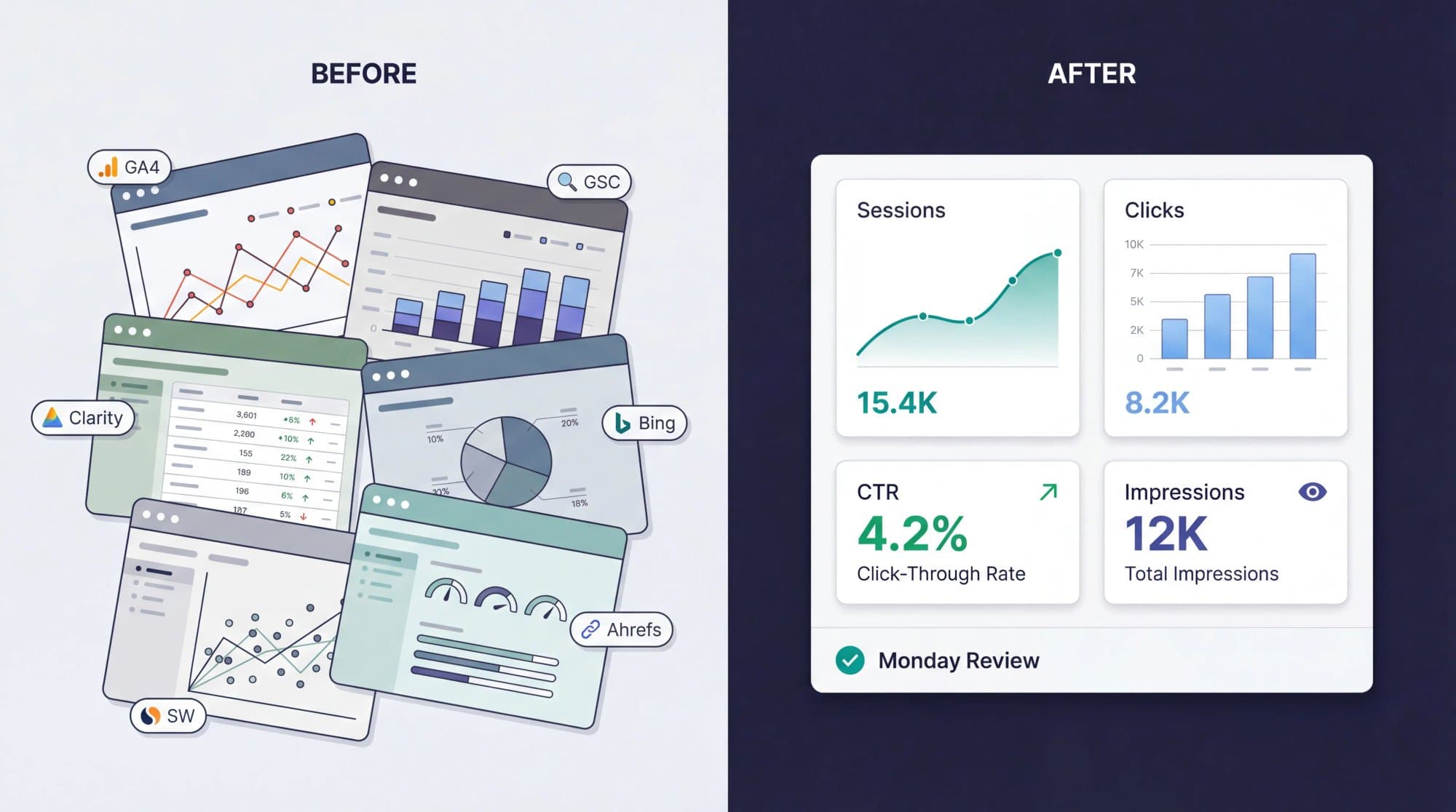
This is the piece that turns monitoring from a weekly scavenger hunt across six browser tabs into a single, focused review session. Build the dashboard once, check it every Monday. That habit alone will put you ahead of most teams who install analytics tools but never actually look at them regularly. Building automated SEO reports out of Looker Studio is the logical next step. Instead of manually building a new report each week, you set it up once and review the same structured view every Monday.
Best Free Website Traffic Monitoring Stack for 2026
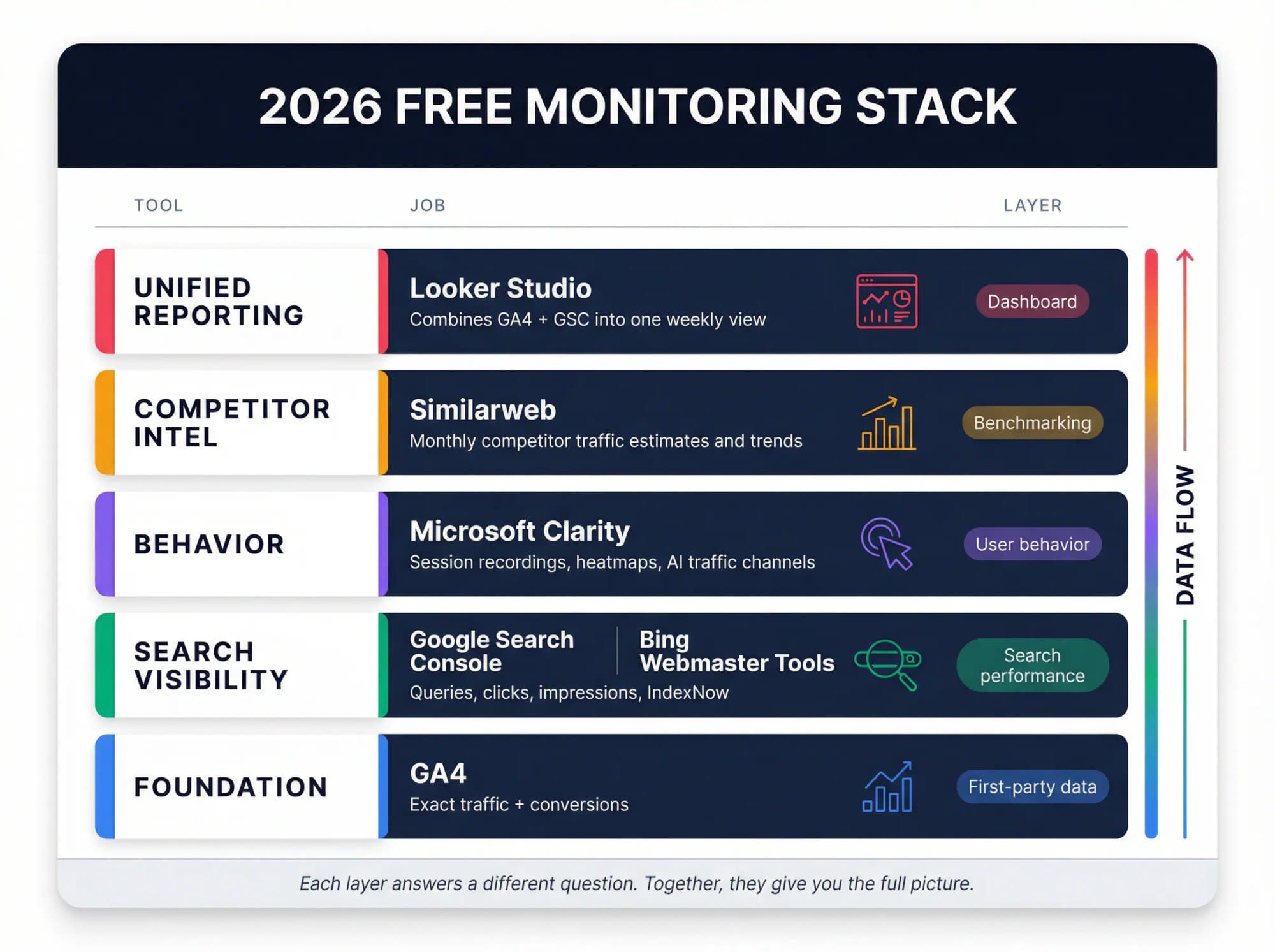
For almost every site, the core stack looks like this:
| Tool | Job | Why it's in the core stack |
|---|---|---|
| GA4 | Exact traffic + conversions | First-party visitor data, event tracking, attribution |
| Google Search Console | Google search visibility | Queries, clicks, impressions, indexing health |
| Microsoft Clarity | Behavior analytics | Session recordings, heatmaps, AI traffic channels |
| Bing Webmaster Tools | Bing search + IndexNow | Second search data source, faster content discovery |
| Looker Studio | Reporting dashboard | Combines GA4 + GSC into one weekly view |
| Similarweb | Competitor benchmarking | Monthly competitor traffic estimates and trends |
That covers the five core jobs: exact traffic, search visibility, behavior analysis, competitor intelligence, and unified reporting.
When to add more. Layer in Cloudflare Web Analytics when you want a lighter, privacy-first second view of your traffic. Add Ahrefs Web Analytics when you want simpler analytics with built-in SEO context. But add them for a real reason. More dashboards don't automatically create more clarity.
How to Set Up Free Website Traffic Monitoring (Step by Step)
Here's the order that makes sense for most sites, starting from zero:
① Install GA4 on every page of your site.
Define the few events that actually matter to your business: demo requests, signups, purchases, form submissions, or qualified leads. Don't track everything. Track what matters. Google's setup guide walks through the basics.
② Verify your site in Google Search Console.
Submit your sitemap so Google can discover new pages faster. Understanding how to make a sitemap is a prerequisite for this step. A properly structured XML sitemap ensures Search Console can crawl and index your pages efficiently. This gives you query-level search data that GA4 simply can't provide on its own.
③ Connect Microsoft Clarity.
This takes about five minutes and gives you a behavioral layer that pure analytics tools miss. Once traffic hits a landing page, recordings and heatmaps show whether users are confused, distracted, or blocked by layout, copy, or UX friction.
④ Set up Bing Webmaster Tools and enable IndexNow.
Most teams ignore this until late, but there's almost no downside to setting it up early. You gain another search data source plus faster content discovery.
⑤ Build one Looker Studio dashboard.
Combine GA4 and Search Console using Google's native connectors. This becomes your weekly command center. Check it every Monday morning.
⑥ Save a shortlist of 3 to 5 competitors in Similarweb.
Check them monthly, not obsessively. Competitor estimates are best used for direction, not daily mood swings. Pair this with a proper SEO competitor analysis to understand the strategic gaps behind the traffic numbers.
⑦ Optional: Add Cloudflare or Ahrefs Web Analytics.
If privacy-first measurement matters to you, Cloudflare gives you clean, lightweight monitoring. If you want simpler analytics with SEO context, Ahrefs is the better choice.
7 Website Traffic Metrics That Actually Matter
Most beginners stare at total visits and learn almost nothing. A better weekly review looks at these seven metrics:
- Users and sessions. Is overall traffic rising, flat, or falling? This is your pulse check.
- Traffic source or channel. Is growth coming from search, direct, referrals, social, or paid? If organic search is flat while direct grows, you might have a brand awareness win but an SEO problem. Understanding organic search vs direct traffic helps you interpret this split correctly. They have very different implications for SEO strategy.
- Top landing pages. Which pages are actually pulling people into the site? Often, 20% of your pages drive 80% of the traffic.
- Search clicks, impressions, CTR, and average position. Are pages being seen in Google, and are they earning clicks? A page with high impressions but low CTR might need a better title or meta description. Your SEO keyword ranking report is where you turn those raw position numbers into trackable trends over time.
- Key events or conversions. Is traffic turning into signups, leads, or sales? Traffic without conversion is just expensive decoration. Understanding your content performance requires connecting this traffic data to actual business outcomes.
- Behavior and drop-off patterns. Where do users hesitate, stop scrolling, or leave? This is where Clarity earns its keep.
- Competitor direction. Are rivals growing faster in search or referrals, even if the exact numbers are estimated? Knowing your competitor doubled their organic traffic in six months tells you something about your own urgency.
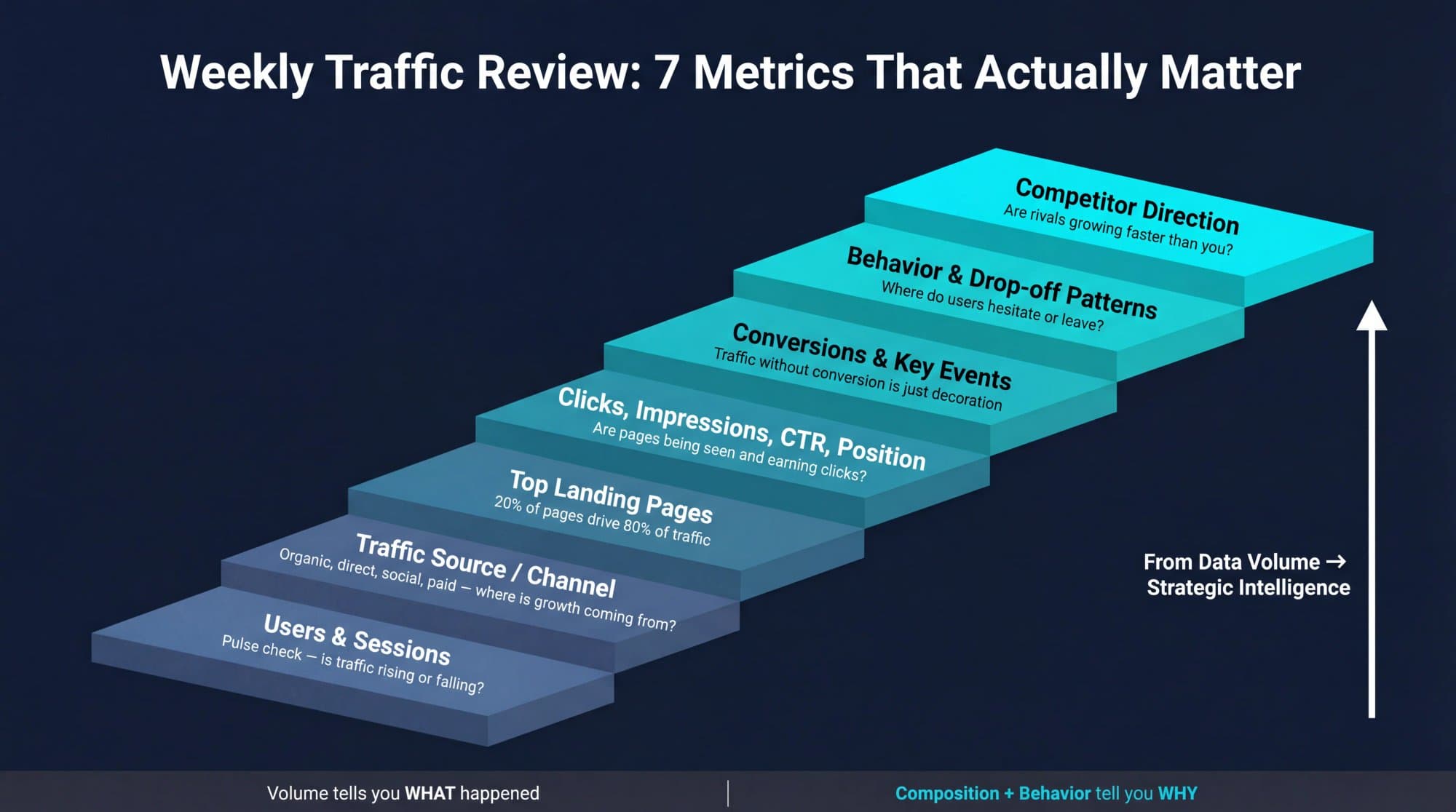
This is the difference between tracking traffic and understanding traffic. Volume tells you something happened. Composition and behavior tell you why it happened and what to fix next. This is essentially website traffic analysis: turning raw numbers into decisions.
How to Monitor AI Traffic in 2026
A lot of older articles on website traffic monitoring miss this completely. In 2026, "traffic source" no longer means only search, direct, social, email, and paid. It also includes AI referrals.
People are discovering websites through ChatGPT, Perplexity, Gemini, Copilot, and Claude. And the tools are catching up. Microsoft Clarity now has AI-focused channel grouping with dedicated AIPlatform and PaidAIPlatform channels. Ahrefs says its Web Analytics can identify AI traffic from chatbots. And Similarweb offers a free AI Traffic Checker that surfaces AI visits, top prompts, and sending engines.
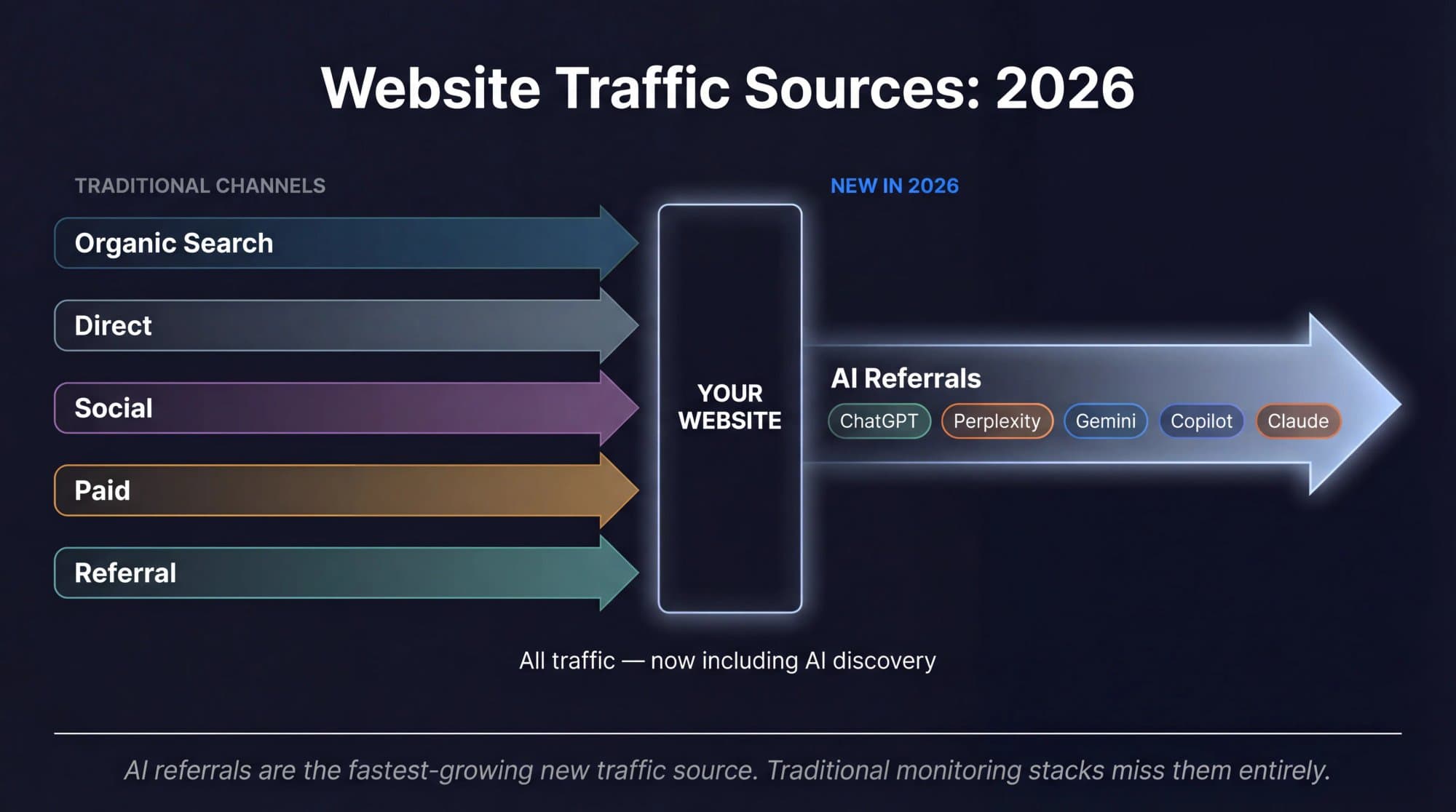
Your monitoring stack should now answer one extra question: which pages get discovered through AI assistants, not just search engines?
This matters for a simple reason. Search rankings still matter, but the path between ranking and visit is changing. More discovery happens inside answer engines, assistants, and AI search experiences. Teams that only monitor classic search traffic will miss part of the new demand curve.
And there's a connection that most monitoring guides won't make: if AI assistants are pulling answers from top-ranking content, then the quality and depth of your content directly influences whether you show up in those AI responses. Monitoring AI traffic is the diagnostic. Creating content that ranks (and gets cited by AI) is the treatment. This is why how to rank on Google is now also about how to get cited by AI. The same quality signals matter across both.
That's where a tool like Outrank comes in. It bridges the gap between identifying what content you need and actually producing it at the pace required to compete.
Turn Website Traffic Data into Content Growth (Outrank)
You've now got the monitoring side figured out. You know which tools to install, which metrics to watch, and how to build a weekly review habit. But there's a question that monitoring alone can't answer: what do you actually do with the data?
Your Search Console shows keyword gaps. Your Similarweb comparison reveals competitors publishing three times more content than you. Your Clarity heatmaps confirm that thin, unhelpful pages are driving visitors away. You can see the problems clearly. The bottleneck isn't insight. It's execution.
That's the problem we built Outrank to solve.
Outrank is an automated SEO platform that handles the entire pipeline from keyword research to published content. It finds high-traffic, low-difficulty keyword opportunities, generates long-form articles optimized for search, and publishes them directly to your CMS (WordPress, Webflow, Shopify, Framer, and more). The result: you can go from identifying a content gap in your Monday traffic review to having a published article targeting that gap by midweek. If you want to understand how to increase website traffic organically, the answer almost always starts with closing the content gaps your monitoring data reveals.
What this looks like in practice:
- Your Search Console data reveals 50 keywords where you rank on page 2. Outrank identifies which ones have the best difficulty-to-volume ratio and creates content to push them onto page 1. A solid keyword research tutorial is the foundation. Knowing which gaps to close first is what separates tactical content production from strategic content production.
- Your Similarweb research shows a competitor ranking for 200 keywords you don't cover. Outrank helps you systematically close that gap with targeted articles. Use the Blog Keyword Generator to seed your content calendar from those gaps quickly.
- Your GA4 conversion data shows which topics drive the most signups. Outrank lets you scale production around those topics without hiring a content team. This is how to scale content marketing without scaling headcount.
The monitoring stack tells you where the opportunities are. Outrank turns those opportunities into published, ranking content.
Scale Your SEO Without Doing It Yourself: Outrank Agency
Some teams don't just need a tool. They need a team.
If you're looking at your traffic data and thinking "I know what needs to happen, I just don't have the people or hours to make it happen", that's exactly what Outrank Agency was built for.
Outrank Agency is a done-for-you content and SEO service. Every month, you get 30 expert-crafted articles, each reviewed by industry specialists who check facts, fix inaccuracies, and make the content genuinely expert-level. Not AI slop that reads like a robot wrote it. Not freelancers you have to manage. A dedicated team that handles everything from keyword research to content creation to SEO optimization to CMS publishing. For SaaS companies and startups especially, this kind of content marketing for startups approach (high-volume, expert-reviewed, and fully managed) is what creates compounding organic traffic over time.
Here's what's included:
- Comprehensive keyword research and competitor gap analysis
- A content calendar planned 3 months ahead
- SEO specialist optimization for every article (structure, internal links, keyword density, headings)
- A dedicated Slack channel with your team for fast communication
- Direct CMS publishing without your involvement
The results speak for themselves. Aidan Cramer, CEO of aiapply.co, put it simply:
Pricing is $1,499/month, and only 5 new clients are accepted per month to protect quality. Cancel anytime, no contracts.
Book a demo call to see if it's the right fit, or visit Outrank Agency to learn more.
5 Website Traffic Monitoring Mistakes That Waste Your Time
Even with the right tools installed, plenty of teams get monitoring wrong. Here are the patterns that waste the most time:
**Using one tool for everything.**GA4 is not a heatmap tool. Clarity is not a rank tracker. Similarweb is not your competitor's internal analytics. Each tool has a specific job. Use it for that job. A technical SEO audit checklist is a good framework for organizing which tool handles which diagnostic.
**Confusing exact data with modeled data.**Your own site analytics are first-party and precise. Competitor traffic numbers are estimates built from modeling. Both are useful. Neither should be confused for the other.
**Watching visits but ignoring search impressions.**Sometimes the real problem isn't traffic loss. It's visibility loss that hasn't fully turned into a traffic drop yet. Search Console shows this before your GA4 dashboard does. Learning how to check keyword rankings in conjunction with Search Console visibility data is what catches these early warning signals.
**Living inside Realtime.**GA4's Realtime view is great for debugging installs and catching spikes. It's a terrible substitute for proper weekly reporting. Build the Looker Studio dashboard and check it on a schedule.
Collecting data without a review ritual.
A proper content management strategy treats traffic data as an input to content decisions, not an output to admire.
Website Traffic Monitoring: Frequently Asked Questions
Can I Monitor Website Traffic Completely for Free?
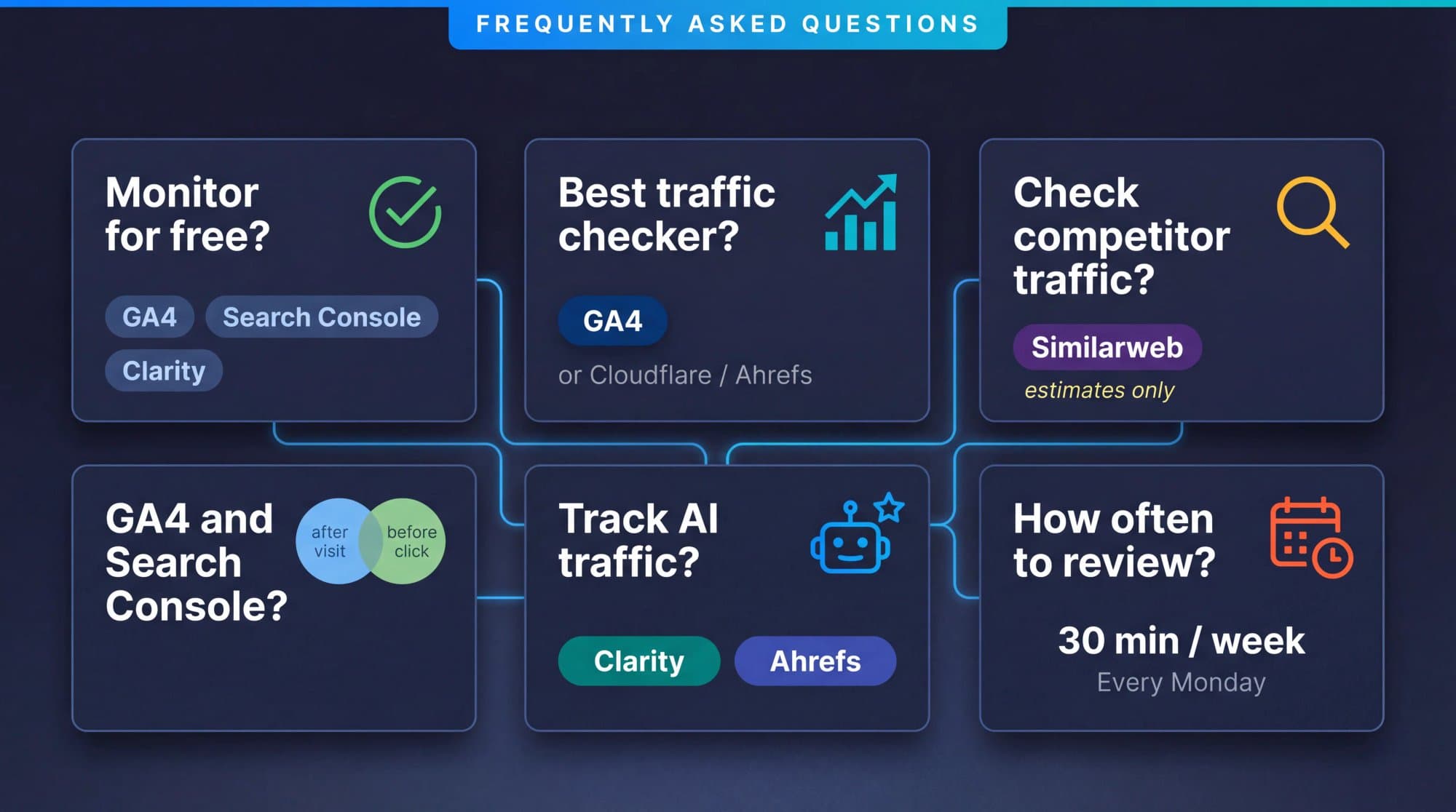
Yes. A solid free stack covers most small and mid-sized websites surprisingly well. Use GA4 for exact on-site traffic, Search Console for Google search visibility, Clarity for behavior analytics, Bing Webmaster Tools for Bing data, and Looker Studio for reporting. Google's Marketing Platform confirms GA4 is free, and all the other tools listed here have genuinely free tiers with no hidden costs for basic monitoring.
What Is the Best Free Website Traffic Checker for My Own Site?
For most websites, GA4 remains the best free first-party traffic tool because it's event-based and built to measure your visitors, pages, sources, and conversions. Cloudflare Web Analytics and Ahrefs Web Analytics are strong alternatives when you want something lighter or more privacy-focused. The "best" choice depends on whether you need depth (GA4) or simplicity (Cloudflare/Ahrefs).
Can I Check Competitor Website Traffic for Free?
Yes, but the key word is estimate. Similarweb's free checker can compare competitor domains and traffic sources, but Similarweb explains that its numbers come from collection, synthesis, and modeling, not direct access to a rival's private analytics. Treat it as directional intelligence, not courtroom evidence. Pair those estimates with a proper keyword analysis of competitors to understand the content strategy behind their traffic advantage.
Do I Need Both Google Analytics and Google Search Console?
Yes. They answer different questions. GA4 tells you what happened on your site after someone arrived. Search Console tells you how your site performed inside Google Search before the click happened. That split is why the two tools work best together, and Google provides a native connection between them.
Which Free Tool Is Best for Monitoring AI Traffic in 2026?
For your own site, Clarity and Ahrefs are two of the most interesting free options because both now expose AI-related traffic views. Clarity has dedicated AI traffic channels. For competitor AI traffic estimates, Similarweb's free AI Traffic Checker is the easiest entry point.
How Often Should I Review My Traffic Data?
Weekly is the sweet spot for most teams. Block 30 minutes every Monday to review the core metrics in your Looker Studio dashboard: traffic trends, search performance, conversion rates, and one or two behavior insights from Clarity. Monthly, check your Similarweb competitor benchmarks. Daily monitoring creates noise and anxiety. Weekly creates useful patterns and actionable decisions.
How to Start Monitoring Website Traffic Today
Monitoring website traffic isn't about finding one perfect dashboard. It's about building a small, honest measurement system.
Use GA4 to measure exact traffic and conversions. Use Search Console and Bing Webmaster Tools to monitor search visibility. Use Clarity to see user friction. Use Similarweb to estimate where you stand against competitors. And use Looker Studio to pull the whole story into one place.
Then do the part most people skip: review the data every week, decide what it means, and turn it into action.
For deeper dives into specific monitoring areas, pair this guide with our walkthrough on how to track Google rankings, which turns raw Search Console data into concrete SEO decisions. You might also find our guide on how to find keyword search volume useful when translating Search Console impressions into estimated search demand.
Once the data points to specific content gaps, closing them with SEO content writing tips is the natural next step. The monitoring stack tells you what to write, and good execution is what turns that insight into rankings.
Because monitoring tells you what is happening. It doesn't create better content, fix thin pages, close keyword gaps, or build authority by itself. That's the gap between knowing and growing. And it's exactly the gap that Outrank was designed to bridge.
Ready to turn your traffic data into traffic growth? Start with Outrank and go from insights to published, ranking content.