

Cloudflare Worker Setup
Host your Free Tools on a path-based URL using Cloudflare Workers
How Cloudflare Workers Enable Subfolder Hosting
Cloudflare Workers provide the most robust and easiest way to host your Outrank Free Tools on a subfolder of your main domain. This approach works with any type of website and allows you to serve your SEO tools at paths like example.com/tools instead of a separate subdomain.
This configuration is particularly beneficial for SEO as it keeps all content under your main domain, consolidating your domain authority and making your free tools more discoverable.
Prerequisites
- A Cloudflare account (free tier works perfectly)
- Your domain's DNS records managed through Cloudflare
- Active Outrank Free Tools feature enabled
Setup Instructions
Step 1: Open Cloudflare Workers Dashboard
- Log in to your Cloudflare account
- Navigate to the Workers Routes section from the left sidebar
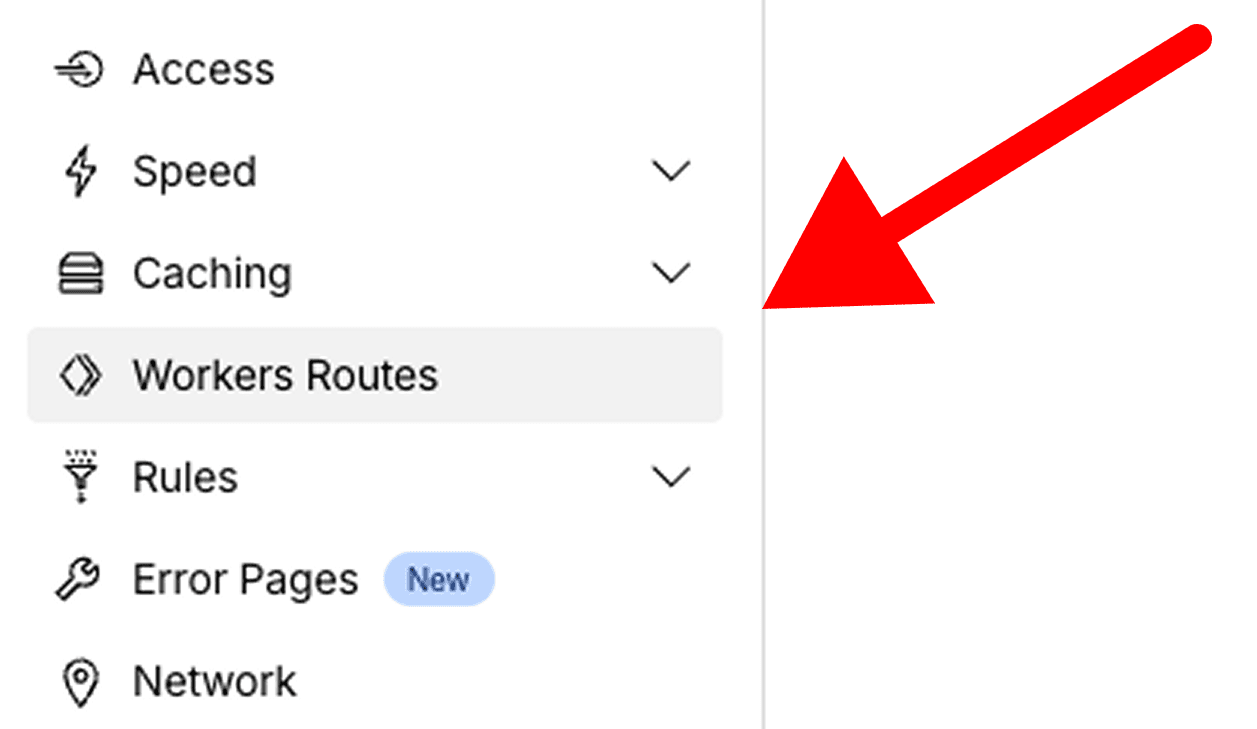
Step 2: Create a New Worker Service
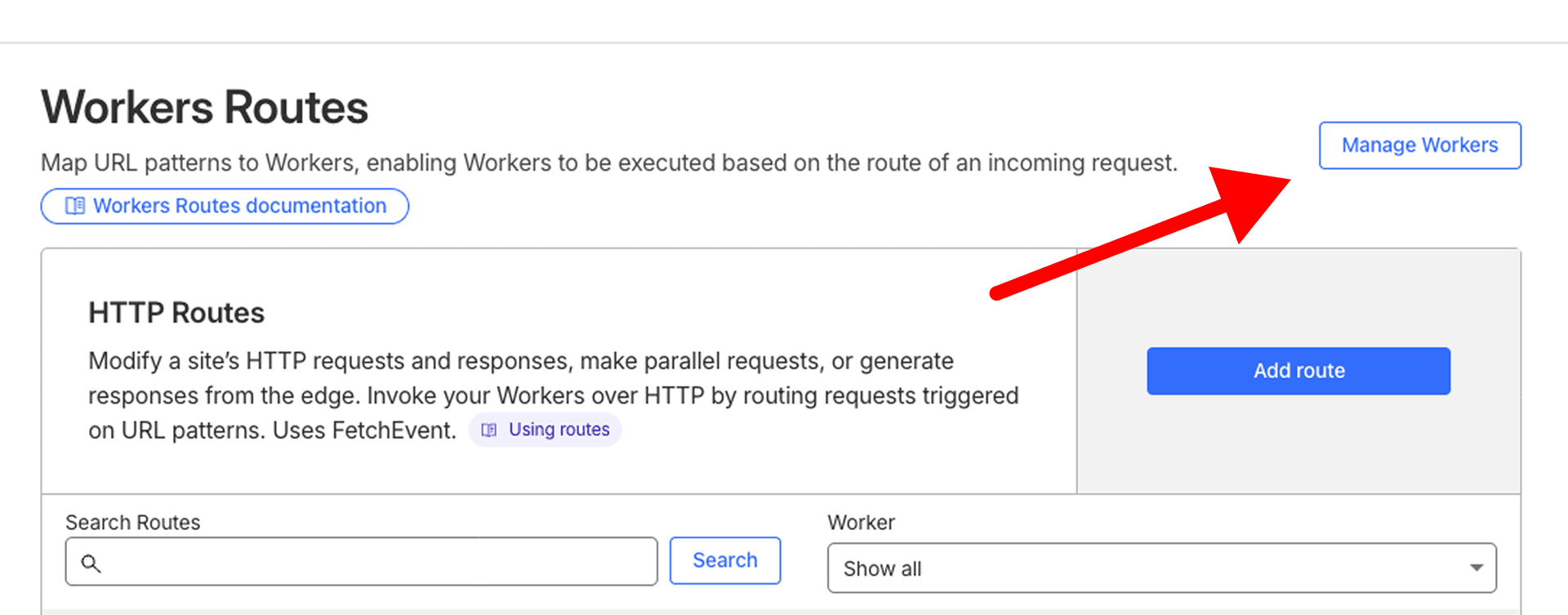
- Click the "Manage Workers" button
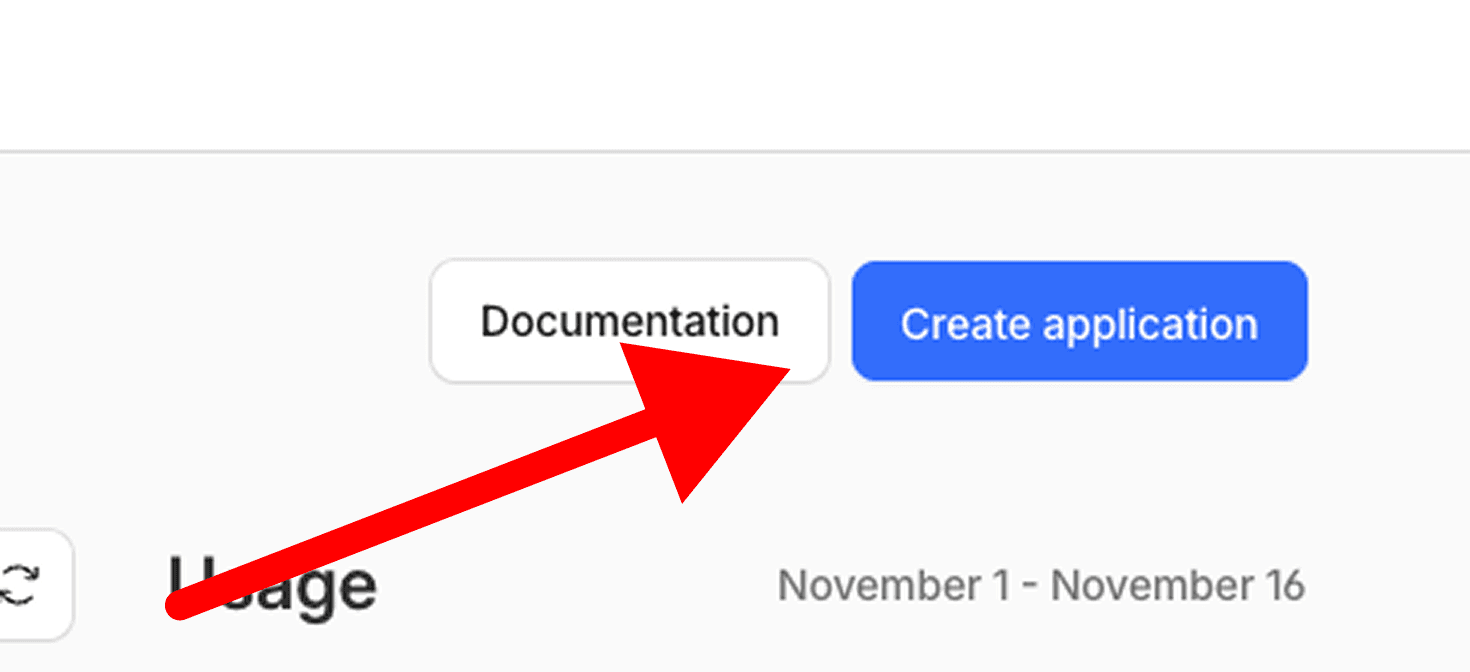
- Select "Create Application"
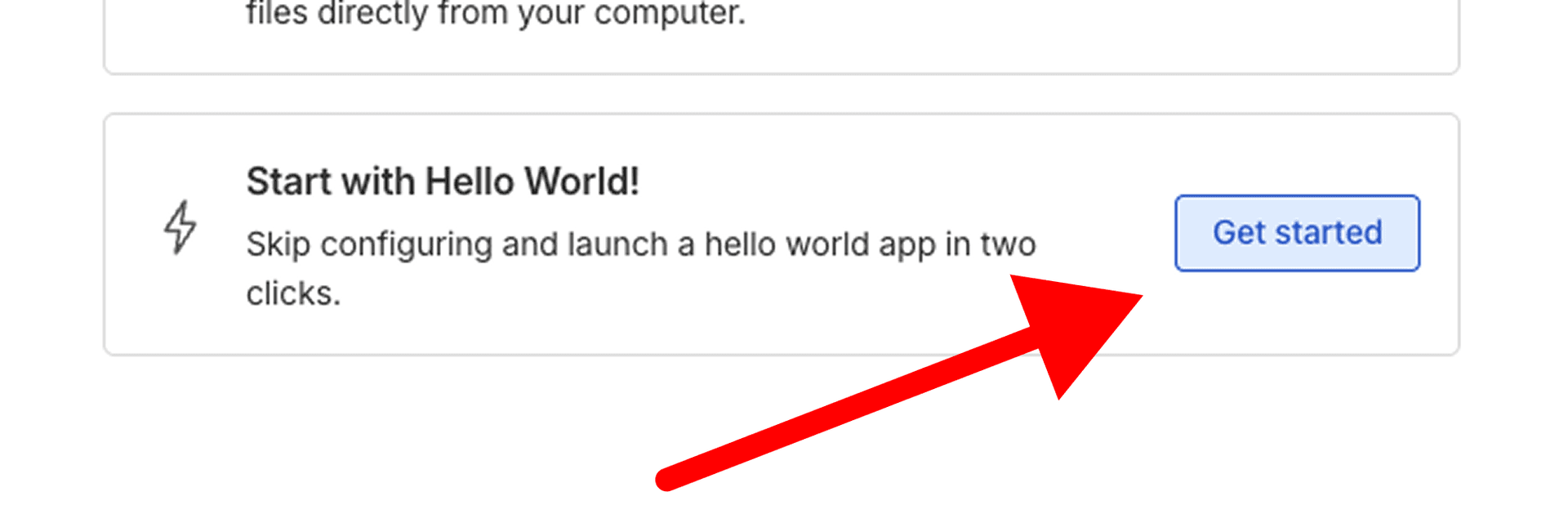
- Select "Start with Hello World"
- Give your worker a name (e.g., "free-tools-proxy") or keep it as is
- Click "Deploy" to create the worker
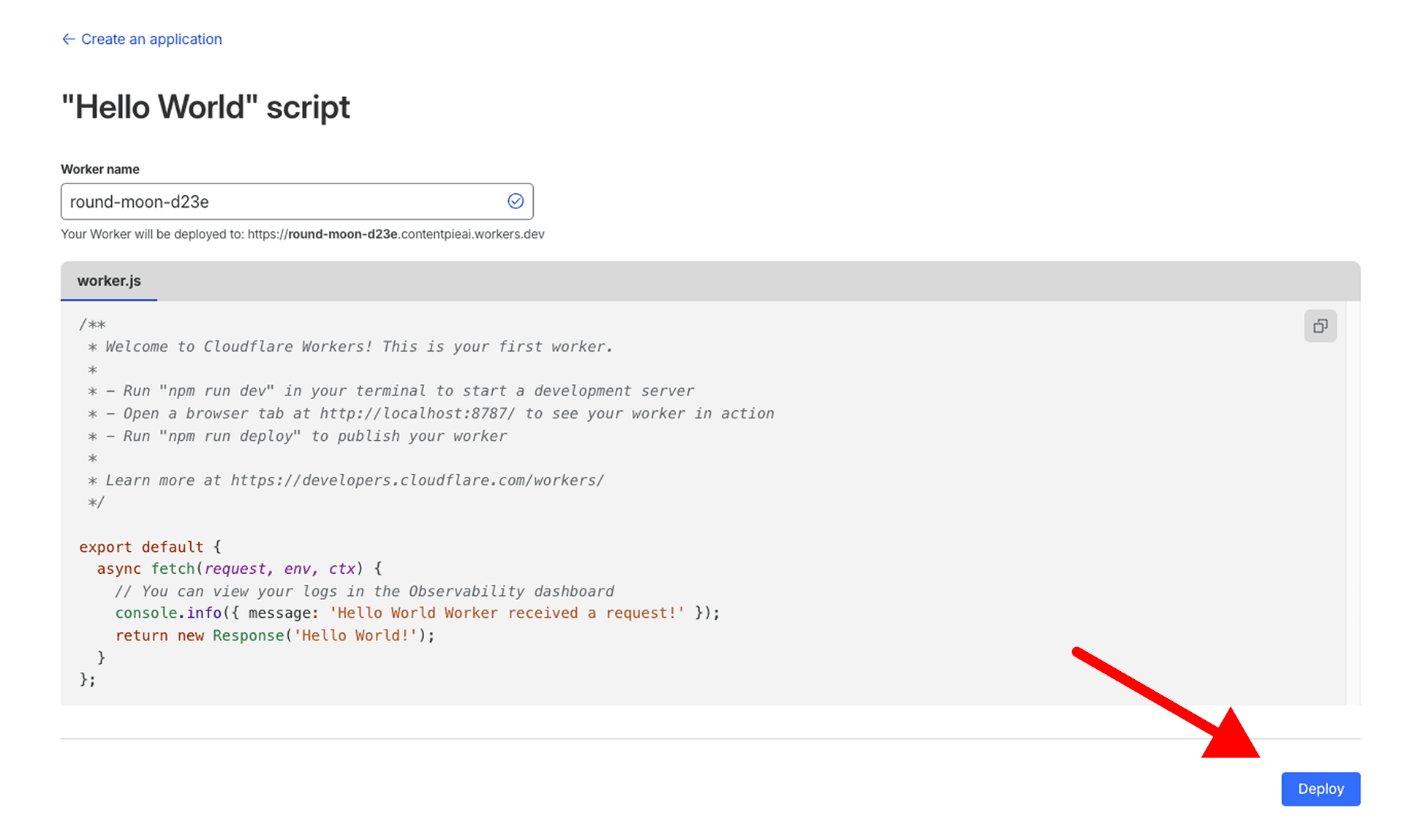
- Don't worry about the code yet - we'll update it in the next step
Step 3: Configure the Worker Code
- After creating the worker, click "Edit code"
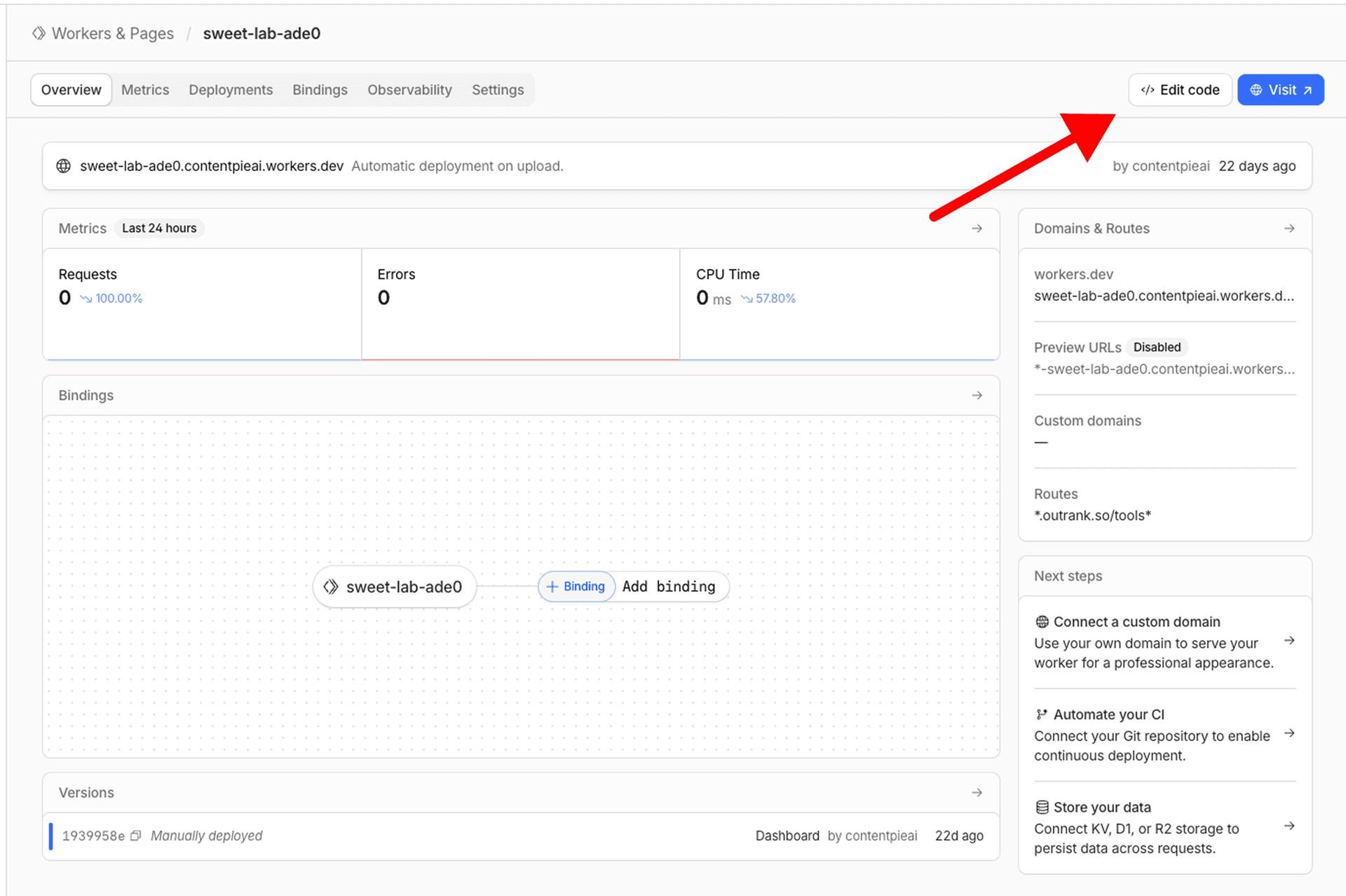
- Delete all existing code in the editor
- Copy and paste the following worker script:
export default {
  async fetch(request, env, ctx) {
    const ORIGIN_HOST = "seo-tools-container.onrender.com";   // Render upstream
    const PREFIX = "/tools";                                   // mount path

    const url = new URL(request.url);
    const isPrefixed = url.pathname === PREFIX || url.pathname.startsWith(PREFIX + "/");

    // Normalize /tools/ → /tools
    if (url.pathname === PREFIX + "/") {
      url.pathname = PREFIX;
      return Response.redirect(url.toString(), 301);
    }

    // Not our path? pass through unchanged
    if (!isPrefixed) return fetch(request);

    // Build upstream URL: strip the /tools prefix
    const upstream = new URL(url.toString());
    upstream.hostname = ORIGIN_HOST;
    upstream.pathname = url.pathname.replace(/^\/tools(\/?)/, "/") || "/";

    // Forward request
    const init = {
      method: request.method,
      headers: new Headers(request.headers),
      body: ["GET", "HEAD"].includes(request.method) ? undefined : await request.arrayBuffer(),
      redirect: "manual",
    };
    init.headers.set("X-Forwarded-Host", url.host);
    init.headers.set("X-Forwarded-Proto", url.protocol.replace(":", ""));
    init.headers.set("Host", ORIGIN_HOST);

    let resp = await fetch(upstream.toString(), init);

    // Rewrite upstream redirects to /tools/...
    const loc = resp.headers.get("Location");
    if (loc) {
      const abs = new URL(loc, upstream);
      if (abs.hostname === ORIGIN_HOST) {
        const rewritten = PREFIX + (abs.pathname === "/" ? "" : abs.pathname) + (abs.search || "");
        const r = new Response(null, { status: resp.status, headers: resp.headers });
        r.headers.set("Location", rewritten);
        return r;
      }
    }

    // Cookie scope fix (auth/session under /tools)
    const out = new Response(resp.body, resp);
    const getAll = out.headers.getAll
      ? (h) => out.headers.getAll(h)
      : (h) => (out.headers.get(h) ? [out.headers.get(h)] : []);
    const setCookies = getAll("Set-Cookie");
    if (setCookies.length) {
      out.headers.delete("Set-Cookie");
      for (let c of setCookies) {
        // Domain rewrite: seo-tools-container.onrender.com → user's domain
        c = c.replace(/;\s*Domain=seo-tools-container\.onrender\.com/gi, `; Domain=${url.hostname}`);
        // Ensure cookies are scoped to /tools (avoid site-wide leakage)
        c = c.replace(/;\s*Path=\/(?!tools\b)/i, `; Path=${PREFIX}`);
        if (!/;\s*Path=/i.test(c)) c += `; Path=${PREFIX}`;
        out.headers.append("Set-Cookie", c);
      }
    }

    return out;
  }
};
Configuration Required (Optional):
- Line 4 (PREFIX): Replace
/toolswith your desired subfolder path if you want a different path. Must start with a forward slash (e.g.,/free-tools,/calculators) - Line 21 (Path regex): If you changed PREFIX, update the regex pattern to match. For example, if PREFIX is
/calculators, change/^\/tools(\/?)/to/^\/calculators(\/?)/
seo-tools-container.onrender.com (Outrank's infrastructure). You don't need to change this value. The worker will automatically handle cookie domain rewrites to your domain.- After updating the configuration, click "Save and Deploy"
Step 4: Configure Worker Routes
Now you need to tell Cloudflare which URLs should trigger your worker.
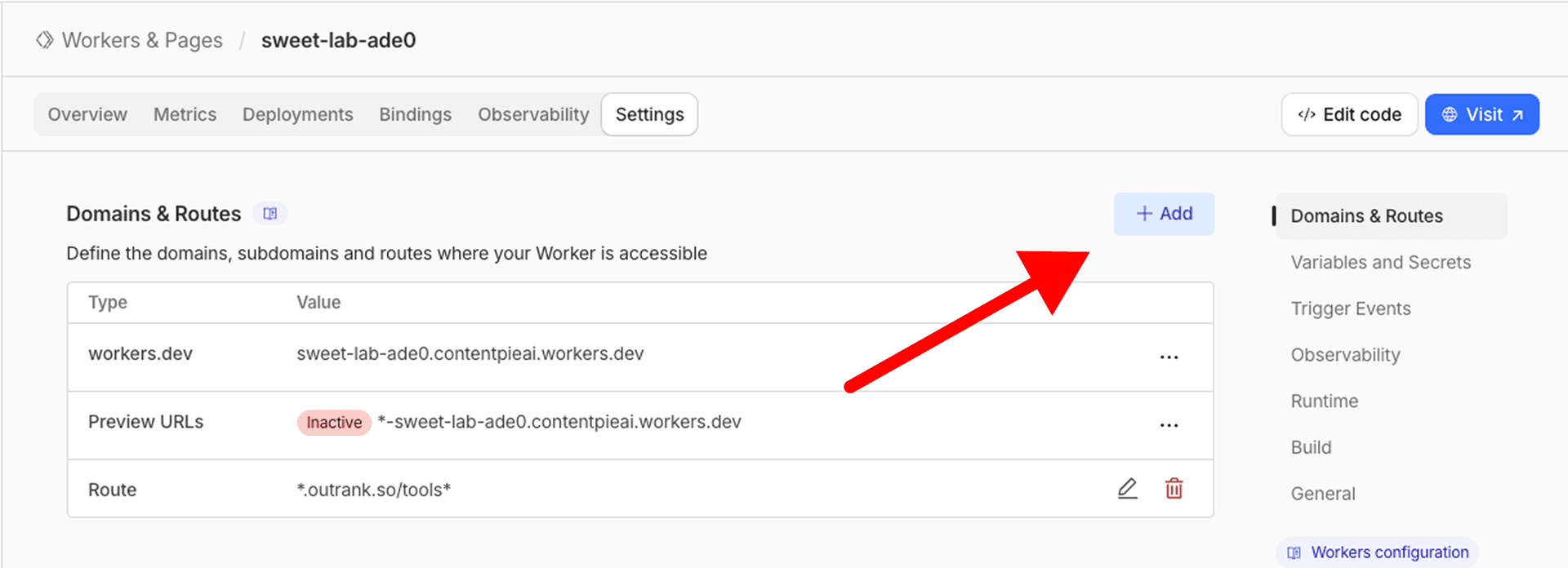
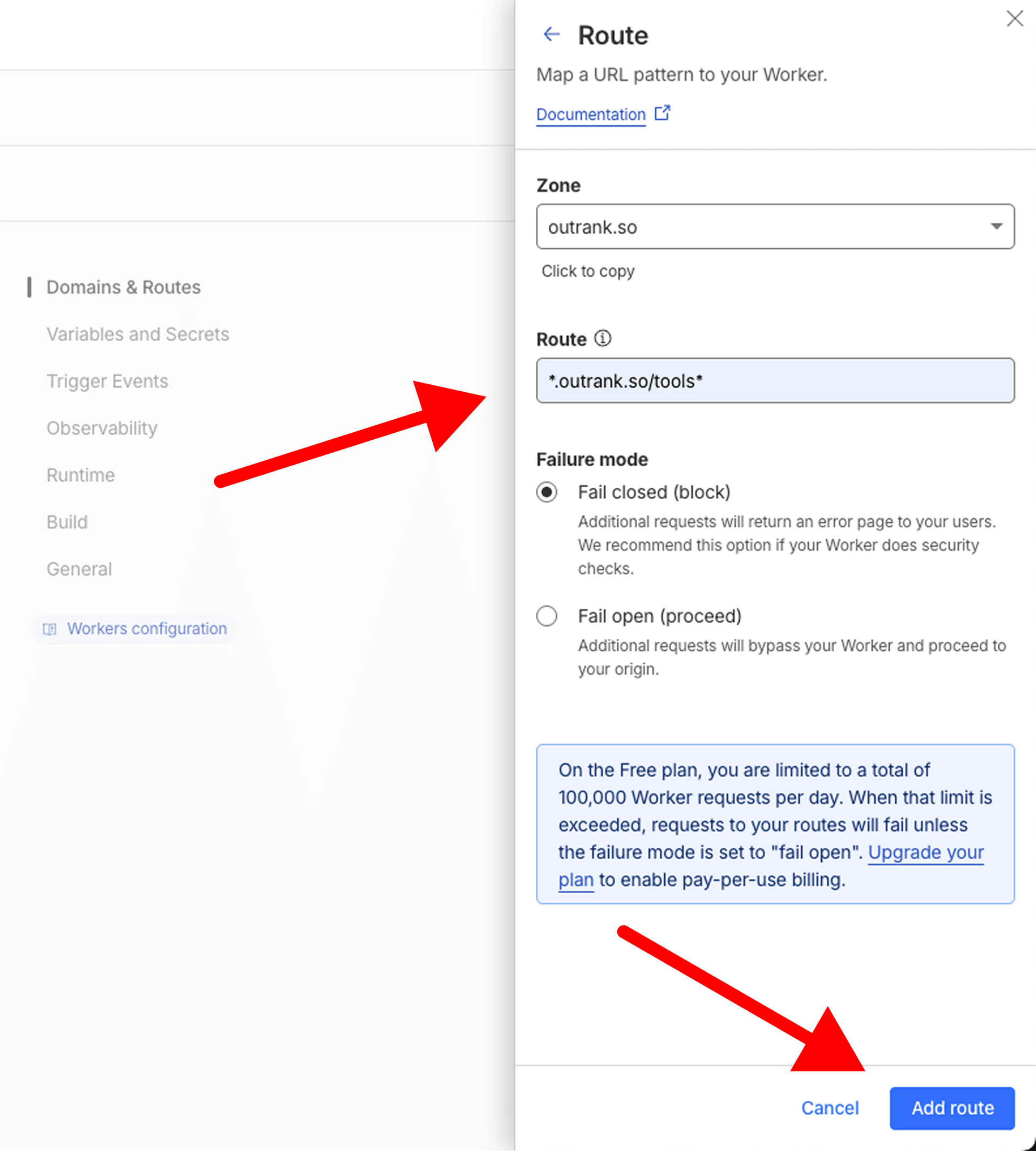
- Open the Worker details page
- Navigate to the "Settings" tab from the top navbar
- Click on the "+ Add" button in front of "Domains and Routes"
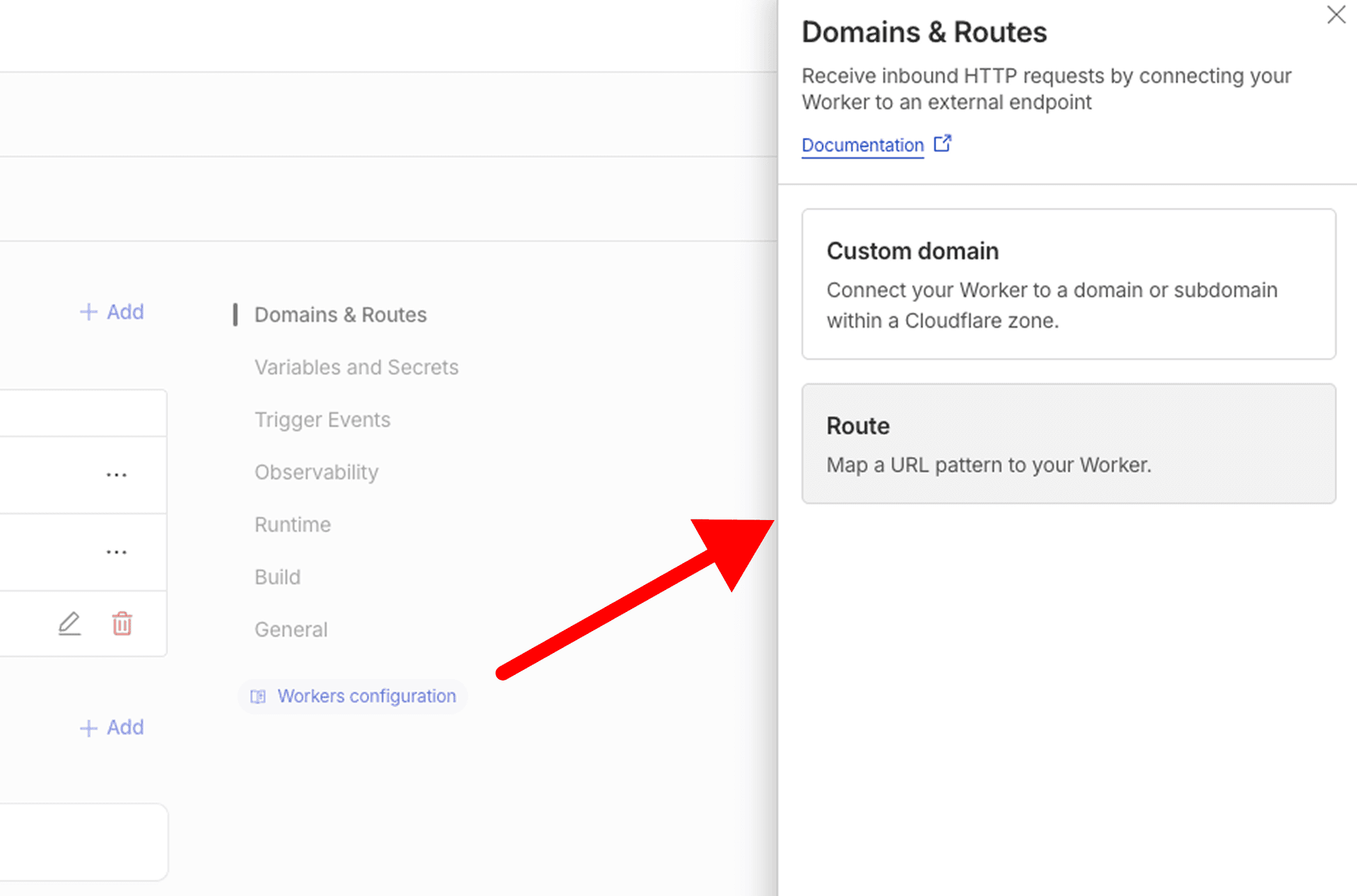
- Choose "Route" option in the opened right sidebar
- Type "*.yourdomain.com/tools*" or any other path in the route input field and click on the "Add route" button
Step 5: Configure Outrank Dashboard Settings
- Log in to your Outrank dashboard
- Navigate to Free Tools Builder → Settings → Domain tab from the left navigation menu
- Select the "Path-Based" radio button (instead of "Subdomain")
- In the "Main Domain" field, enter your website domain:
- Example:
example.com - Do NOT include https:// or www.
- Do NOT include trailing slash
- Example:
- In the "Base Path" field, enter your subfolder path:
- Example:
/tools - Must start with forward slash (/)
- Must match the PREFIX in your Cloudflare Worker code
- Cannot end with a slash
- Example:
- You'll see a preview showing how your tools will be accessible:
example.com/tools/[tool-slug] - Click "Save Settings" button
Verification
Once all steps are complete, your free tools should be accessible at www.example.com/tools (replace with your actual domain and path).
Test by visiting your configured URL. The tools should load seamlessly as if they were part of your main website.
Troubleshooting
404 Not Found Error
Verify that your worker routes are correctly configured with the asterisk (*) at the end and that you've selected the correct domain zone.
Worker Not Triggering
Check that your DNS is properly configured through Cloudflare (orange cloud icon enabled). Workers only work when traffic is proxied through Cloudflare.
Infinite Redirect Loop
Ensure the ORIGIN_HOST in your worker code exactly matches your Outrank Free Tools URL and that you haven't configured a custom domain in the Outrank Domains section.
CSS or Assets Not Loading
Verify that your worker route is correctly configured with the asterisk wildcard (e.g., example.com/tools*) and that the PREFIX in your worker code matches your route path.
Custom Domain Conflict
If you previously had a custom domain configured in Outrank, remove it from Settings → Domains. Having both custom domain and sub-folder enabled will cause conflicts.
Benefits of Subfolder Hosting
- SEO Advantage: All content lives under your main domain, consolidating domain authority
- User Trust: Visitors stay on your branded domain throughout their journey
- Analytics: Easier tracking with all traffic under one domain
- SSL Simplicity: No need for additional SSL certificates
- Flexibility: Works with any website platform or CMS