An AdSense revenue calculator estimates how much a website can earn from Google's display ad program based on pageviews, click-through rate, and cost-per-click. Most calculators return a tidy number. Most of that number is a guess. Here's how to use the formula correctly, and what you need to change if you want the actual result to go up.
Let's be direct about something: AdSense revenue calculators are not predictions. They're illustrations.
Plug in 100,000 monthly pageviews and a $3 RPM, and you get $300/month. Plug in the same traffic with a $15 RPM, and you get $1,500/month. Same traffic. Five times the revenue. The calculator didn't lie; you just fed it the wrong RPM, which is the number almost no one gets right on the first try.
Here's what the calculator is actually doing, and here's what determines whether your real earnings match it.
How the AdSense Revenue Calculator Works
Every AdSense calculator runs the same formula underneath:
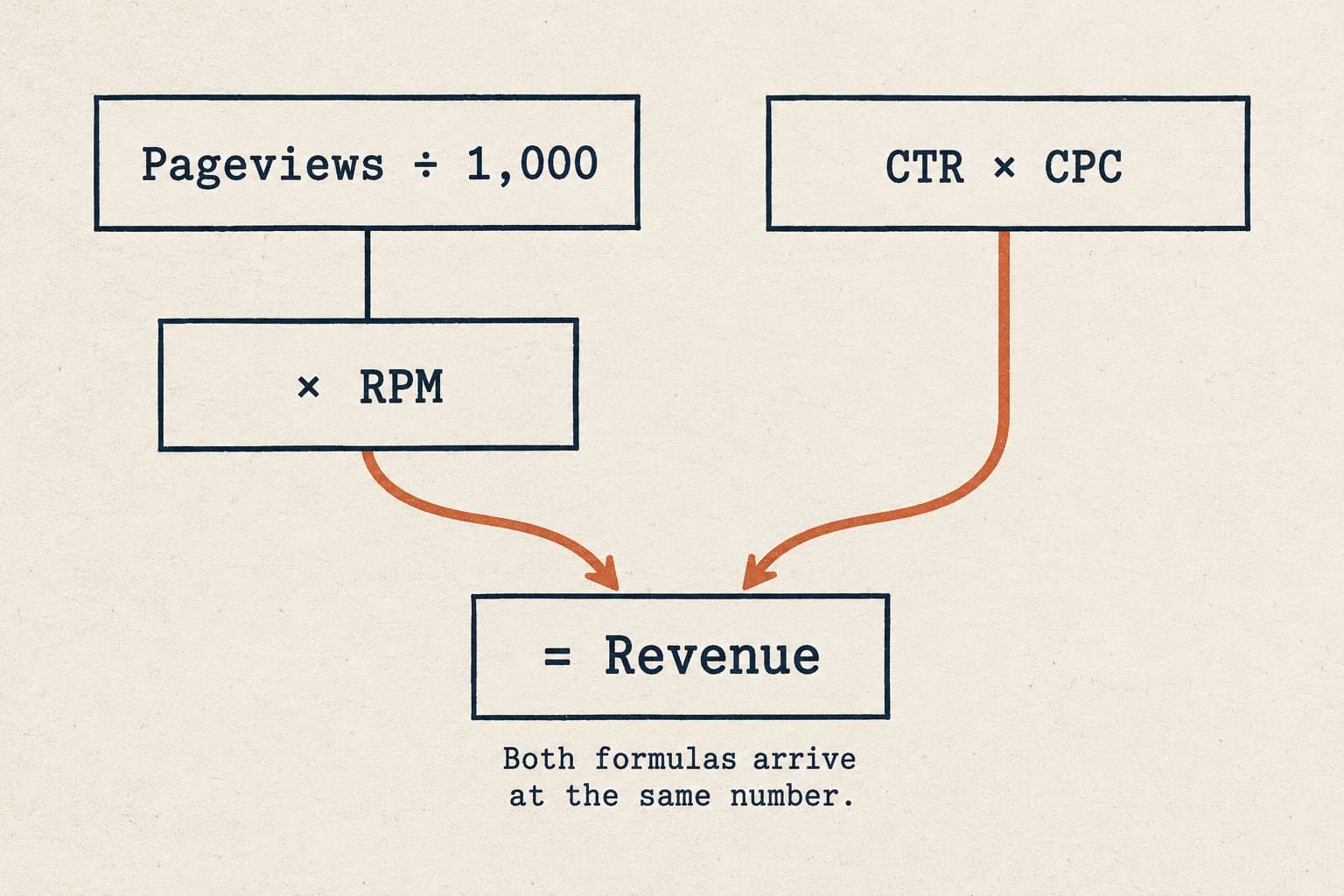
Monthly Revenue = (Pageviews / 1,000) × RPM
RPM (Revenue Per Mille, or revenue per 1,000 pageviews) is the composite figure that rolls up CTR, average CPC, and ad fill rate into a single number. Some calculators let you input CTR and CPC separately:
Revenue = Pageviews × CTR × CPC
Both get you to the same place. The mechanics are simple. The variable that matters (and the one calculators ask you to guess) is RPM.
| Variable | What It Measures | Typical Range |
|---|---|---|
| Pageviews | Monthly page loads | Your analytics |
| RPM | Revenue per 1,000 views | $1 – $50+ |
| CTR | % of views that click an ad | 0.5% – 3% |
| CPC | What advertisers pay per click | $0.20 – $15+ |
| Fill rate | % of ad slots filled | 85% – 100% |
If you don't know your RPM yet, don't use an industry average. It'll be wrong. The variance between niches is not a rounding error: it's a factor of ten.
The RPM Problem No Calculator Warns You About
Here's what actually determines your RPM, and why the "typical $2–$5" figure you see in most calculator explainers is nearly meaningless:
Your niche is the biggest lever by far.
| Niche | Typical RPM Range |
|---|---|
| Personal finance / insurance | $15 – $50+ |
| Legal / attorney services | $10 – $40 |
| SaaS / B2B software | $8 – $25 |
| Health and wellness | $5 – $20 |
| Home improvement | $4 – $15 |
| Food and recipes | $2 – $8 |
| Entertainment / celebrity | $1 – $4 |
| Gaming | $1 – $3 |
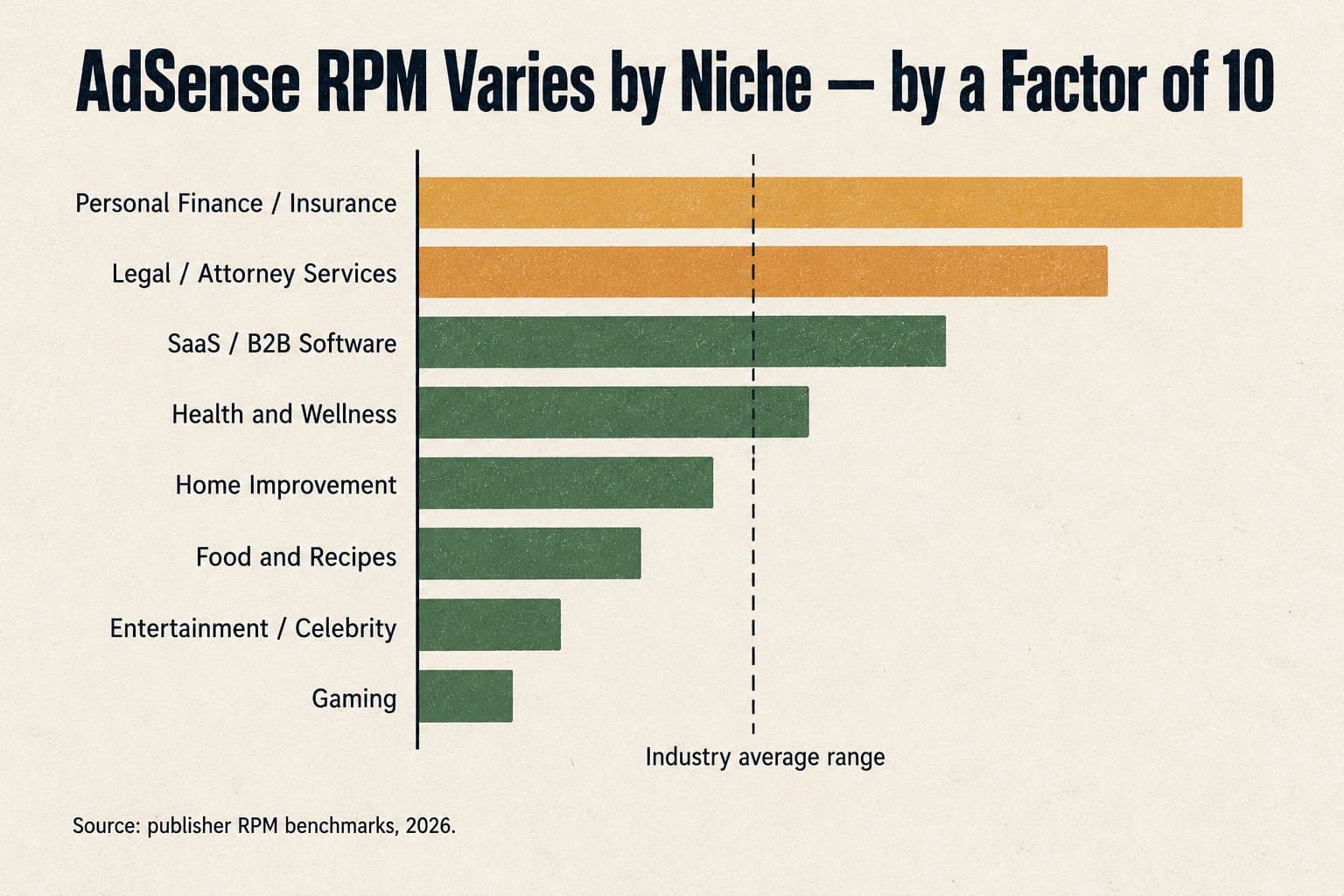
A personal finance site with 50,000 monthly pageviews earning $20 RPM pulls $1,000/month. A food blog with the same traffic at $3 RPM earns $150. The calculator says "same traffic, same result" if you use the same input. That's the lie of omission.
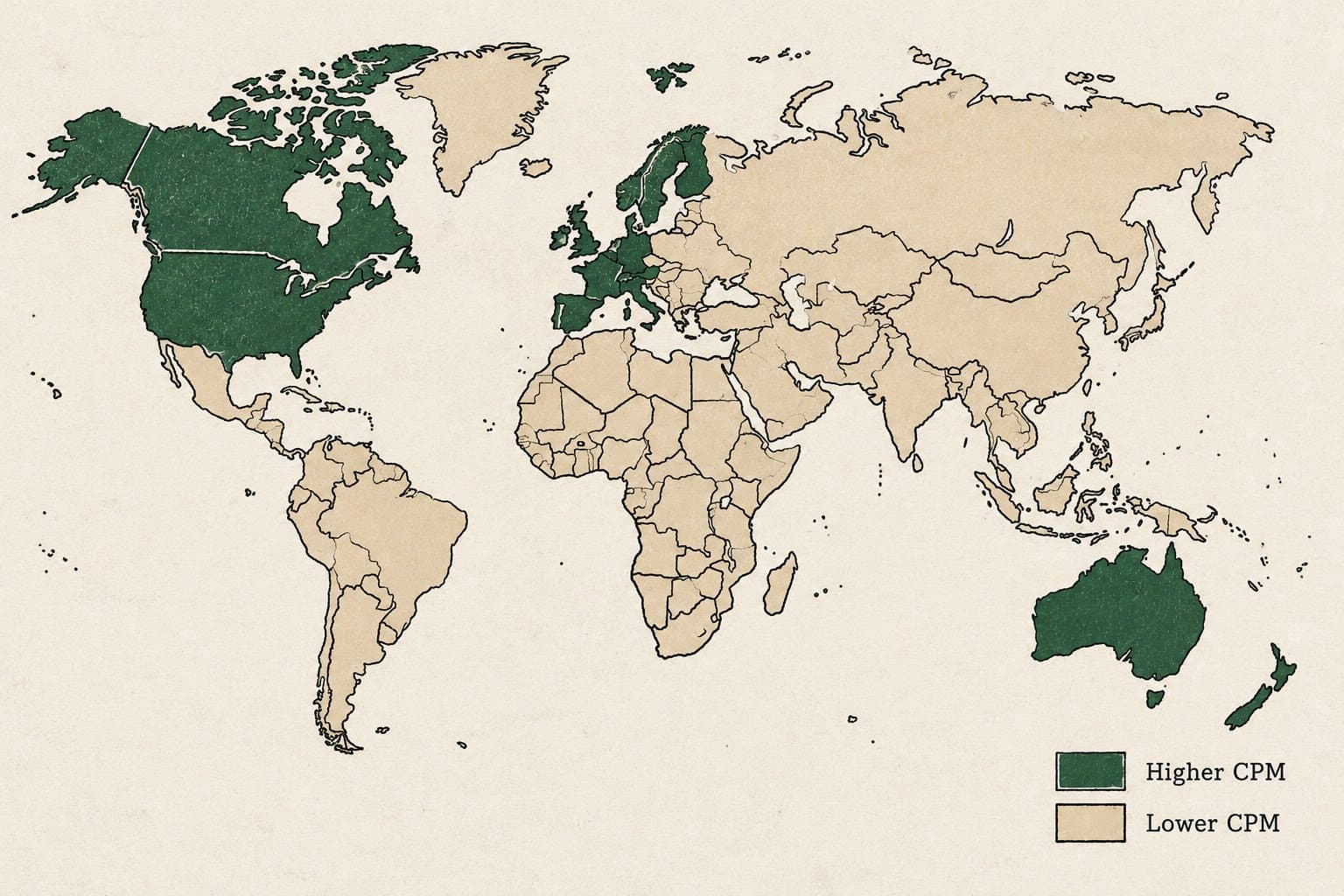
Traffic geography matters almost as much.
Google AdSense pays dramatically different rates depending on where your readers come from. US, UK, Canada, and Australia traffic commands the highest CPCs. Traffic from South Asia, Southeast Asia, or Latin America can be 5–10x lower on a CPM basis, even for the same niche.
If you run a global content site where the majority of your traffic comes from India, Nigeria, or Southeast Asia, your blended RPM might sit at $1.50–$2.50 even if your niche benchmarks at $8 in the US. Always look at your geo mix before trusting a calculator output.
Seasonality will make or break your Q1.
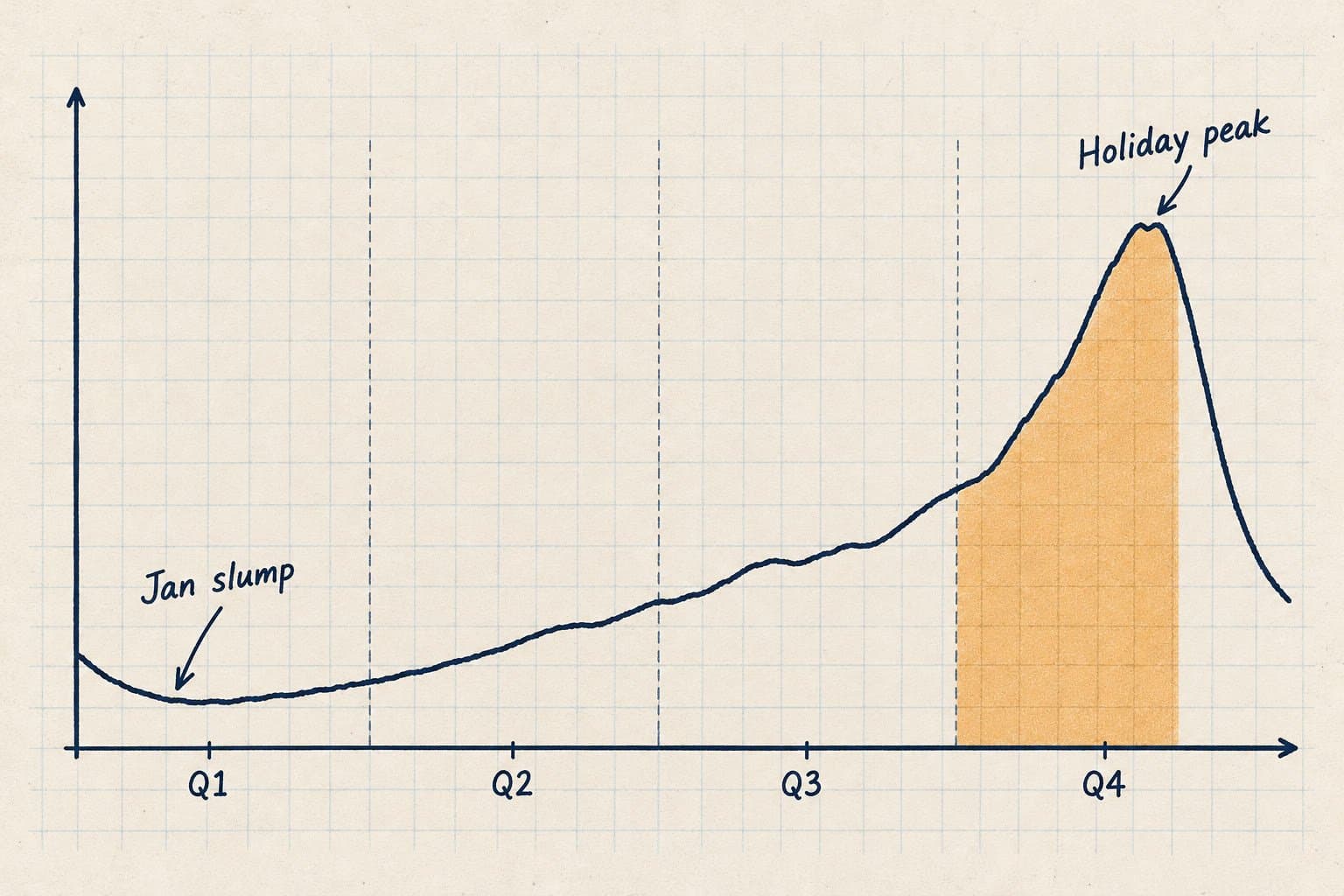
AdSense revenue follows advertiser budgets. Q4 (October through December) is when retail, insurance, and B2B advertising spend peaks; RPMs in October and November commonly run 40–60% higher than the same site's performance in January or February, with the holiday weeks in late November and December pushing even higher. Any calculator that returns a flat monthly number isn't accounting for this. Your annual estimate should assume roughly:
Q1: 75–85% of your annual average
Q2: 90–100%
Q3: 90–100%
Q4: 115–135%
A More Honest Way to Use the Calculator
Most people plug in aspirational numbers and get disappointed. Here's a better process:
Start with your actual traffic, not your traffic goal. If you have Google Analytics, use your last 90-day average. If you're pre-launch, be conservative and use 20–30% of whatever projection you're tempted to use.
Find your niche's actual RPM range. Look at AdSense publisher forums, case studies, or Mediavine's published RPM data as a ceiling benchmark. Pick the bottom of the range, not the middle.
Adjust for your geo mix. If less than 50% of your traffic comes from tier-1 English-speaking markets, cut your niche RPM estimate by 30–50%.
Run the calculation for Q1 conditions, not Q4. The best month is not your typical month.
Add 15–20% back if you optimize ad placement. Above-the-fold placements, in-article ads, and sticky sidebar units consistently outperform default configurations. This is one variable you actually control.
The result of this process won't be as exciting as the default calculator output. It will be more accurate.
The Variable No Calculator Can Predict (But You Can Change)
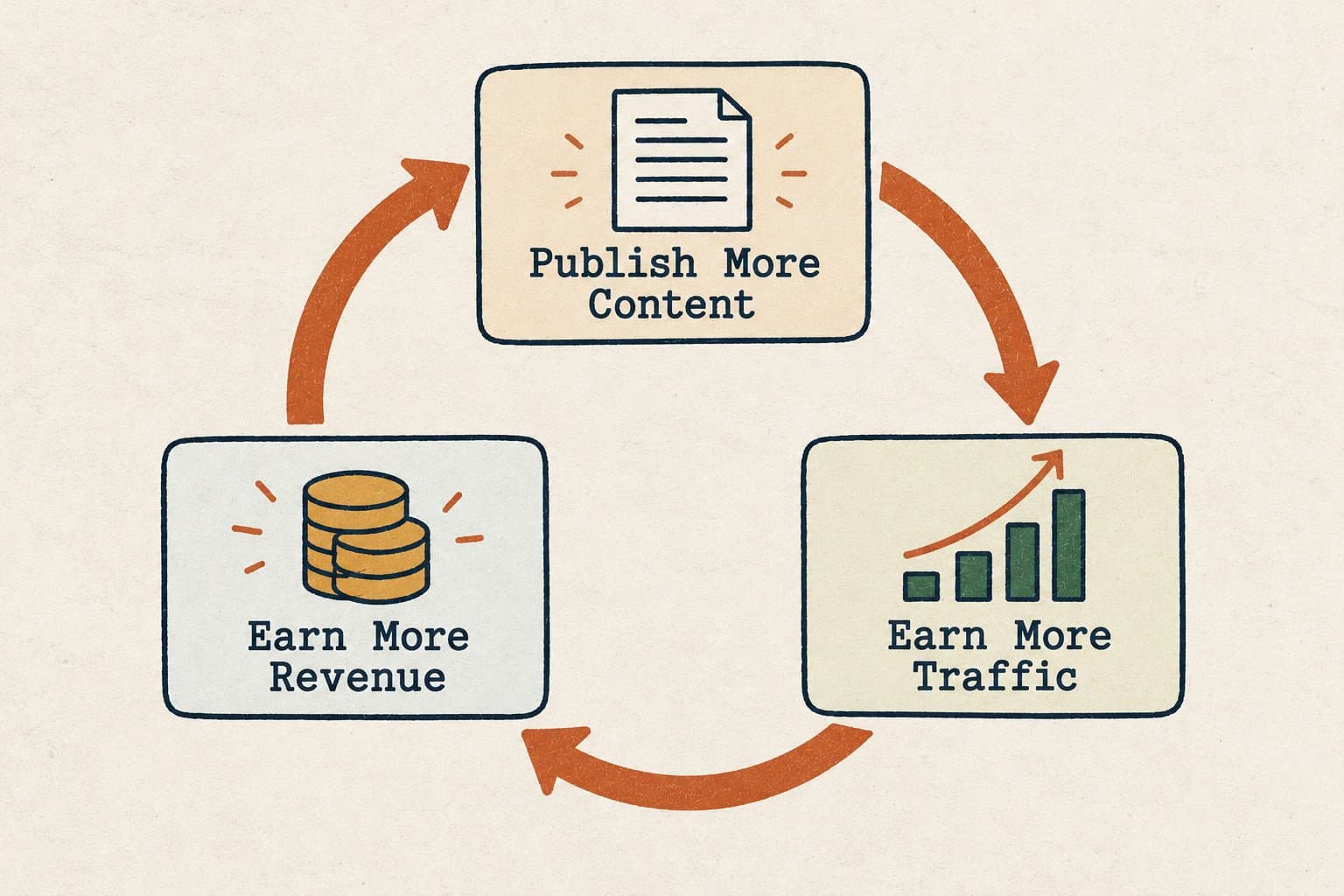
Here's the thing calculators cannot touch: how much content you publish.
AdSense revenue scales with traffic. Traffic scales with content. More pages indexed, more keywords ranking, more organic sessions: that's the only real growth lever available to most content sites. You can optimize your ad units until there's nothing left to optimize, and a 15% RPM improvement will be dwarfed by a 3x traffic increase.
The sites outperforming their calculator estimates aren't doing it with better ad placements. They're doing it with consistent, high-volume organic content. A food blog with 300 posts covers 300 long-tail keywords. A personal finance site with 500 published articles on different product queries can pull traffic from thousands of search terms simultaneously.
The math is simple: 100,000 monthly pageviews at $3 RPM = $300. 500,000 monthly pageviews at the same $3 RPM = $1,500. Content volume is the multiplier that makes everything else on the calculator matter.
This is also where the AI Overview risk is worth naming. Google now shows AI-generated summaries above organic results for many informational queries. Research by Seer Interactive found organic CTR for queries with AI Overviews dropped by more than 60% year over year. If AdSense revenue is your primary model, building traffic through consistently published, high-quality content is more important than ever; you need volume to offset the per-page CTR compression.
One More Thing Calculators Don't Cover: AdSense Isn't Your Only Option
Once you understand what drives your AdSense number, you also understand when to look elsewhere. If your RPM is stuck below $3 despite legitimate traffic and a non-entertainment niche, AdSense may not be the right fit. Networks like Ezoic, Mediavine, and Raptive all offer higher floor RPMs for qualifying sites; we cover which ad networks actually pay more and run a direct Ezoic vs AdSense comparison if you're weighing a switch. Direct ad sales and affiliate programs are also worth evaluating for certain content categories where display ads consistently underperform.
Why Trust This Article
We've analyzed content performance and monetization data across websites published through Outrank. The RPM ranges and niche benchmarks above are cross-referenced against publicly available AdSense case studies and platform-reported figures from Mediavine and Raptive. The traffic seasonality patterns reflect observed AdSense performance cycles, consistent with publisher data published by MonetizeMore and Raptive.
We build tools for content teams and site owners who are serious about organic traffic. Monetization is the downstream outcome of that work, and we have a practical interest in understanding what makes it move.
Building Traffic That Makes the Calculator Matter
Here's where we'll be direct about what we do and why it's relevant.
Outrank publishes 30–90 SEO-optimized articles per month for websites that want to build organic traffic at scale without a full-time writing team. It researches keywords, generates and publishes articles on a schedule, builds backlinks, and integrates directly with WordPress, Webflow, Shopify, Framer, Wix, Notion, and Ghost.
If AdSense is your monetization model, the ceiling on your revenue isn't your RPM: it's your traffic. And traffic comes from published content that ranks. A site publishing two articles per week and a site publishing twenty articles per week are not competing for the same AdSense outcome, even at identical RPMs.
If you're serious about moving that top-line number, the calculator is just a planning tool. The actual work is consistent publishing. For context on how that works in practice, our guides on how to scale content marketing without a writing team and what content automation actually means are good starting points, and the AI SEO content generator shows how Outrank applies this at scale.
Frequently Asked Questions
What is an AdSense revenue calculator?
An AdSense revenue calculator estimates monthly earnings from Google's display ad network by combining monthly pageviews with an estimated RPM (revenue per 1,000 pageviews) or by multiplying pageviews by click-through rate and cost-per-click. The formula is straightforward; the accuracy depends almost entirely on using the right RPM for your niche and traffic geography.
What is a realistic AdSense RPM?
RPM ranges from under $1 for entertainment and gaming content to $30–$50+ for personal finance, insurance, and legal topics. The typical range across established content sites is roughly $3–$8, but this number is nearly useless without knowing your specific niche and the geographic breakdown of your audience. A site where 70% of traffic comes from the US in a finance-adjacent category will see RPMs multiple times higher than a global recipe site with the same pageview count.
How many pageviews do you need to make $1,000/month from AdSense?
At a $5 RPM (a reasonable mid-range estimate for a general content site with decent US traffic), you need roughly 200,000 monthly pageviews. At a $10 RPM (a mid-range finance or health site), you need 100,000. At $2 RPM, you need 500,000. The pageview target is entirely dependent on your RPM, which means investing in a higher-value niche and Tier 1 traffic quality can cut your required traffic in half or more.
Does Google AdSense still pay well in 2026?
AdSense remains a viable monetization channel for content sites, particularly in high-CPM niches like finance, SaaS, and professional services. The landscape has changed: Google's AI Overviews reduce organic CTR for many informational queries, which compresses traffic for sites that depend on top-of-funnel content. Sites that publish consistently and build topical depth across hundreds of articles are better positioned than sites with thin coverage in any single topic area.
How do I increase my AdSense revenue without more traffic?
Optimize ad placements (above-the-fold, in-article, and sticky formats consistently outperform sidebar-only setups), improve page load speed (slower pages have lower fill rates and higher bounce rates before ads load), and focus on content that attracts higher-CPC advertiser categories. Reducing the percentage of low-value traffic through better keyword targeting also improves blended RPM. That said, all of these optimizations have ceilings; sustainable AdSense growth at scale comes from building more content and therefore more traffic.
Can I use AdSense on a Substack or newsletter platform?
Google AdSense requires placing ad code directly in your site's HTML, which standard newsletter platforms like Substack do not support. If you want to monetize through display advertising, you need a self-hosted website (WordPress, Webflow, Ghost, etc.) where you control the code. Newsletter platforms have their own monetization tools, including paid subscriptions, sponsored content, and reader tips, that operate independently of AdSense.