

Here's the thing nobody tells you upfront: "free blog hosting" means three completely different things depending on who's writing the article.
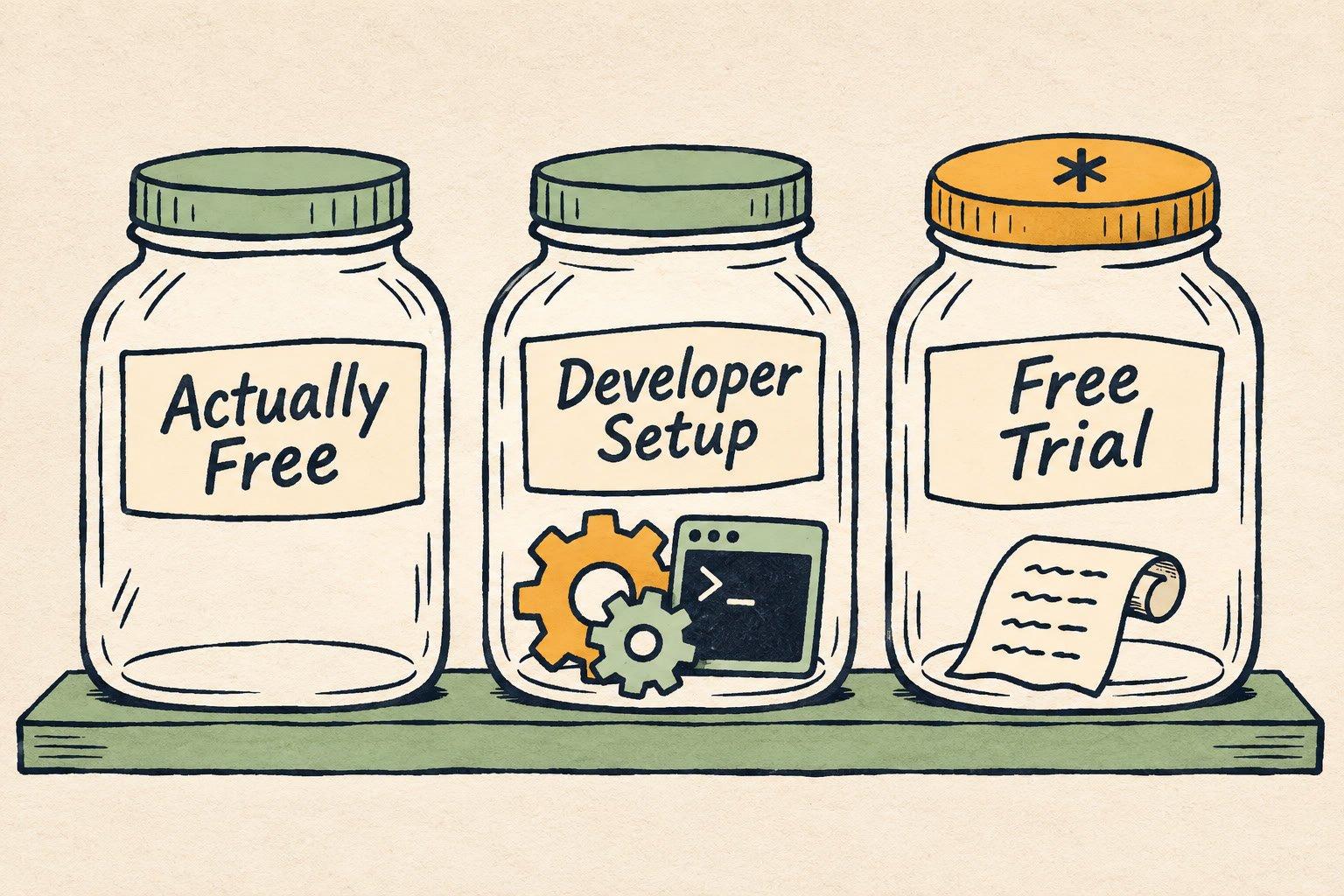
Some options are genuinely free, forever. No credit card, no trial expiry, no surprise bill after 30 days. Others are paid web hosts that use the word "free" to describe a domain name or an SSL certificate bundled into a plan you're still paying for. And a third category sits in between: developer-friendly static hosts that cost nothing, but assume you're comfortable with Git and a terminal.
Most roundups mix all three together. This one doesn't.
The Three Kinds of Free Blog Hosting
| Type | Examples | Setup | Custom domain free? | Stays free? |
|---|---|---|---|---|
| Hosted blog builders | Outrank Blogs, Blogger, WordPress.com, Wix | None | Varies by platform | Yes |
| Developer static hosts | Cloudflare Pages, Netlify, Vercel, GitHub Pages | Technical | Yes | Yes |
| Web hosting with a trial | Hostinger, Bluehost, SiteGround | Low to moderate | Paid | No |
If you've already seen Hostinger or Bluehost recommended in a "free blog hosting" article, you've hit the third category. Those are legitimate hosts. They are not free. Hostinger's lowest plan runs around $2.99/month after the trial, Bluehost around $3.99/month. We cover them briefly at the end so you know exactly what you're looking at.
Hosted Blog Builders: Genuinely Free, No Card Required
These platforms manage everything: servers, SSL, software updates, backups. You sign up, pick a template, and start writing. The free tier doesn't expire.
Outrank Blogs
Outrank Blogs is what you use when you want a blog that shows up in search, not just one that exists.
The free plan gives you unlimited posts, up to 10,000 visits a month, and a free outrankblog.com subdomain. You can also connect your own domain or add the blog as a subfolder to an existing site at no charge.
What makes it different from most free options: Outrank Blogs ships a sitemap, RSS feed, structured data, and IndexNow out of the box. IndexNow is the protocol that pings Google and Bing the moment you publish, so your posts don't sit waiting to be crawled. Most free platforms charge for this or leave it out entirely.
The editor is block-based, clean, nothing to configure.
When to upgrade: The free tier handles up to 10,000 monthly visits with unlimited posts. The Organic Growth plan ($99/month) adds 30 AI-written SEO articles per month, keyword research, automatic internal linking, and backlinks. That's the path for blogs that want to grow without writing everything themselves.
Best for: Solopreneurs, small businesses, indie makers who want their posts to get found from day one.
Blogger
Blogger is Google's blogging platform. It launched in 1999, it's still running, and it costs nothing.
No visit caps. No storage limits beyond your Google account's overall quota. You get a blogspot.com subdomain by default, and connecting a custom domain is free using any registrar you already use.
The honest downside: Blogger looks like 2012. The editor and templates haven't kept pace with modern alternatives, and Google hasn't invested meaningfully in the platform in years. If you're publishing for SEO or care about how the blog looks to a 2026 visitor, you'll feel the age.
If you need something that will simply be there forever at zero cost, backed by Google's infrastructure, Blogger delivers exactly that.
Best for: People who want a no-maintenance archive and aren't chasing organic traffic growth. See how Outrank Blogs compares to Blogger if you're deciding between them.
WordPress.com (Free Tier)
WordPress.com's free plan has a few things worth knowing upfront:
You get a
wordpress.comsubdomain, not your own domainWordPress.com places ads on your site (you don't earn from them)
No plugins, no custom themes
Removing the ads starts at around $4/month (billed annually)
One thing that trips people up: WordPress.com (this hosted product) and WordPress.org (the open-source software you self-install on your own server) share a name but are entirely different. The free tier of WordPress.com is limited enough that most bloggers outgrow it quickly, usually by the time they want to look professional.
Best for: Writers who want WordPress familiarity and are planning to upgrade to a paid plan soon. Not the strongest standalone free option.
Wix (Free Tier)
Wix's free plan works as a trial. You can build, test Wix's drag-and-drop editor, see how the templates feel. But Wix displays its own branding on your site, there are no custom domains, and the free tier reads as a rough draft of a real site.
Paid plans start at around $17/month.
Best for: Testing Wix's interface before committing. Not a destination for a blog you're building toward any real goal.
Medium
Medium is a publishing platform, not a traditional blog host. Your posts live at medium.com/your-profile, not on your own domain. There's no custom domain on the free plan.
The upside is real: Medium has a built-in readership. If you publish well, Medium's algorithm surfaces your work to people already on the platform. For a new writer with no existing audience, that distribution advantage is significant.
The downside is also real: you don't own the platform. Medium controls the design, the discovery algorithm, and the reader relationship. If Medium changes direction (it's been through several in the last decade), your audience doesn't automatically follow you elsewhere.
Best for: Writers focused on reaching Medium's existing readers rather than building a blog they own.
Substack
Substack publishes posts as public web pages and sends them as emails. The base product is free. Substack takes 10% of paid subscription revenue if you choose to monetize; with no paid subscriptions, there's no charge.
Substack is excellent for building an email audience. It's not built for organic search. The posts exist publicly, but Substack's architecture isn't optimized for the kind of search traffic a traditional blog can build.
Best for: Writers building a newsletter-first audience. If growing search traffic is the goal, this isn't the right tool.
Developer Static Hosts: Free, but You'll Need to Know Git

If you're already comfortable with static site generators (Astro, Hugo, Jekyll, Eleventy, Next.js) and deploying from a Git repository, these platforms host your blog at a scale most blogs will never hit, for free.
Cloudflare Pages
Cloudflare Pages hosts static sites with unlimited requests and unlimited bandwidth on the free tier, deployed from a Git connection. Custom domains connect for free through Cloudflare's DNS. For a blog generating normal reading traffic, there's no meaningful limit on the free plan.
If you're already in the developer workflow, this is arguably the best free hosting available anywhere.
Best for: Developers who want zero-cost hosting at global CDN speeds. The Cloudflare setup guide covers adding a blog to an existing Cloudflare-hosted site.
Netlify
Netlify's free Starter plan includes free SSL and custom domains. Build minutes and bandwidth are allocated via a credit system; check netlify.com/pricing for current limits, as Netlify moved to a credit-based model for new accounts in 2025. For a blog generating standard reading traffic, the free tier is more than enough.
Best for: Developers building with frameworks like Next.js, Astro, or Hugo who want simple CI/CD deployment. See the Netlify setup guide.
Vercel
Vercel's free Hobby plan includes free custom domains, free SSL, and Git-based deploys. Vercel is particularly well-suited to Next.js, since Vercel built Next.js. The Hobby plan is restricted to non-commercial personal use; commercial projects require the Pro plan.
Best for: Developers working in Next.js or React on personal or non-commercial projects. See the Vercel setup guide.
GitHub Pages
GitHub Pages hosts static sites directly from a public GitHub repository, completely free. No advertised bandwidth caps for typical blog traffic. It has native Jekyll support, but any static site generator works with a build step.
Best for: Developers who want the simplest possible free hosting and already use GitHub.
The "Free" Web Hosting That Isn't

A large portion of search results for "free blog hosting" leads here: Hostinger, Bluehost, SiteGround, DreamHost. These are web hosting companies. They offer a free domain name, free SSL, or a money-back trial period. The hosting itself is not free.
Approximate current starting prices:
Hostinger: ~$2.99/month on a multi-year plan, renews higher
Bluehost: ~$3.99/month under similar terms
SiteGround: ~$2.99/month
These are good hosts if you're setting up self-hosted WordPress and willing to pay. If you need genuinely free blog hosting, they're the wrong category.
Which One Should You Pick?
| Situation | Best option |
|---|---|
| You want SEO features out of the box, zero setup | Outrank Blogs |
| You want completely free, trusted by Google, no decisions | Blogger |
| You're a developer adding a blog to a framework site | Cloudflare Pages or Vercel |
| You're building an email list, not a search-traffic blog | Substack |
| You want to reach Medium's built-in readership | Medium |
| You want to test a website builder before buying | Wix free tier |
| You're ready to pay for self-hosted WordPress | Hostinger, Bluehost, or SiteGround |
How We Made This List
We evaluated each option on the same criteria: whether the free tier is genuinely permanent, what setup complexity is required, whether custom domain connection is included for free, and what SEO fundamentals are built in by default.
Pricing and free-tier terms are accurate as of November 2026. These change. Verify the current limits on each platform's own pricing page before you sign up, especially for web hosting providers, whose promotional pricing is updated frequently.
Get Started Free with Outrank Blogs
Of every option on this list, Outrank Blogs is the most directly built around search visibility, and the only one that ships IndexNow on the free plan.
Most free blogging platforms treat SEO as an afterthought or a paid add-on. Outrank Blogs makes it the default. When you publish your first post, there's already a sitemap for Google to crawl, structured data for rich snippets, an RSS feed for aggregators, and IndexNow pinging search engines immediately so your content doesn't sit in a queue waiting to be discovered.
Setup takes under five minutes. No hosting to configure, no plugins to install, no SSL certificate to provision, no caching layer to think about. You pick a template, get your free outrankblog.com subdomain, and start writing. If you already have a site, you can connect a custom domain or run the blog as a subfolder of your existing domain when you're ready.
The free plan is genuinely free: $0, unlimited posts, up to 10,000 monthly visits. It's not a 14-day trial. It's not a free tier with a banner ad on every page. It's a working blog with real SEO infrastructure that you don't pay for until you're ready to scale.
When that moment comes, the Organic Growth plan ($99/month) takes you further: 30 AI-written SEO articles per month, keyword research built in, automatic internal linking, and backlinks. You bring the direction, Outrank handles the content volume.
Start where you are. Upgrade when it makes sense.
Start your free blog on Outrank Blogs
Related Reading
Frequently Asked Questions
Is there truly free blog hosting in 2026?
Yes. Several platforms offer a genuinely permanent free tier with no trial expiration. Outrank Blogs is free for up to 10,000 visits per month with unlimited posts. Blogger is completely free with no visit caps, backed by Google. WordPress.com has a free tier with limited customization. Developer-focused options like Cloudflare Pages and GitHub Pages are also permanently free for static sites. Many web hosting providers advertise "free blog hosting" but require a paid plan after the trial period ends.
What is the best free blog hosting for SEO?
Outrank Blogs is the strongest free hosting option for SEO. It includes a sitemap, RSS feed, structured data, and IndexNow (which notifies Google and Bing immediately when you publish) on the free plan. Most other free platforms either omit these features entirely or charge for them. For developers comfortable with Git, Cloudflare Pages with a framework like Astro gives you full SEO control at zero cost.
Can I use a custom domain with free blog hosting?
It depends on the platform. Outrank Blogs, Blogger, and all developer static hosts (Cloudflare Pages, Netlify, Vercel, GitHub Pages) support free custom domain connection. Most other hosted builders (WordPress.com, Wix) require upgrading to a paid plan. If owning your own domain from day one matters, Outrank Blogs or Blogger are the simplest no-cost options.
What is the difference between free blog hosting and free web hosting?
Free blog hosting means the platform manages everything for you: servers, software, SSL, and backups. Free web hosting is a server environment where you manage the software yourself, usually WordPress.org. Genuinely free shared web hosting is rare in 2026. Most options described as "free web hosting" are either short trials or developer static hosts (like Cloudflare Pages) that require technical setup to use.
Is Blogger still worth using in 2026?
Blogger is a valid choice for a no-cost, low-maintenance blog on Google's infrastructure, particularly if SEO features and modern design aren't priorities. Google has not invested significantly in updating the platform in several years. The editor and templates feel dated compared to modern alternatives. For a blog focused on search visibility, Outrank Blogs or a developer Jamstack setup will serve you better.
Can I move my blog from a free hosted platform to my own domain later?
Yes. Most free blog builders support content export, and most accept custom domain connections at some level. If owning your domain and content from day one matters to you, it is worth setting that up at the start rather than migrating later. Outrank Blogs supports both custom domains and running the blog as a subfolder of your existing site, on the free plan.