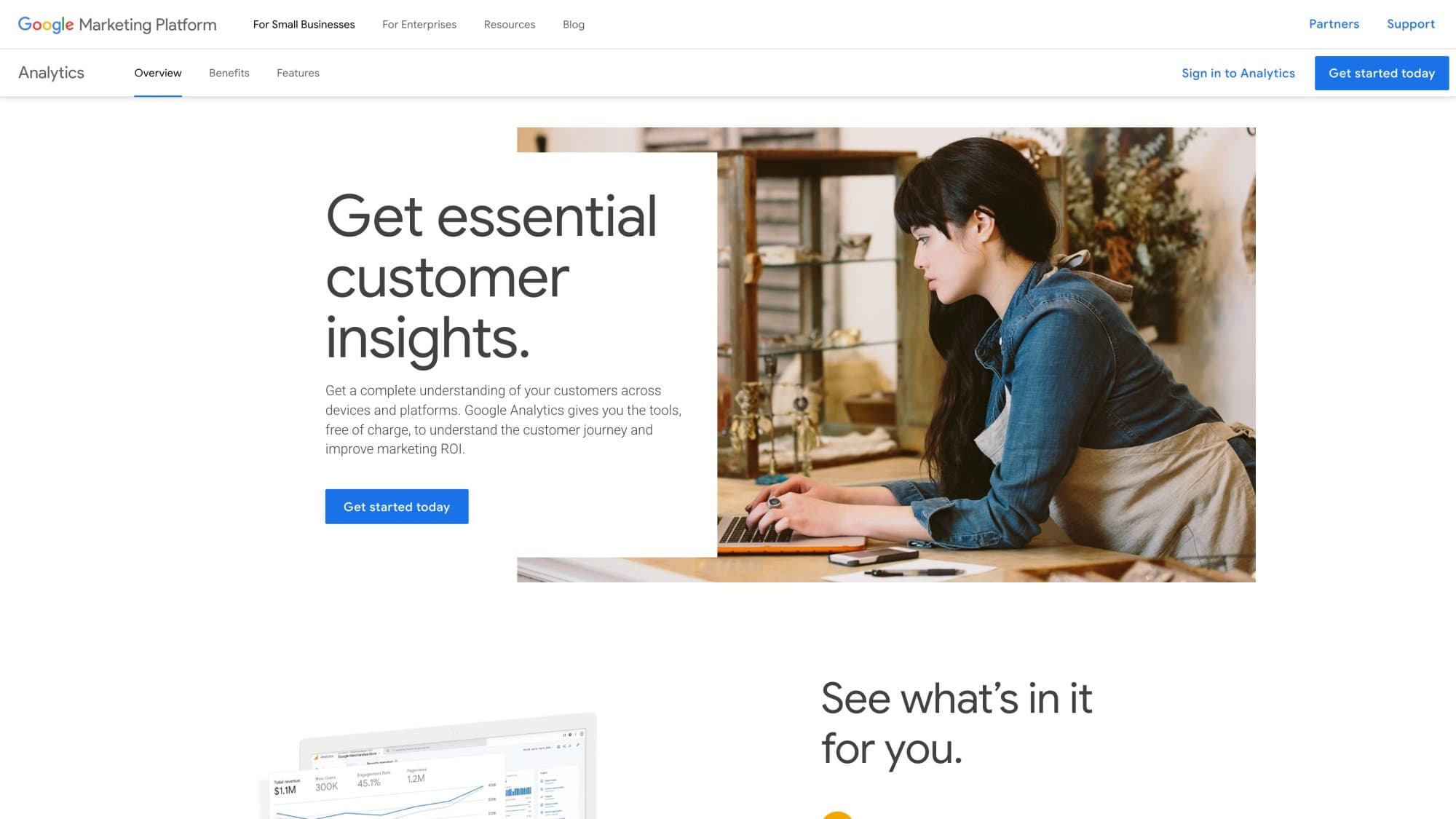
Yes, Google Analytics is free. The standard GA4 product costs $0, and Google's own Analytics page confirms you get the tools to understand your customer journey at no charge.
But that's the short answer. The useful answer is more nuanced.
Google Analytics being free and your analytics setup costing nothing are two very different things. The core GA4 product can genuinely cost $0, while the measurement stack around it (data warehousing, server-side tagging, privacy tools, enterprise features) can still cost real money.
Most people searching "is Google Analytics free" aren't asking a trivia question. They're trying to figure out something practical: can I measure my website without paying for an expensive analytics subscription, and if not, where do the costs actually show up?
This guide answers that directly. Once you understand what GA4 actually gives you, the next step is figuring out how to monitor web traffic effectively and turn that data into action.
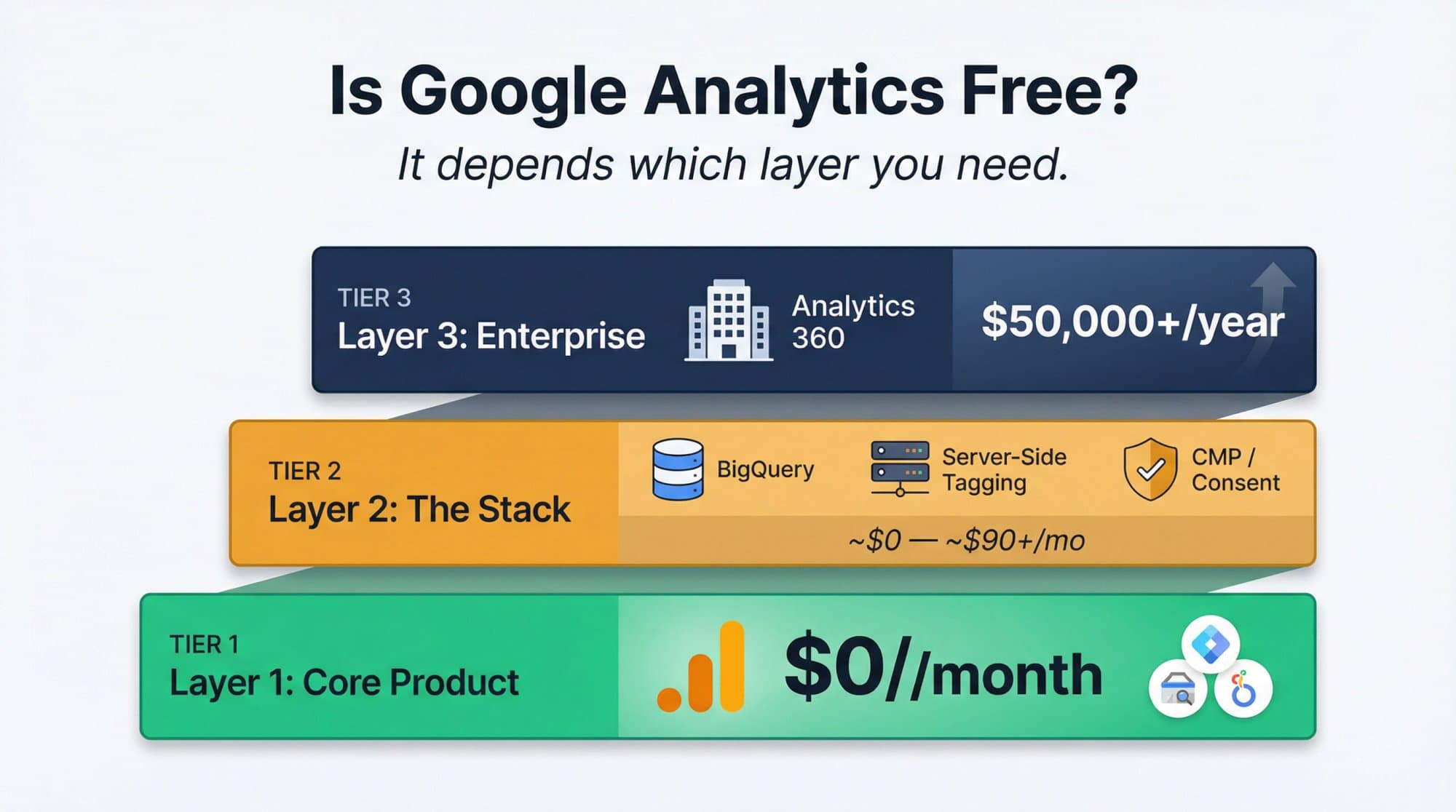
Google Analytics Pricing in 2026
Every piece of the Google Analytics stack, and what it actually costs:
| Product | Price | Notes |
|---|---|---|
| GA4 Standard | $0 | Free for all users. Google confirms this directly. |
| Google Tag Manager | $0 | Standard version is free. GTM 360 is separate. |
| Google Search Console | $0 | Separate product, also free. Essential for SEO. |
| Looker Studio | $0 (Pro: $9/user/project/month) | Free for creators and viewers. Pro adds governance features. |
| BigQuery (free tier) | $0 | 10 GiB storage + 1 TiB query processing/month. Costs grow with usage. |
| BigQuery (beyond free tier) | $6.25/TiB queries + ~$23.55/TiB-month storage | On-demand pricing. Detailed on Google Cloud. |
| GA4 Streaming Export | $0.05 per GB | ~600,000 events per GB. Per Google's documentation. |
| Server-Side Tagging (Cloud Run) | ~$90/month baseline | Google recommends minimum 2 instances at ~$45 each. Setup guide here. |
| Consent Banner / CMP | Varies (not included) | Google says you are responsible. Separate from GA pricing. |
| Analytics 360 | ~$50,000/year starting | Quote-based. Contact Google sales. |
So yes, Google Analytics can absolutely be free. But "Google Analytics is free" and "your analytics setup will cost nothing" aren't the same sentence.
What Google Analytics Gives You for Free
For most small and midsize websites, the essential Google measurement stack genuinely starts at $0 per month. No asterisks, no hidden trial periods.
What's included:
- GA4 Standard gives you first-party analytics on your website or app, including event tracking, audience insights, and conversion reporting. Google positions this as their core free offering. If you want a practical walkthrough, our guide on how to use Google Analytics covers the essential setup steps.
- Google Tag Manager helps you deploy and manage tracking tags without constantly editing your site's code. It's a separate product from GA4, but it's also free. Google offers it alongside GA4.
- Search Console shows how your site performs in Google Search, which queries bring traffic, and how Google crawls your pages. It's free and independent from GA4. Understanding the difference between Google Search Console domain vs URL prefix properties helps you get the most out of it from day one.
- Looker Studio lets you build dashboards and reports from your analytics data. The standard version is free for both creators and viewers. Looker Studio Pro adds team governance features for $9/user/project/month. Pair this with a solid SEO report template and you have a genuinely powerful free reporting stack.
Put those together and you get:
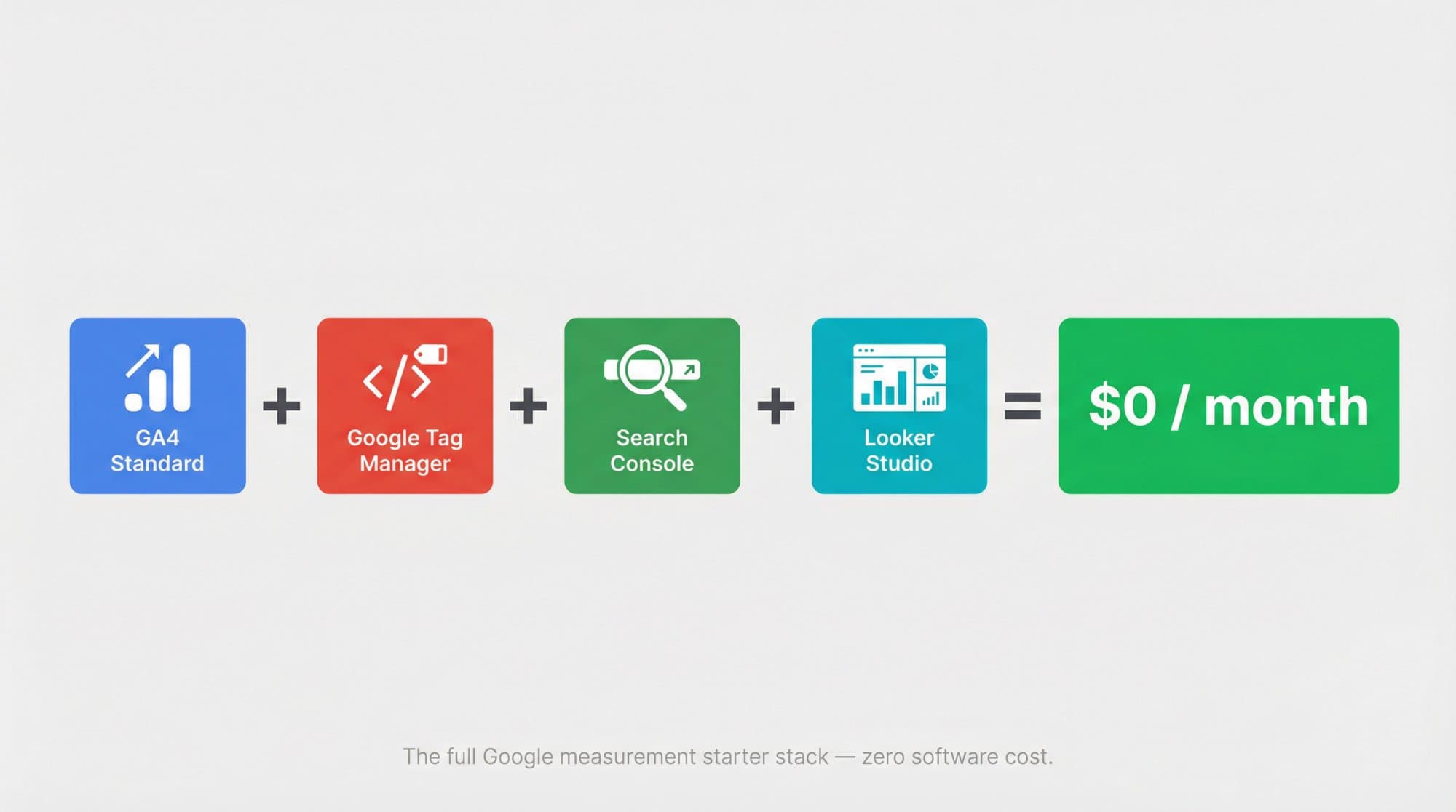
That's a genuinely usable starter stack for SEO, content marketing, lead generation, and ecommerce. Many articles get this part right.
The part they usually miss? Everything that happens once you outgrow the basics.
Where Google Analytics Actually Costs Money
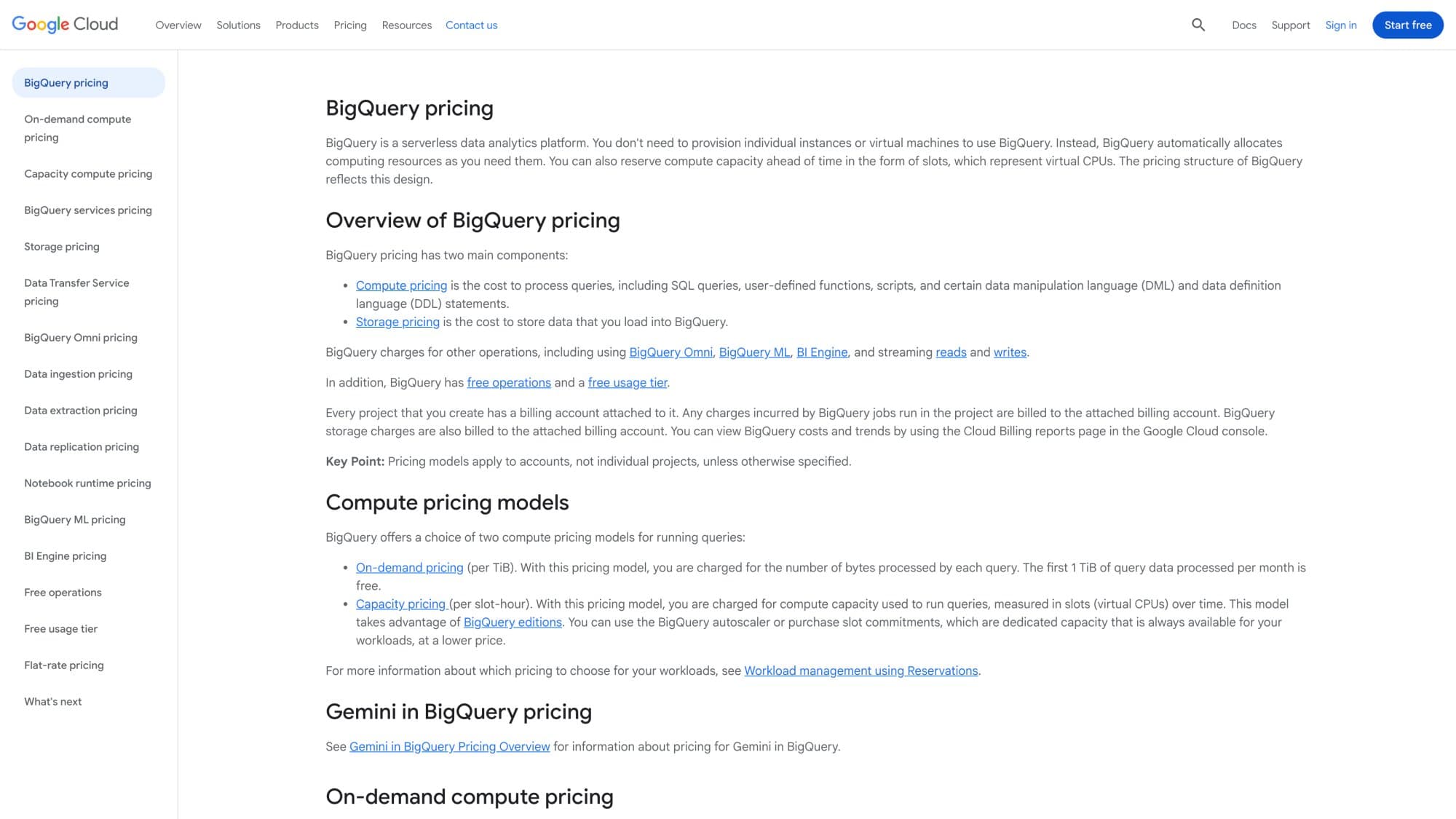
Google Analytics BigQuery Export Costs
BigQuery is where GA4 goes from a simple reporting tool to a real data system.
GA4's interface is a reporting layer. BigQuery is the warehouse layer. You reach for it when you want raw event data, deeper analysis, longer-term storage, or custom reporting that goes beyond what the standard GA4 interface can handle. Teams doing website traffic analysis at scale tend to hit this ceiling earlier than expected.
What actually matters for cost:
- Standard GA4 properties can export daily batch data up to 1 million events per day to BigQuery. If you consistently exceed that limit, Google says the daily export can be paused and missed days won't be reprocessed.
- Standard properties can also use streaming export, which has no event count limit, but streaming incurs BigQuery charges. The distinction is important.
- Google offers a BigQuery sandbox for free, and the free tier includes 10 GiB of storage and 1 TiB of query processing per month. Beyond that, on-demand queries cost $6.25 per TiB scanned, and active logical storage runs about $23.55 per TiB-month.
One detail most people miss: Google requires a valid form of payment on file in Cloud for Analytics export to work, even though the sandbox and free tier exist. That doesn't automatically mean you'll be billed. But it does mean BigQuery isn't as "set and forget free" as many people assume.
How Much Does GA4 Streaming Export Cost?
Google says streaming export costs $0.05 per GB, and 1 GB is roughly 600,000 GA events. That gives you a quick formula:
So if your property generates about 6 million events per day, that's roughly 10 GB/day, or about $0.50/day, which comes to roughly $15/month just for streaming ingestion. That doesn't include storage or query costs, and actual event sizes vary, so treat this as directional.
Not terrifying. But it means "free GA4" can quietly become "paid analytics stack" the moment your team starts doing serious data warehousing. Knowing your website traffic sources in advance helps you estimate event volumes before you commit to streaming exports.
Server-Side Tagging Costs for Google Analytics
Server-side tagging is optional. But it's one of the fastest ways to turn a free GA setup into a monthly infrastructure bill.
Google's Cloud Run setup guide for server-side tagging says each server costs about $45/month in their example configuration, and Google recommends running at least 2 instances to reduce data loss risk during outages. That puts the practical baseline at about $90/month before traffic growth or autoscaling adds more.
You don't need server-side tagging just to run GA4. Many sites never use it. But once privacy requirements, first-party routing, ad platform resilience, or advanced data control become priorities, this is typically the first real recurring infrastructure expense. It's worth including this in your broader technical SEO audit checklist when evaluating your measurement stack.
Consent Management and Privacy Compliance Costs
Google Analytics pricing does not include privacy compliance tooling.
Google explicitly says you're responsible for obtaining users' consent on your website or app, and points businesses toward either a custom consent banner or a Consent Management Platform (CMP). Google also recommends CMP partners to simplify banner deployment and consent mode setup.
Your consent layer is a separate budget line, not a feature bundled into GA4. Depending on the CMP you choose, this could be free for basic use or cost $10 to $100+ per month for advanced compliance.
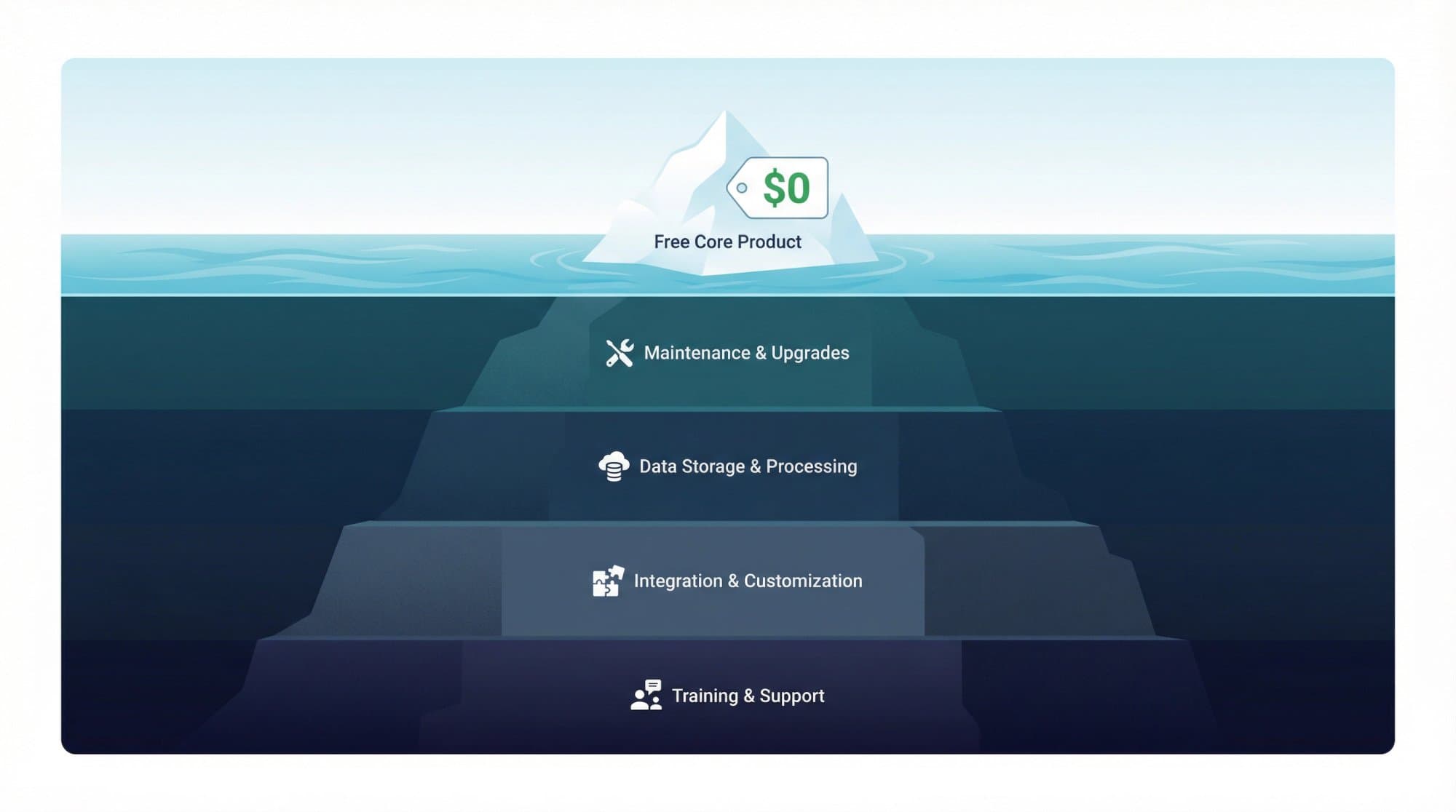
The Real Cost of Setting Up and Maintaining GA4
This is the cost almost every "is Google Analytics free" article understates.
The software can be free while the implementation is expensive.
Someone still has to decide which events matter, define key events, test attribution models, filter internal traffic, validate form tracking, debug ecommerce events, and make sure your reports reflect reality instead of noise. None of that shows up on Google's pricing page, but all of it affects whether your analytics are useful or misleading.
Free software doesn't equal free measurement. And if you're a growing company without a dedicated analytics person, this is often where the real cost lives: in the time you spend figuring it all out yourself. Many teams find that automated SEO reports help reduce the ongoing maintenance burden once the initial setup is done.
How Much Does Google Analytics 360 Cost in 2026?
This is where the answer stops being simple.
Google does not publish a clean, self-serve Analytics 360 price on their public product page. The official route is to talk to sales or go through a sales partner. Google positions Analytics 360 as a product for large enterprises with advanced customization, scalable tools, enterprise-level support, and SLAs.
So what do the best public numbers say?
As of early 2026, the most credible public estimates cluster around a starting price of about $50,000/year. Multiple independent sources corroborate this figure, with the cost scaling significantly based on event volume, account structure, and enterprise requirements.
The safest framing: Analytics 360 appears to start around $50,000/year, but final pricing is contract-based and depends on event volume, account structure, and enterprise requirements.
Why Most GA360 Pricing Information Online Is Outdated
A lot of older articles still quote $150,000/year for GA360. That figure is usually from the Universal Analytics era, not current GA4 360 pricing.
Current Analytics 360 pricing begins at $50,000/year for 25 million events/month, while the previous Universal Analytics system cost $150,000 for 500 million visits per month.
So if you see a blog post saying "GA360 costs $150k/year" without qualifying it, treat that carefully. There's a good chance it's mixing old UA pricing with modern GA4 360 numbers. For teams evaluating affordable SEO plans, this distinction matters. Analytics 360 is enterprise infrastructure, not a typical SEO software subscription.
What You Get with Analytics 360 vs Standard GA4
The most meaningful differences between standard GA4 and 360:
| Feature | GA4 Standard (Free) | Analytics 360 |
|---|---|---|
| Data Retention | Up to 14 months | Up to 50 months |
| Exploration Query Limit | 10 million events per query (sampled) | 1 billion events per query + unsampled explorations |
| BigQuery Daily Export | 1 million events/day | Up to 20 billion events/day |
| Key Events | 30 | 50 |
| Audiences | 100 | 400 |
| Custom Dimensions (event-scoped) | 50 | 125 |
| Custom Metrics (event-scoped) | 50 | 125 |
| Roll-up Properties | Not available | 360-only |
| Subproperties | Not available | 360-only |
| Enterprise SLAs | No | Yes |
Source: Google's GA4 property comparison**, subproperties documentation**, and Analytics 360 product page**.
That comparison reveals something important: 360 isn't mainly about prettier reports. It's about scale, governance, data architecture, and operational guarantees.
The Analytics 360 Cost Nobody Talks About
This is the most valuable nuance in the entire topic, and most articles skip it entirely.
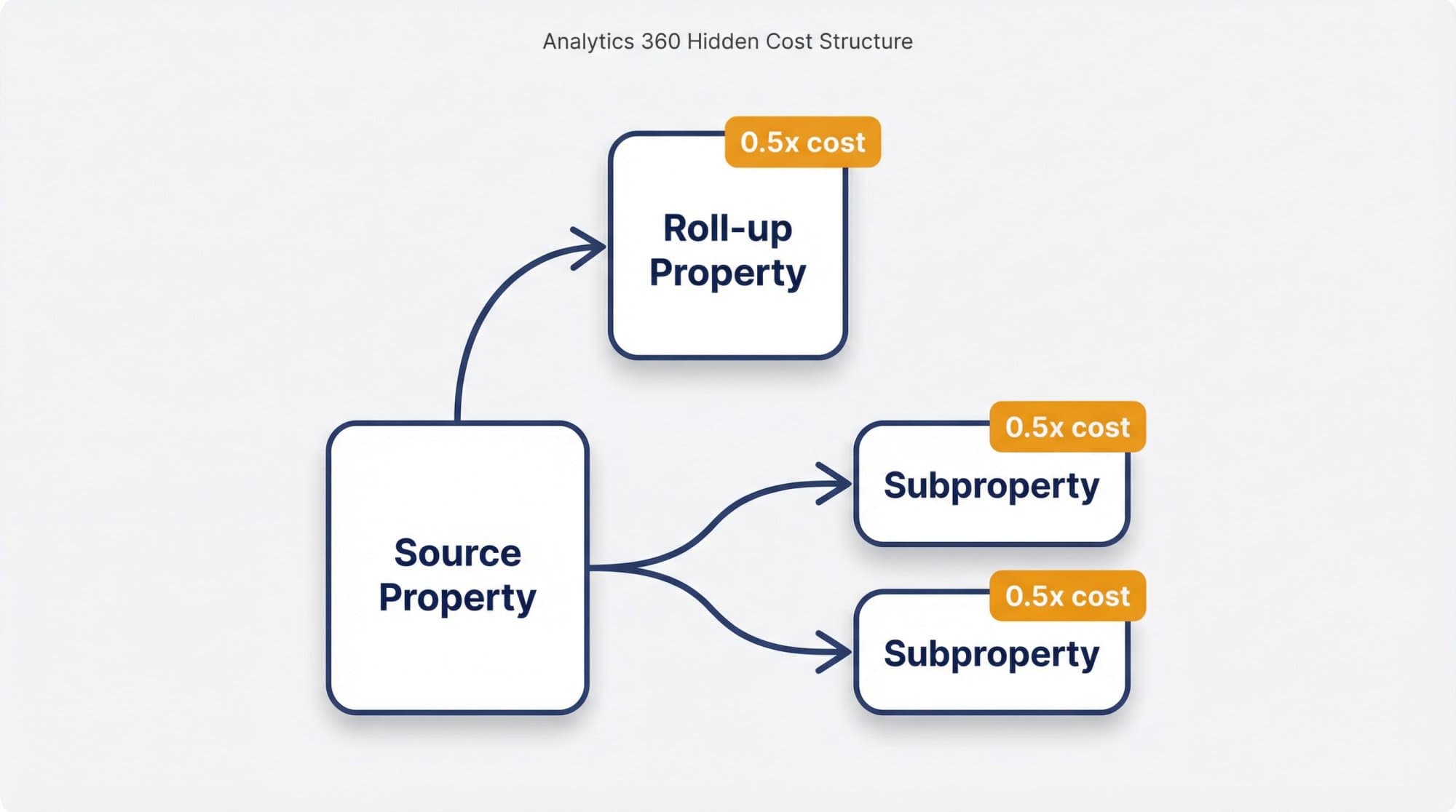
With Analytics 360, subproperties and roll-up properties cost extra.
Google's documentation on subproperties says events in each subproperty are charged at one half the cost of the same events in the source property. Roll-up properties work the same way: events in a roll-up property cost one half the rate of those events in each source property. And Google's account structure documentation confirms that every event sent to a subproperty or roll-up property is processed again, with each extra hit charged at half the original rate.
So the real 360 budget isn't just "base contract price." It can grow meaningfully if your organization wants a source property, multiple subproperties, and an executive roll-up on top.
That's why enterprise analytics pricing often ends up more expensive in practice than the headline number suggests.
How GA4's Event-Based Model Affects Pricing
GA4 uses an event-based model instead of the old session-based model from Universal Analytics. That sounds like a technical detail until pricing enters the conversation. Google's own documentation explains the shift.
Because 360 pricing is commonly discussed in terms of events per month, the pricing threshold isn't about visitors alone. A single user can generate dozens of events in one session: page views, scrolls, clicks, form submissions, video plays, file downloads. That's why "25 million events per month" is not remotely the same as "25 million users per month."
This is one reason many growing ecommerce brands hit data thresholds earlier than they expect. If your average visitor generates 15 events per session and you get 200,000 monthly visitors, you're already at 3 million events a month. A busy site can cross the 25 million threshold faster than you'd think. This is also why understanding how to track website visitors accurately matters before you commit to any analytics tier.
When Is Standard GA4 Enough (And When Should You Upgrade)?
For most businesses, standard GA4 is enough. That isn't a motivational statement. It's just the simplest read of the product lineup. The free version should give most small and midsize businesses what they need.

Standard GA4 is usually enough when:
- You run one site or a manageable set of properties
- You don't need roll-up or subproperty governance
- 14 months of data retention works for your reporting
- Sampled exploration isn't causing business problems
- Your BigQuery needs are modest or nonexistent
- You don't require enterprise SLAs or dedicated support
If none of those pain points feel real to you, 360 is probably overkill.
Analytics 360 starts making sense when:
→ Your event volume is large enough that standard limits become operational blockers
→ Analysts need higher query ceilings or unsampled explorations
→ Your organization needs roll-up properties across brands, regions, or business units
→ You need longer retention for compliance or modeling
→ Your reporting depends on enterprise support and SLAs
→ Internal teams are wasting time building workarounds for standard-property limits
Notice what's not on that list: prestige.
360 is a data operations purchase, not a status symbol. For teams at this scale, content performance analysis becomes just as important as raw event tracking. You need both to make good decisions.
Google Analytics Budget Scenarios for 2026
What all of this looks like when you put it together:
| Scenario | Stack | Approximate Monthly Cost |
|---|---|---|
| Small site / early-stage startup | GA4 + GTM + Search Console + Looker Studio | $0/month |
| Growing marketing team wanting raw data | Same stack + BigQuery daily export (within free tier) | $0/month |
| Team needing near real-time warehouse data | Same stack + BigQuery streaming export | ~$15/month (at 6M events/day, before storage/query) |
| Privacy-focused setup | Add server-side tagging on Cloud Run | ~$90/month baseline (before scaling) |
| Enterprise with governance complexity | Analytics 360 + BigQuery + roll-ups + implementation | ~$50,000+/year |
Sources: Google Marketing Platform**, BigQuery pricing**, Cloud Run setup guide**.
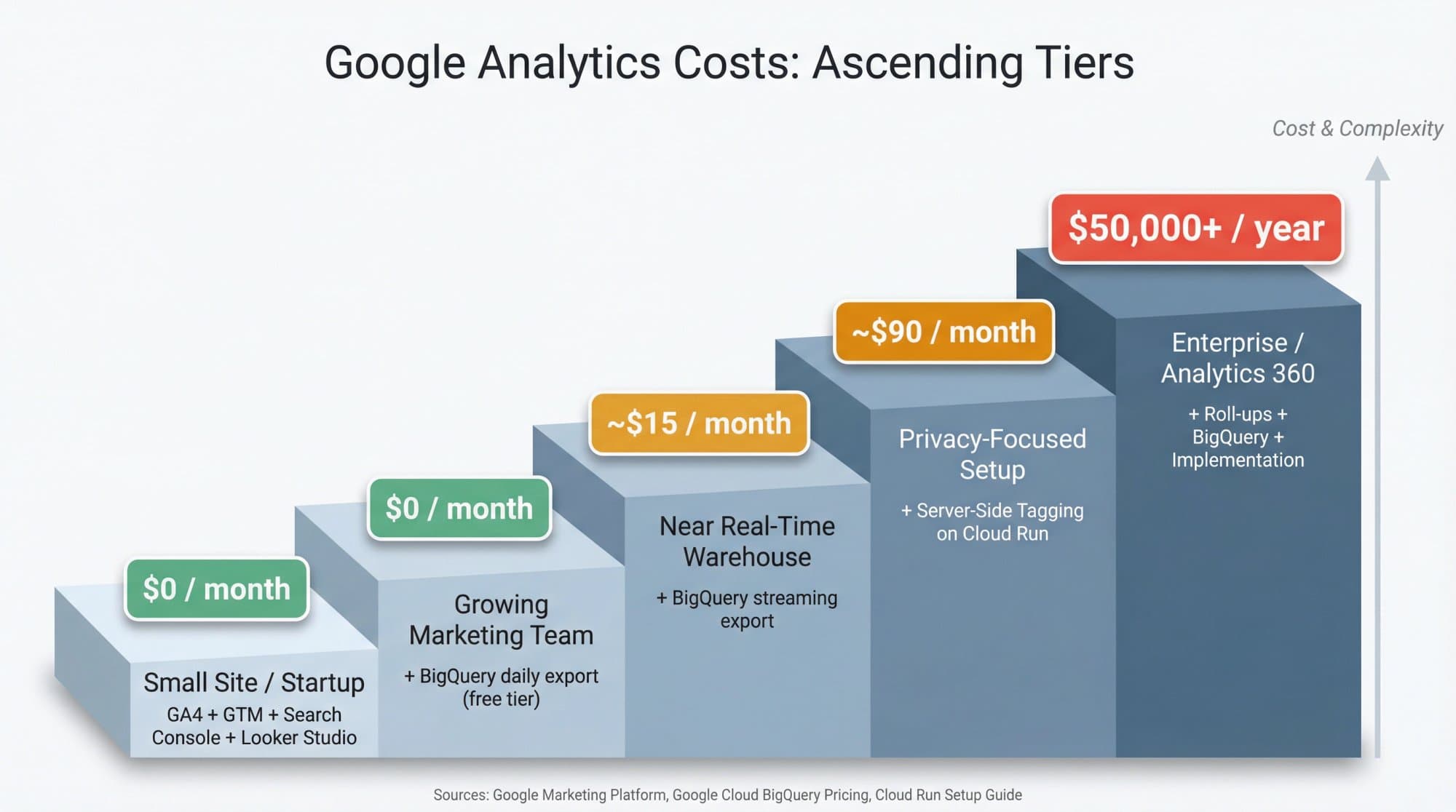
One important caveat: none of these scenarios include the cost of people doing the implementation, debugging, and ongoing maintenance. That's often the biggest expense, especially for teams without a dedicated analytics hire. Once you have your analytics in place, the next challenge is increasing website traffic organically, which is where the real growth work begins.
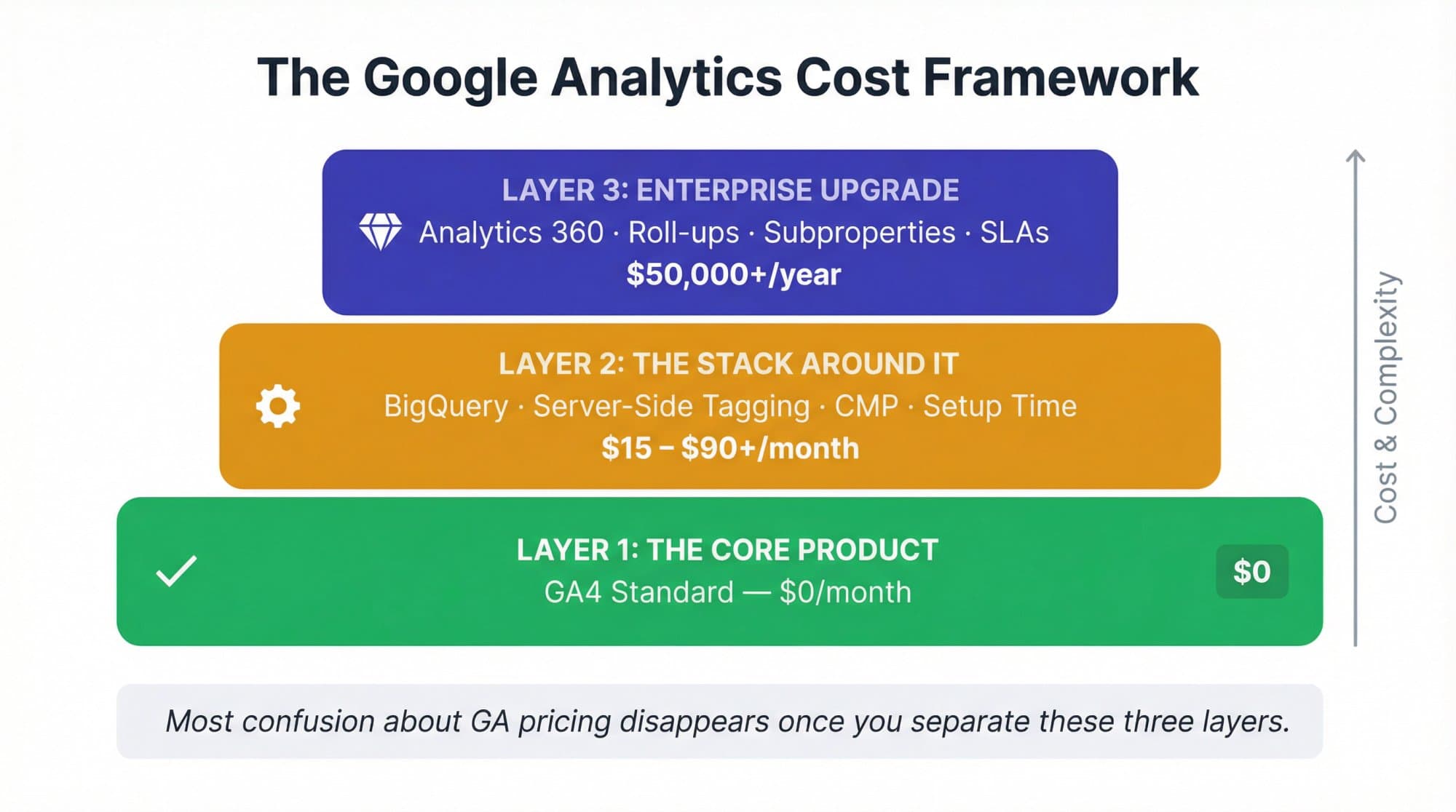
How to Think About Google Analytics Costs (A 3-Layer Framework)
If you take one thing from this article, make it this three-layer mental model:
Layer 1: The Core ProductStandard GA4 is free. Period.
Layer 2: The Stack Around the ProductBigQuery, server-side tagging, consent tooling, dashboards, and implementation work can add cost. This is where most "hidden costs" actually live.
Layer 3: The Enterprise UpgradeAnalytics 360 is a separate, quote-based product for organizations that hit scale and governance constraints. It starts around $50,000/year and goes up from there.
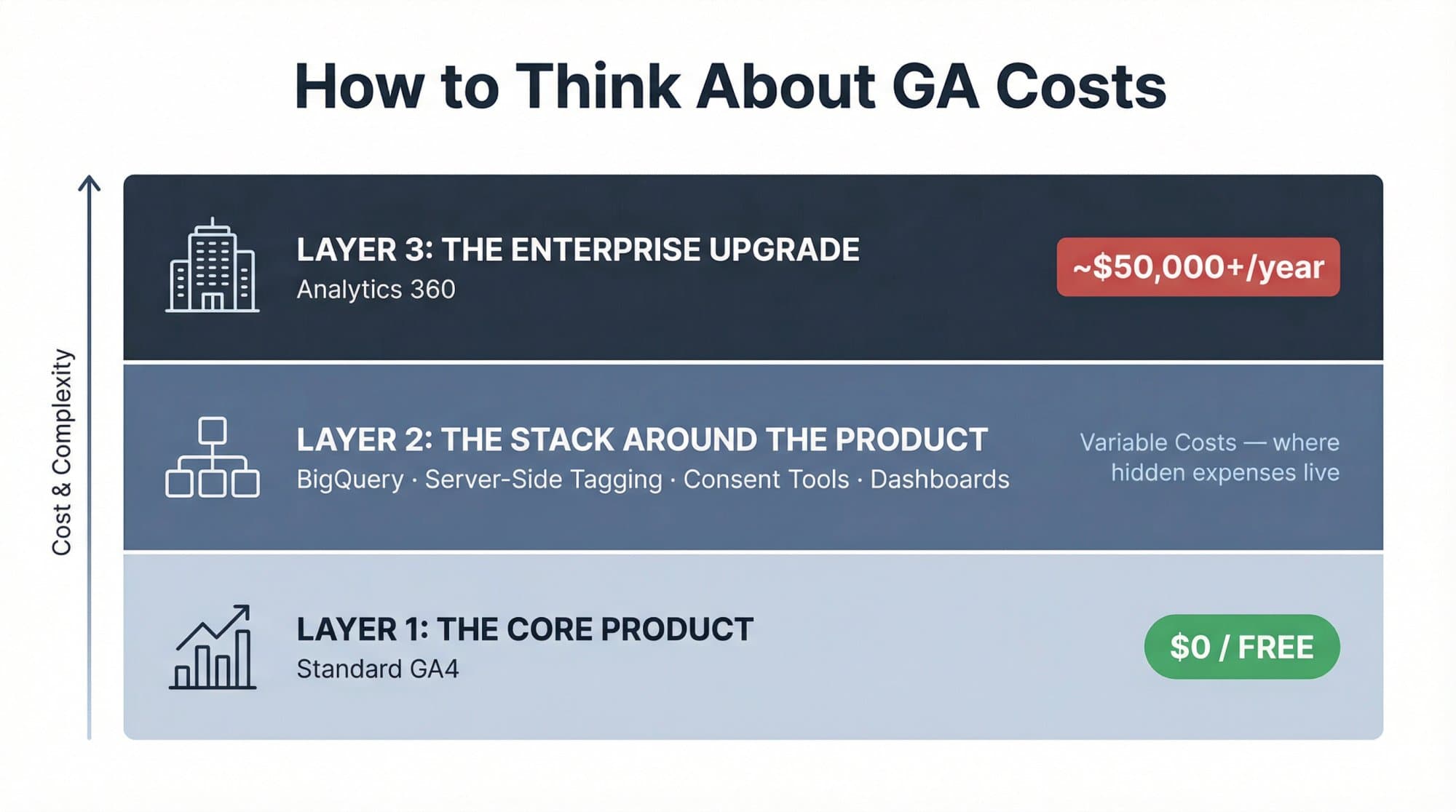
Most confusion about Google Analytics pricing disappears once you separate those three layers. If you're trying to decide which SEO automation tools to pair with your analytics stack, this framework helps you allocate budget appropriately.
How Outrank Helps You Act on Google Analytics Data
Google Analytics tells you what's happening on your site. But it doesn't do anything about it.
You can spend hours studying traffic patterns, identifying which pages rank, and figuring out where visitors drop off. That's valuable information. But the gap between knowing your content strategy needs work and actually executing a better one is where most teams get stuck.
That's where Outrank comes in.
Outrank is an AI-driven SEO automation platform that handles the work your analytics data is telling you needs to happen. It finds keyword opportunities your competitors are missing, generates SEO-optimized long-form content, and publishes directly to your CMS (WordPress, Webflow, Shopify, Framer, and more) without the copy-paste bottleneck.
Think of it as the action layer that sits on top of your measurement layer. GA4 shows you the gaps. Outrank fills them.
A few things that make this especially relevant if you're running a lean analytics stack:
→ Keyword discovery surfaces high-traffic, low-difficulty opportunities so you're not guessing which content to create next
→ Content generation produces up to 30 articles per month, each designed for SEO from the ground up
→ Direct CMS publishing means articles go live automatically, no manual formatting or uploading
→ Built-in authority building through a backlink exchange network and 350+ directory submissions adds an authority layer that most content tools don't touch
If you're looking at your GA4 dashboard and thinking "I know I need more content, I just don't have the bandwidth to produce it," Outrank is built exactly for that problem. You can explore how Outrank uses AI for SEO to understand our approach before getting started.
Scaling SEO Content Without Building a Team
You now understand what Google Analytics costs. The next question is: what are you going to do with the data you're collecting?
Most teams hit the same wall. They can see in their analytics that they need more content, better rankings, and more organic traffic. But building an in-house content team is expensive, managing freelancers is exhausting, and publishing 2 or 3 articles a month while competitors publish 30 just isn't going to cut it.
That's exactly what Outrank Agency solves.
Outrank Agency is a done-for-you SEO content service that layers professional human curation on top of Outrank's automation. You get 30 expert-crafted articles per month, each reviewed by industry specialists who check facts, fix inaccuracies, optimize for SEO, and make sure the content actually sounds like your brand.
What's included:
① Expert keyword research and competitor gap analysis
② A content calendar strategically planned 3 months ahead
③ SEO specialist optimization on every single piece
④ A dedicated Slack channel with your team for revisions
⑤ Direct CMS publishing (you literally don't have to touch it)
⑥ Results within 90 days
This isn't AI slop with a human stamp on it. Every article goes through multiple layers of review before it ever hits your site.
Outrank Agency costs $1,499/month and only accepts 5 new clients per month to protect quality. No contracts, cancel anytime.
Book a demo to see if it's a fit, or learn more at outrank.so/agency.
Frequently Asked Questions About Google Analytics Pricing

Is Google Analytics Completely Free?
The standard GA4 product is free. Google confirms this on their Analytics page. But your full analytics setup may not be. Costs can appear through BigQuery data warehousing, server-side tagging infrastructure, consent management platforms, and the human time required for implementation and maintenance. Our guide on how to use Google Analytics walks through what the free setup actually involves.
Do You Have to Pay for Google Tag Manager?
No. Standard Google Tag Manager is free. Google separately offers Tag Manager 360 for enterprise users with advanced needs, but most websites never need it.
Is Search Console Included with Google Analytics?
Search Console is a separate product, but it's also free. Search Console shows how Google Search sees your site, while GA4 shows what visitors do after they arrive. Together, they make much more sense than either one alone for SEO work. Learning how to track your keyword rankings in combination with Search Console data is one of the highest-leverage things you can do with the free stack.
Is Analytics 360 Worth It?
Only when you have a concrete scale or governance problem that standard GA4 can't handle. The strongest reasons are higher limits on explorations and configuration, longer data retention, roll-up and subproperty capabilities, unsampled exploration, and enterprise SLAs. If you don't have those specific needs, the free version is almost certainly enough.
Does Google Analytics Replace SEO Tools?
No. GA4 is a measurement tool for your own website. Search Console shows search visibility. Dedicated SEO tools handle keyword discovery, rank tracking, content optimization, and competitive research. They solve fundamentally different problems. We wrote a detailed breakdown of this distinction in our Semrush vs Google Analytics comparison. For teams exploring best AI SEO tools to complement their analytics, that comparison is a useful starting point.
Can I Use Google Analytics for Free on Multiple Websites?
Yes. You can create multiple GA4 properties under one Google account at no charge. The standard product doesn't limit the number of properties. Where you might hit friction is if you need roll-up reporting or subproperties to manage data across those sites, since those features require Analytics 360. If you're running multiple sites, understanding how to rank on Google for each one becomes a significant operational challenge worth addressing with automation.
What Happens If I Exceed GA4's Free Limits?
If you exceed the daily export limit of 1 million events per day to BigQuery, Google may pause your daily export and missed days won't be reprocessed. You'd need to either switch to streaming export (which costs money) or upgrade to Analytics 360 for higher limits. The GA4 interface itself doesn't stop working, but your data pipeline can be affected. For most teams, the BigQuery limits rarely become a bottleneck at typical traffic volumes.
Is Google Analytics Free? The Bottom Line
The honest answer:
Google Analytics is free, but measurement isn't always free.
A lot of businesses can run a perfectly solid setup on $0/month using standard GA4, GTM, Search Console, and Looker Studio. But once you need raw data warehousing, server-side collection, privacy tooling, or enterprise governance, costs move outside the basic GA4 license and into the rest of the stack. Google Marketing Platform's own positioning confirms the free tier is robust, but enterprise needs are a different conversation.
For most teams, the smartest path is straightforward:
Start with the free stack. Upgrade only when a specific limit is actively hurting your decisions, speed, or revenue.
And when your analytics show you exactly where the SEO opportunities are, Outrank is built to help you act on them, whether that's through our self-serve platform or our done-for-you Agency service.
Related Reading
→ Content Performance Analysis: The Definitive Guide (2026) for turning traffic and conversion data into actual SEO KPIs
→ How to Find Backlinks in Google Analytics 4 (2026 Guide) for referral and link tracking inside GA4
→ Semrush vs Google Analytics: Which Is Better for SEO in 2026? for understanding the difference between discovery tools and measurement tools
→ How to Track Google Rankings: #1 Guide + 15 Tools (2026) for the part GA4 doesn't solve: rank tracking
→ How to Use Google Analytics: Complete Guide for Beginners for getting started with the free GA4 stack
→ Website Traffic Analysis: How to Read and Act on Your Data for making sense of the numbers GA4 gives you