The best blog platform is the one that matches your actual situation, not the one paying the highest affiliate commission. If you want a free, SEO-ready blog live today with zero setup, Outrank Blogs is the right call. If you want maximum long-term control and can spend 20 minutes on setup, WordPress.org is still the standard. Everything else fits somewhere in between.
Most comparison guides on this topic push you toward WordPress.org with Bluehost because that's where the affiliate payout is. We're going to skip that and just tell you what we'd recommend to a friend.
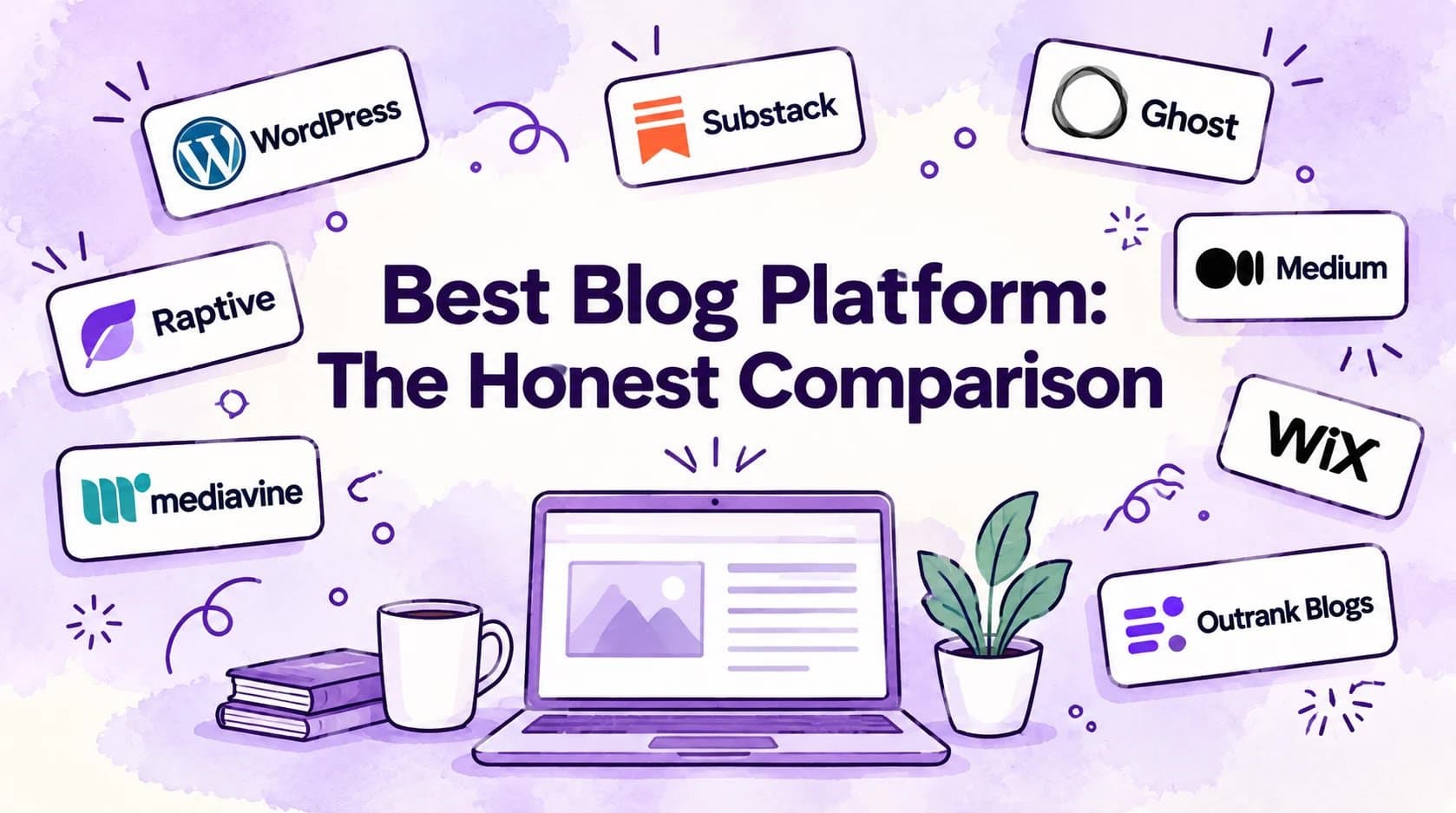
Best Blog Platforms at a Glance
| Platform | Free Plan | Custom Domain | SEO Out-of-the-Box | Setup Time | Best For |
|---|---|---|---|---|---|
| Outrank Blogs | $0, up to 10K visits/mo, unlimited posts | Yes, free | Sitemap, structured data, IndexNow, RSS | ~5 min | Free, no-setup, SEO-ready hosted blog |
| WordPress.org | Free software (~$3/mo hosting) | Yes | Plugin-dependent | 20-30 min | Maximum control and long-term growth |
| WordPress.com | Yes (wordpress.com subdomain) | Paid upgrade | Basic | ~5 min | WordPress without hosting setup |
| Substack | Yes (substack.com subdomain) | No | Minimal | ~2 min | Newsletter-first writers, paid subscriptions |
| Ghost | No free hosted tier | Yes | Yes | ~10 min | Pro publishers and membership sites |
| Medium | Yes (medium.com domain) | No | Minimal | ~2 min | Writers who want a built-in audience today |
| Wix | Yes (Wix ads on free) | Paid upgrade | Basic | 15-20 min | Full website with a blog section |
| Squarespace | No | Yes | Basic | 15-20 min | Design-focused portfolios and brands |
| Blogger | Yes, forever | Yes (custom buyable) | Basic | ~2 min | Free, simple, no-frills personal blog |
How We Evaluated Each Platform
Six things actually matter when picking a blog platform. Here's what we used:
Free plan limits: what you genuinely get before paying anything, including visit caps, post limits, and feature restrictions
Custom domain support: whether you can use your own domain without an expensive plan upgrade
SEO features included by default: sitemap, RSS, structured data, IndexNow; not what's possible with a plugin you still have to find and configure
Time to first post: the actual minutes from signup to a published post, for a non-technical person
Content ownership and export: can you take your posts elsewhere if you need to
Upgrade path: what the next step looks like when you want to grow
We're building Outrank Blogs, so we have an obvious interest in recommending it. We've tried to be upfront about where competitors are genuinely stronger. If WordPress.org or Substack fits better for your situation, we'll say so.
WordPress.org: Best for Long-Term Control
WordPress.org is free, open-source software you install on a web host. It powers around 43% of all websites on the internet, and for good reason: there is no ceiling on what you can build with it.
Why it genuinely wins:
Complete ownership. No platform can change the rules on you overnight.
60,000+ plugins let you extend it to do essentially anything.
The best SEO toolset available (AIOSEO, Yoast, Rank Math) with full control over structured data, canonical URLs, and sitemaps.
No visit limits, no post limits, no revenue sharing.
The honest trade-off:
You need a web host. That's around $3 per month on Bluehost, SiteGround, or similar services. Setup takes 20 to 30 minutes and involves picking a host, installing WordPress, choosing a theme, and configuring at least one SEO plugin. You're also responsible for keeping plugins and WordPress itself updated, which matters for security.
That's a reasonable one-time investment for a long-term blog. It's not the right path for someone who wants to start writing today without a setup session.
Best for: Long-term blogs where full ownership matters. Small businesses planning to scale. Anyone already committed to the WordPress ecosystem.
Pricing: Free software + ~$3/month hosting
Outrank Blogs: Best Free Hosted Blog with Real SEO
Outrank Blogs is a hosted blog builder. You pick a template, get a free outrankblog.com subdomain (or connect your own domain), write in a block editor, and publish. No hosting to configure. No plugins to install. No updates to manage.
What the free plan actually includes:
$0 for up to 10,000 visits per month
Unlimited posts
Sitemap, RSS feed, structured data, and IndexNow included without any plugin or configuration
Custom domain support on the free plan (you don't pay extra to connect your own domain)
Block-based editor with SEO basics built in
Small "Published with Outrank" badge in the footer (removed on the paid plan)
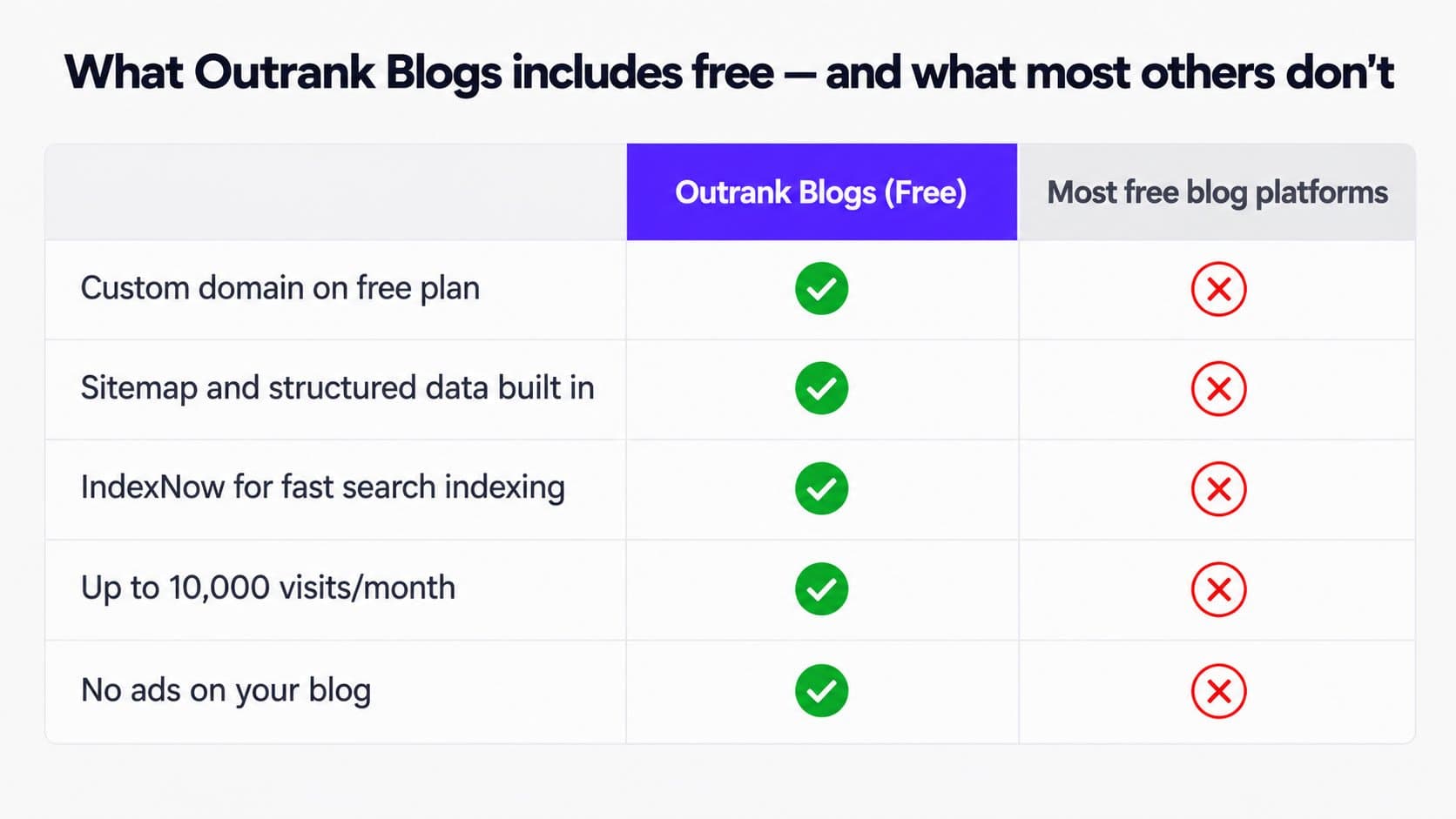
This is the combination most free platforms don't offer. Free options like WordPress.com, Blogger, and Medium each cut a corner somewhere: either SEO features are stripped out, or the custom domain is behind a paid tier, or both. Outrank Blogs gives you all three on the free plan.
The honest trade-off:
Outrank Blogs is a focused tool. It does blog hosting well. It doesn't double as a full website builder, e-commerce platform, or CRM. If you need a full site with many pages and want the blog as one section among many, Wix or Squarespace (or WordPress.org) is the better fit.
For technical users, Outrank Blogs also works as a blog subfolder or subdomain added to an existing site on Next.js, Vercel, Netlify, Cloudflare, Webflow, Framer, or Lovable. If you don't want to rebuild your current stack just to add a blog, this is how you do it cleanly. See our guides for setting up a blog on Vercel and adding a blog to a Next.js site.
When you're ready to grow beyond what you can write yourself, the Organic Growth plan ($99/month) adds 30 AI-written SEO articles per month, keyword research, automatic internal linking, and backlinks. That's the natural upsell for people who want content running on autopilot rather than at the pace they can write. The free plan is a legitimate, standalone product.
Best for: Solopreneurs, creators, indie hackers, and small businesses who want a free hosted blog with real SEO in under five minutes. Also the right choice for developers who want a blog on their existing site without touching their stack.
Pricing: Free plan (up to 10,000 visits/month, unlimited posts) | Organic Growth: $99/month
Explore Outrank Blogs free plan
Substack: Best for Newsletter-First Writers
Substack combines a blog with an email newsletter and a paid subscription product. For writers who want to monetize through reader subscriptions, it's genuinely well-built and has a large, engaged ecosystem.
Where Substack genuinely wins:
Your subscriber list is yours and can be exported
Simple paid subscription model: charge any amount, keep 90% (Substack takes 10%)
Writers can be discovered through Substack's Notes feature and recommendation networks
Clean, focused writing experience
Where it falls short as a search-driven blog:
You get a yourname.substack.com URL on the free plan. There's no custom domain support without paying. SEO is minimal: limited sitemap control, no structured data customization, no IndexNow. If organic search traffic is part of your growth strategy, Substack gives you very little to work with.
The platform also controls your distribution. Their algorithm decides what gets amplified through their reader tab, and that changes over time. Writers who built their audience on Substack have had to adapt when Substack's interests shifted.
For a comparison of Substack with Ghost, which solves most of Substack's SEO limitations while keeping the membership model, see our post on Ghost vs. Substack. If you're considering Substack for the newsletter model but want to understand your alternatives, Substack alternatives covers the full field.
Best for: Writers whose primary goal is paid subscriptions and newsletter revenue, not search traffic.
Pricing: Free to publish. Substack takes 10% of paid subscription revenue.
Ghost: Best for Professional Publishers
Ghost is the right choice for publishers who want Substack's membership model without the revenue cut and with serious SEO built in.
It's focused exclusively on publishing: no plugins, no page builder, no e-commerce bolt-ons. The editor is clean, fast, and well-suited for long-form content. Native memberships and paid tiers let you charge subscribers directly with no revenue share.
The trade-off:
There's no free hosted tier. Ghost(Pro) starts at $15/month (billed annually) for up to 1,000 members. Self-hosting Ghost is free but requires server management, which puts it closer to WordPress.org in setup complexity.
Ghost is not a starting point. It's where writers graduate to when they've validated their audience and want a more professional infrastructure than Substack or WordPress.com offers.
Best for: Professional publishers, journalists, and writers running membership-supported publications who want clean SEO, no revenue cut, and no plugin management.
Pricing: Ghost(Pro) starts at $15/month (billed annually). Self-hosted is free.
Medium: Best for Testing Ideas with an Existing Audience
Medium is the platform where good writing gets read fastest. Publish a piece with the right tags and you can have real readers within hours, without building an audience from scratch.
That built-in distribution is Medium's core strength. Their recommendation algorithm actively surfaces content to relevant readers. For writers testing ideas or building a portfolio, that reach has real value.
The real limitation:
You don't own the domain, the platform, or the relationship with your readers. Medium has changed its monetization rules, partner program payouts, and algorithm multiple times over the past few years. Each change affected writers who built their primary presence there.
Medium works best as a distribution channel alongside a primary blog, not as the primary blog itself. Your content on Medium is an asset Medium holds. Your content on your own domain is an asset you hold.
For a broader look at platforms that give you Medium's ease of publishing with more ownership, see our Medium alternatives page.
Best for: Writers supplementing a main blog or testing content ideas. Not recommended as a primary publishing home.
Pricing: Free to publish. Partner Program pays based on reading time from Medium members.
Wix: Best for Full Websites with a Blog Section
Wix is a website builder first and a blog platform second. That's the right order of priorities if you need a full site: homepage, services pages, an about page, contact form, and a blog attached.
For a standalone blog, it's more than you need. The free plan shows Wix branding and uses a yourname.wixsite.com subdomain. Removing either requires a paid plan starting at $17 per month. SEO features on the free tier are limited.
If you need a comparison with a more SEO-focused option for someone who primarily needs a blog, see Wix alternatives on the free-blog side.
Best for: Beginners building a complete small business website with a blog as one section.
Pricing: Free plan with Wix branding | Custom domain from $17/month
Squarespace: Best for Creative Portfolios
Squarespace builds some of the most polished templates available. For photographers, designers, and visual creators, the design quality alone justifies the price.
There's no free plan beyond a trial, and it starts at $25 per month. For a pure blogging use case without portfolio or e-commerce needs, the cost is hard to justify over cheaper alternatives.
For a direct comparison of Squarespace with WordPress, including when each makes sense, see our Squarespace vs. WordPress breakdown.
Best for: Creative professionals who need portfolio-quality design and want the blog as part of a larger site.
Pricing: Starts at $25/month
Blogger: Best for Free, Forever, No-Frills Blogging
Blogger has been Google's blogging platform since 1999. It's free, it connects to Google AdSense in one click, and it's never going away. For a hobby blog where AdSense is the primary revenue model and modern design is not a priority, it still makes sense.
The interface and templates haven't been meaningfully updated in years. Customization beyond Google's templates requires HTML knowledge. There's no structured data support or IndexNow out of the box.
It's not a platform we'd start a business blog on today. For a direct feature comparison, see our Outrank Blogs vs. Blogger page.
Best for: Hobby bloggers who want a completely free, simple platform with straightforward AdSense integration.
Pricing: Free
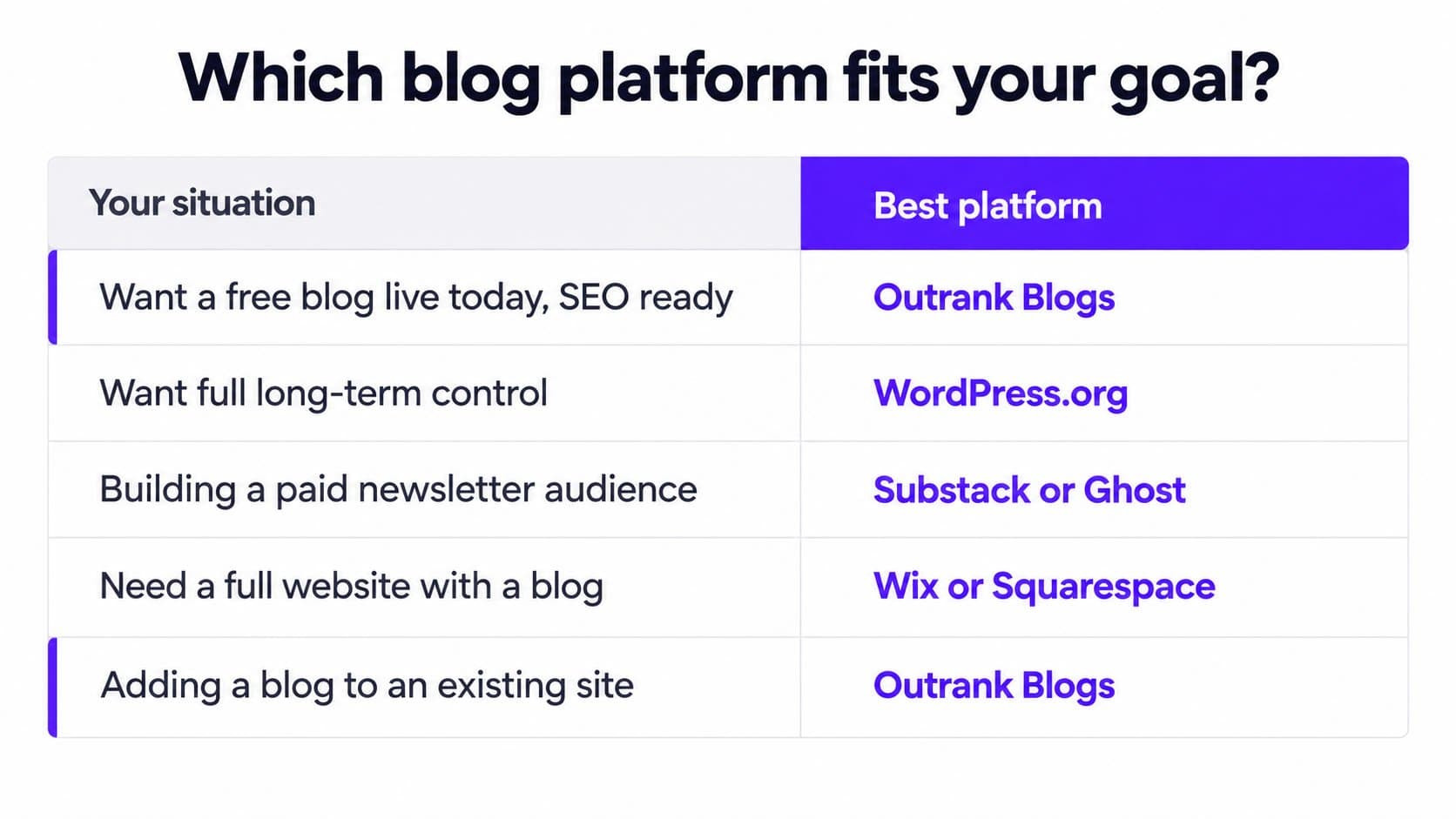
Which Platform Should You Actually Choose?
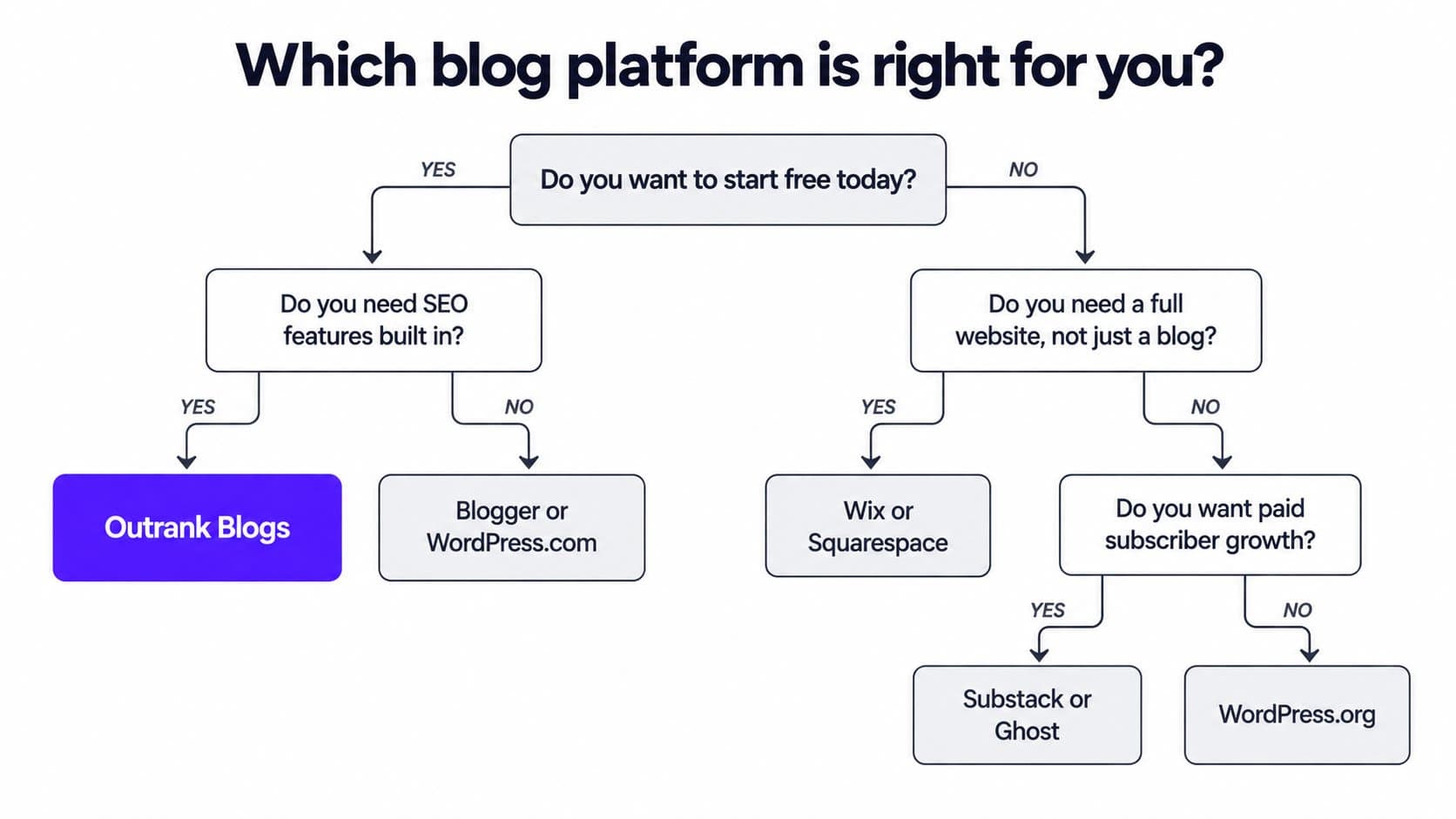
The right platform depends on two things: your starting point and your primary goal.
You want to start writing today, for free, with SEO that works:
Use Outrank Blogs. Five-minute setup, $0, unlimited posts up to 10,000 visits per month, sitemap and structured data included. Custom domain at no extra cost.
You want maximum long-term control and can do a 20-minute setup:
Use WordPress.org. You'll spend a bit on hosting (~$3/month) and some time on configuration, but you own everything and nothing limits your growth. Nobody regrets this choice once they're set up.
Your growth strategy runs through paid subscriptions and newsletters:
Use Substack if you're just starting and okay with a substack.com subdomain. Use Ghost if you want your own domain, better SEO, and no revenue cut once you're ready to pay for hosting.
You need a full website, not just a blog:
Use Wix or Squarespace, depending on whether you prioritize ease-of-setup (Wix) or design quality (Squarespace). Both are website builders that include a blog, not blog platforms.
You want to add a blog to an existing site on a framework like Next.js, Vercel, or Webflow:
Use Outrank Blogs as a connected subdomain or subfolder. You get a fully hosted, SEO-ready blog without rebuilding your existing stack. Our setup guides for Vercel, Netlify, Cloudflare, Webflow, and Framer walk through the setup step by step.
How We Made These Calls
We evaluated each platform against six criteria: free plan limits, custom domain support, out-of-the-box SEO features, time to first post, content export options, and upgrade path. Pricing reflects publicly listed plan pages at the time of writing and should be verified before publishing.
We make Outrank Blogs and include it in this comparison. We've tried to represent other platforms fairly: WordPress.org is more powerful and flexible than Outrank Blogs. Substack has a stronger newsletter ecosystem. Ghost is the right call for professional publishers who want no revenue sharing. We've named those clearly rather than burying them.
Get a Free Blog Running in Five Minutes
If the goal is a blog that's live today without a hosting bill, a plugin search, or a setup session, Outrank Blogs is the place to start.
The free plan includes unlimited posts, a block-based editor, sitemap, RSS, structured data, IndexNow, and custom domain support. Nothing to configure. Nothing to maintain. Just write.
When you're ready to scale beyond what you can write yourself, the Organic Growth plan ($99/month) adds 30 AI-written SEO articles per month, keyword research, automatic internal linking, and backlinks. That's the path for people who want their blog to generate traffic without writing every post manually.
Frequently Asked Questions
What is the best free blog platform?
Outrank Blogs is the best free blog platform for people who want SEO features built in from the start. The free plan covers up to 10,000 visits per month, includes unlimited posts, and ships with sitemap, RSS, structured data, and IndexNow with no additional setup. Custom domain connection is included on the free plan, which most competitors gate behind a paid upgrade. WordPress.com and Blogger are solid free alternatives; WordPress.com has a better editor, Blogger has stronger AdSense integration, but both have narrower SEO features than Outrank Blogs on their free tiers.
Is WordPress still the best blogging platform?
WordPress.org is still the most powerful and flexible blogging platform available. It powers around 43% of all websites because it gives you complete ownership, 60,000+ plugins, and no platform restrictions. The trade-off is setup time (20 to 30 minutes), ongoing hosting costs (~$3/month), and responsibility for keeping the installation updated and secure. For serious long-term blogs, especially ones that need to scale significantly, it remains the best choice. For people who want a managed, no-setup starting point, platforms like Outrank Blogs or WordPress.com reduce that overhead substantially.
What is the difference between WordPress.com and WordPress.org?
WordPress.org is open-source software you install on your own web host. You own everything and control everything, but you pay for hosting and manage your own installation. WordPress.com is a hosted service that runs WordPress for you: they handle all technical maintenance and provide a free plan with a wordpress.com subdomain. Custom domains require a paid WordPress.com plan, starting at $4/month billed annually (or $9/month on a monthly plan). Both use the same block editor, but they differ significantly on ownership, cost structure, and what you can do on the free plan. For a direct comparison, see Outrank Blogs vs. WordPress.com.
Are blogs still worth it?
Yes. Blogs remain an effective channel for organic traffic and audience-building. The rise of AI-generated search overviews changes how traffic arrives, but well-structured content with clear answers, specific data, and genuine perspective still ranks and still attracts readers. Blogs that are cited in AI answers are particularly valuable: being named in a Google AI Overview or in a ChatGPT or Perplexity response can deliver steady referred traffic. Getting there requires the kind of clear, entity-specific, factual writing this article is structured to model.
Can I start a blog for free with my own domain?
Most free platforms either don't support custom domains or require a paid plan to connect one. Outrank Blogs connects your own domain on the free plan, which is uncommon among free options. Blogger lets you buy a domain from Google and connect it, but domains cost money. WordPress.com's custom domain requires at least its $4/month plan (billed annually).
What blog platform is best for SEO?
WordPress.org offers the most control over technical SEO through plugins like AIOSEO and Yoast, with full access to structured data, canonical URLs, schema markup, and site speed optimization. For a fully hosted platform with strong SEO included by default and no plugins required, Outrank Blogs ships with a sitemap, structured data, RSS, and IndexNow built in. Substack and Medium have minimal SEO customization and are not good choices for search-driven content strategies.
Should I use Substack or a separate blog platform?
Use Substack if your growth comes from paid subscriptions and email newsletters: it's well-built for that and its network effect is real. Use a separate blog platform (Outrank Blogs, WordPress.org, or Ghost) if organic search traffic is part of your plan. Substack gives you a substack.com subdomain on the free plan, no control over structured data, and minimal sitemap customization. For writers trying to build both a newsletter and a search-visible blog, running both is a reasonable approach: Substack for email, a dedicated blog for SEO content.