

Parenting blog examples: 4 real blogs and what makes them work

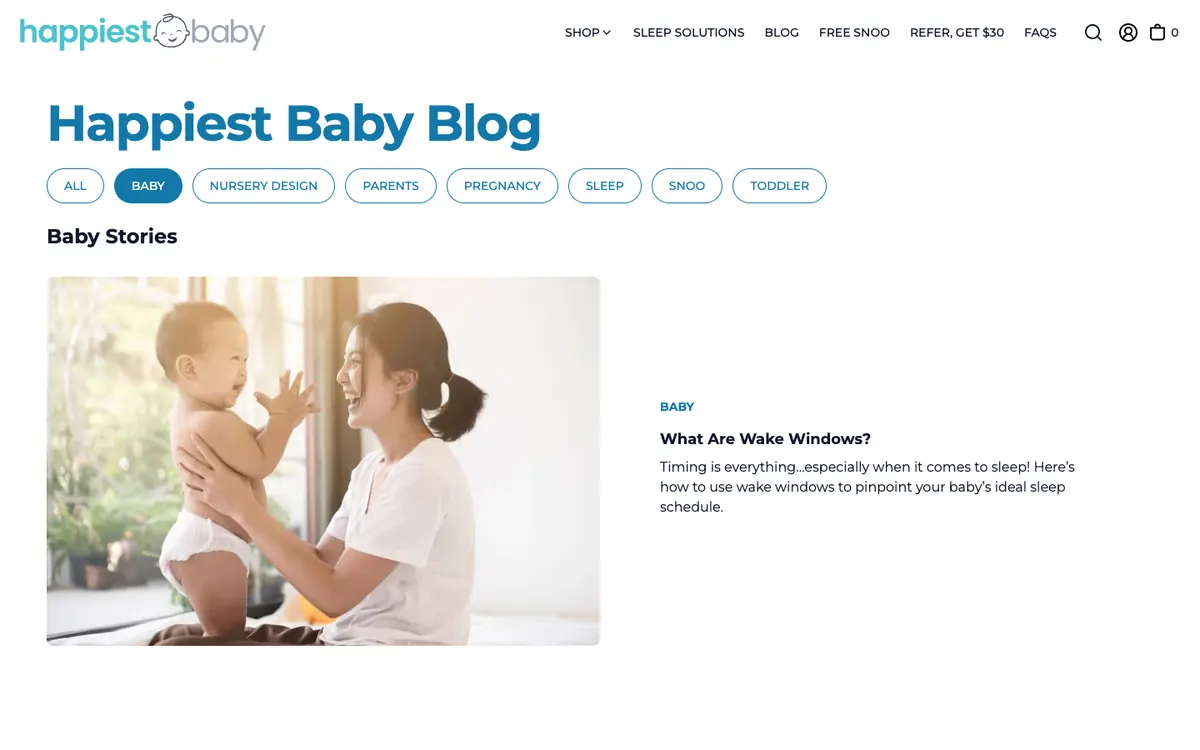
Parents read in short bursts and search by age or problem. Happiest Baby sorts its posts with filter pills like Baby, Pregnancy, Sleep and Toddler, so a tired reader gets to the right stage in one tap.

Every blog checked live on . Notes describe only what you can see on the homepage.

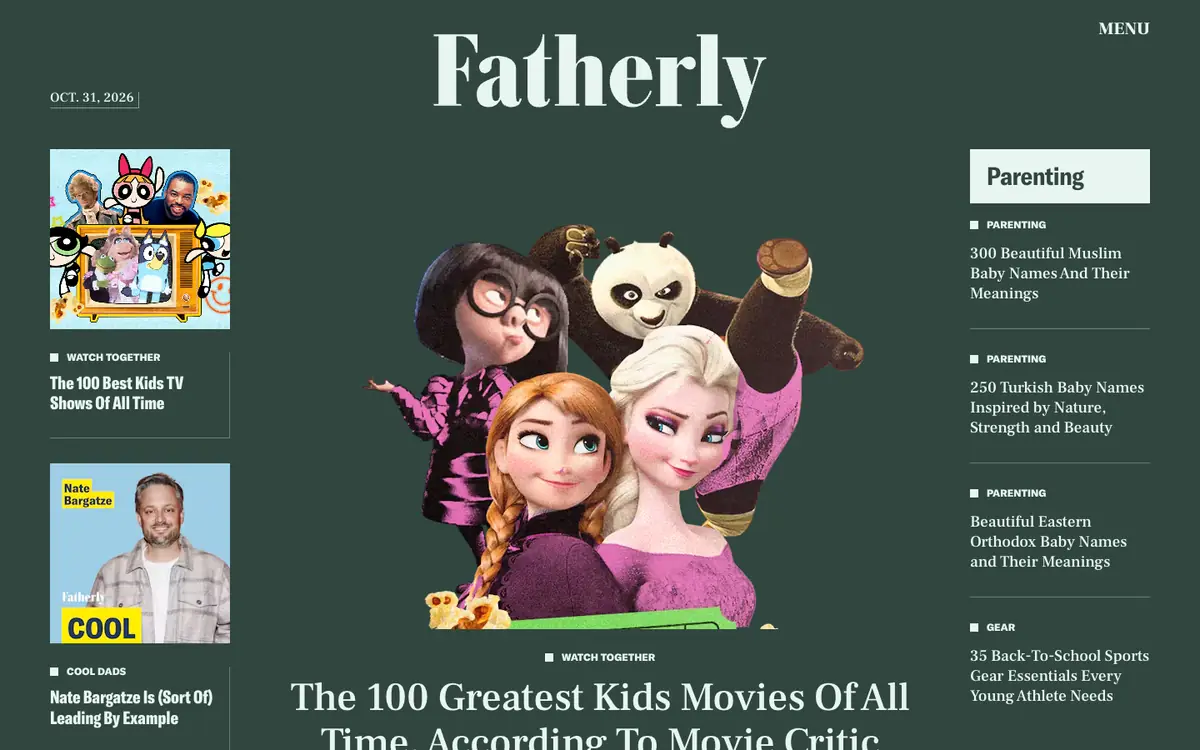
  • Fatherly homepage: dark green masthead, a cutout collage of animated characters and side columns of tagged headlines

    Fatherly

    fatherly.com

    Parenting advice, family entertainment picks and gear for dads.

    What makes it work

    • The home page is a three-column layout on dark green, with a big cutout collage of animated characters in the middle for the main story, “The 100 Greatest Kids Movies Of All Time”.
    • Small square labels like “Watch Together”, “Cool Dads”, “Parenting” and “Gear” tag every headline, so readers can tell the type of story at a glance.
    • The right column is headed “Parenting” in a light box and lists baby-name guides, which gives a topic feed beside the lead story.
    Visit Fatherly(opens in a new tab)
  • Happiest Baby blog: blue title, category pills and a large photo of a parent with a baby beside “What Are Wake Windows?”

    Happiest Baby Blog

    happiestbaby.com/blogs/baby · Shopify

    Baby, sleep and parenting guides from the Happiest Baby team.

    What makes it work

    • Rounded filter pills (“All”, “Baby”, “Nursery Design”, “Pregnancy”, “Sleep”, “Toddler”) sit right under the title, with the active “Baby” pill filled in blue.
    • The lead story pairs a bright photo of a parent and a smiling baby with a short blurb for “What Are Wake Windows?”, a plain question as the headline.
    • The shop-style menu mixes “Sleep Solutions” and “Free SNOO” with “Blog”, so the blog is one tab in a larger brand site.
    Visit Happiest Baby Blog(opens in a new tab)
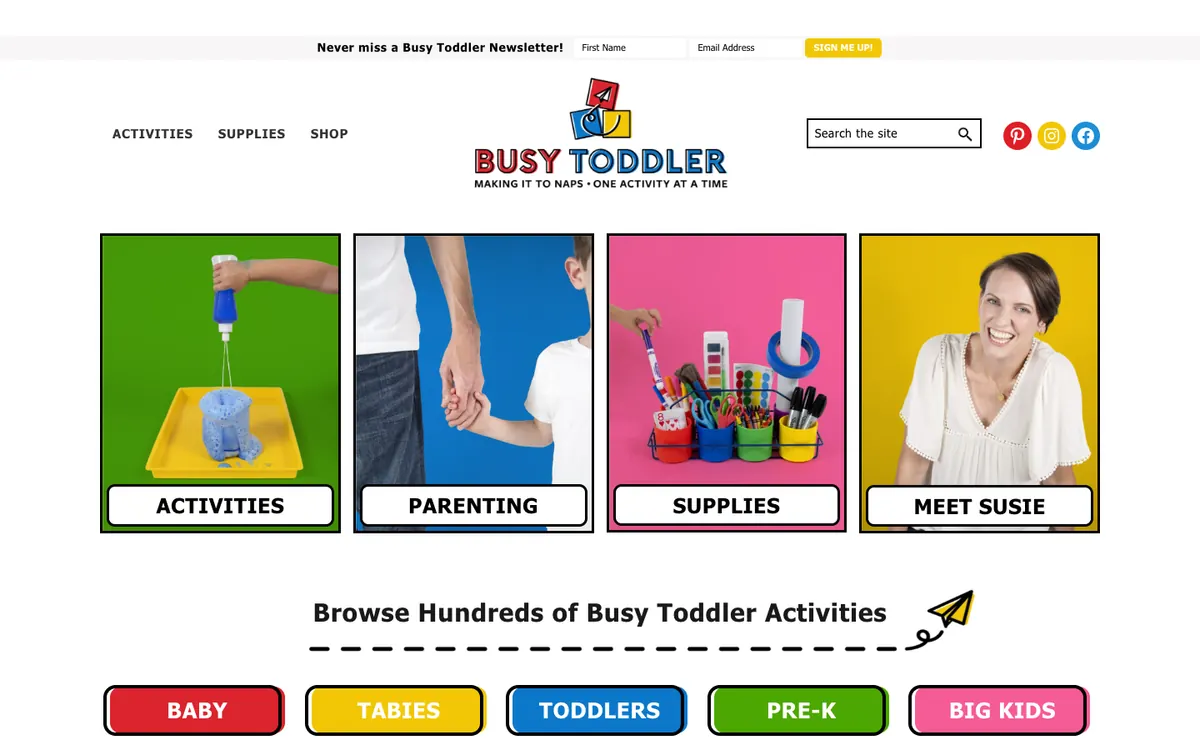
  • Busy Toddler homepage: colorful logo, four photo tiles for Activities, Parenting, Supplies and Meet Susie, and age buttons

    Busy Toddler

    busytoddler.com · WordPress

    Easy toddler and kids activities, shared by Susie.

    What makes it work

    • Four bold photo tiles on bright backgrounds, “ACTIVITIES”, “PARENTING”, “SUPPLIES” and “MEET SUSIE”, work as big buttons, so a busy parent can pick a path in one tap.
    • Below them, “Browse Hundreds of Busy Toddler Activities” leads to colored pill buttons for “BABY”, “TABIES”, “TODDLERS”, “PRE-K” and “BIG KIDS”, so parents can find activities for the right age.
    • A thin bar at the very top asks for a first name and email with a yellow “SIGN ME UP!” button, which offers the newsletter without covering the page.
    Visit Busy Toddler(opens in a new tab)
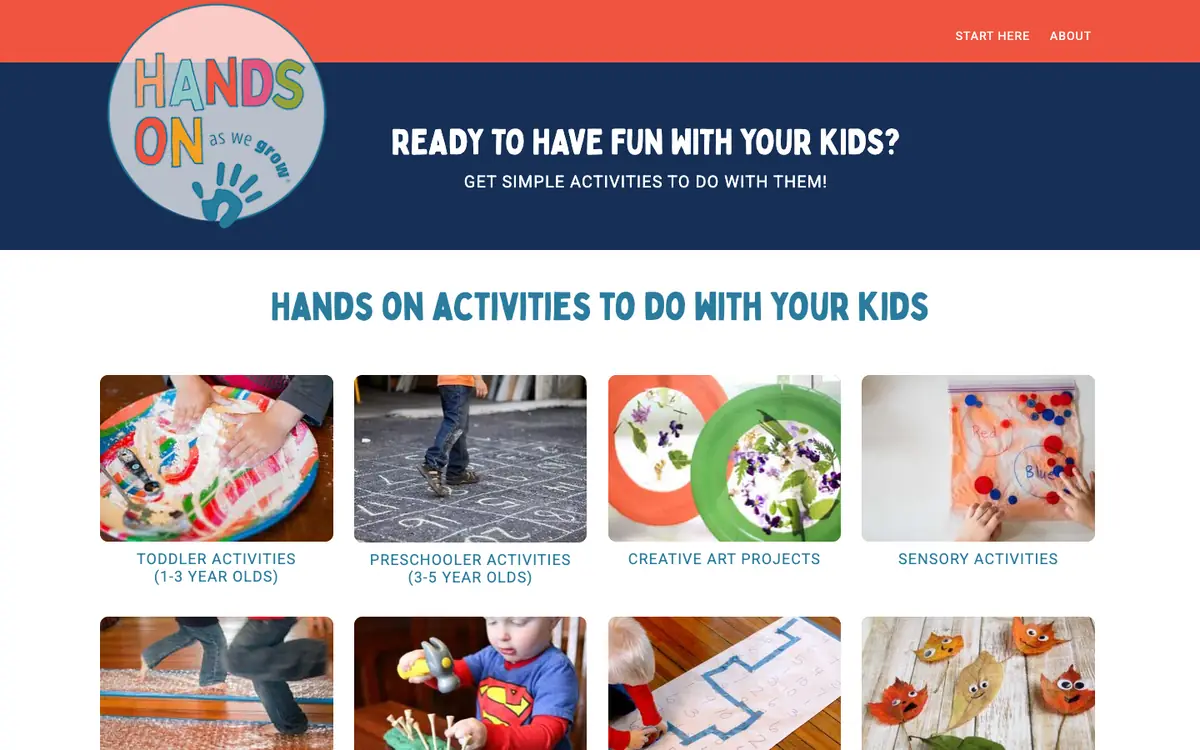
  • Hands On As We Grow homepage: round logo, navy banner and photo tiles for toddler, preschooler, art and sensory activities

    Hands On As We Grow

    handsonaswegrow.com · WordPress

    Hands-on activities for toddlers and preschoolers.

    What makes it work

    • A navy banner beside the round logo asks “READY TO HAVE FUN WITH YOUR KIDS?” and promises “GET SIMPLE ACTIVITIES TO DO WITH THEM!”, which names the reader’s goal in plain words.
    • Photo tiles labelled “TODDLER ACTIVITIES (1-3 YEAR OLDS)”, “PRESCHOOLER ACTIVITIES (3-5 YEAR OLDS)”, “CREATIVE ART PROJECTS” and “SENSORY ACTIVITIES” let parents pick by age or type, with a real photo for each.
    • The top menu stays short with only “START HERE” and “ABOUT”, which keeps new visitors focused on the activity tiles.
    Visit Hands On As We Grow(opens in a new tab)
No blog yet? Get one free with Outrank BlogsFree
A fast, SEO-ready blog on your own domain, live in one minute. Outrank publishes your articles to it automatically.
Create your blog for free

More blog examples by niche

See all blog examples
background

Your turn

Found a style you like? Start a blog like this, free.