

Photography blog examples: 7 real blogs and what makes them work

Photography blogs can go either way: all image or all information. PetaPixel fills the first screen with seven photo tiles, while Ken Rockwell uses plain text menus with one link per camera brand.

Every blog checked live on . Notes describe only what you can see on the homepage.

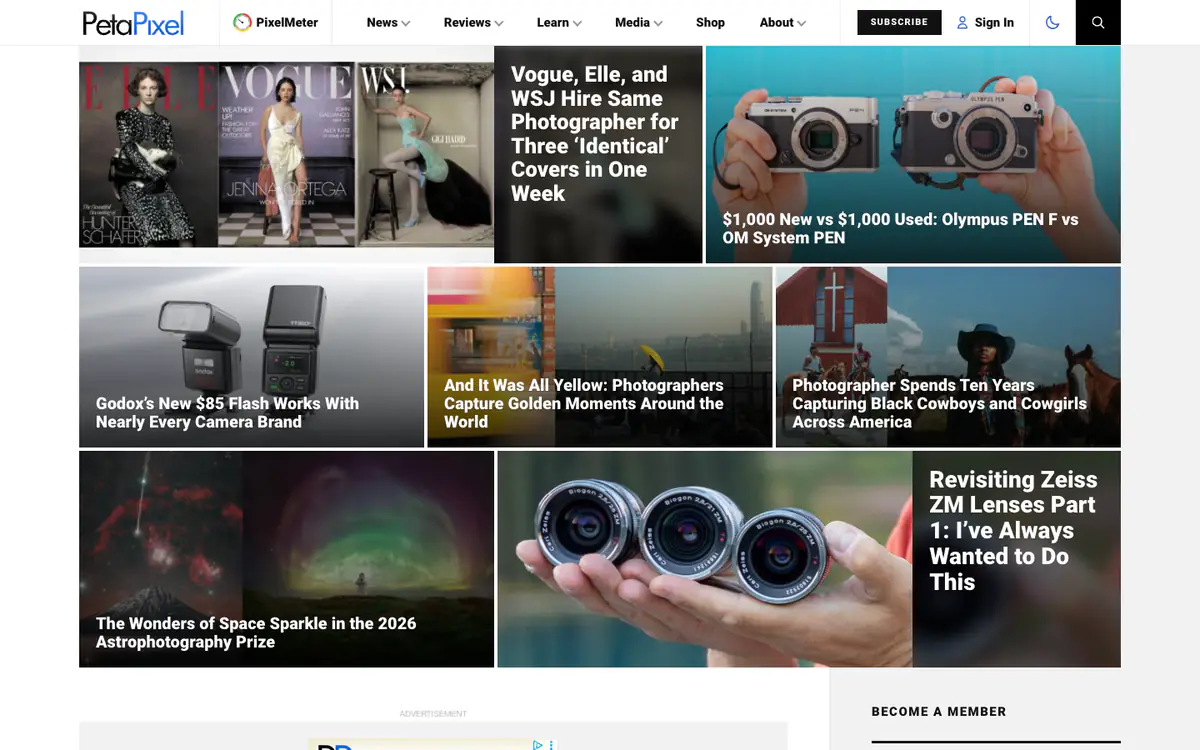
  • PetaPixel homepage: dense grid of photo tiles with white headlines about cameras and photographers

    PetaPixel

    petapixel.com · WordPress

    Photography news, camera reviews and how-to guides.

    What makes it work

    • Seven headline tiles with white text over photos fill the screen above the fold.
    • The menu splits the site into News, Reviews, Learn and Media, plus a PixelMeter link.
    • A dark mode toggle and a black Subscribe button sit in the header.
    Visit PetaPixel(opens in a new tab)
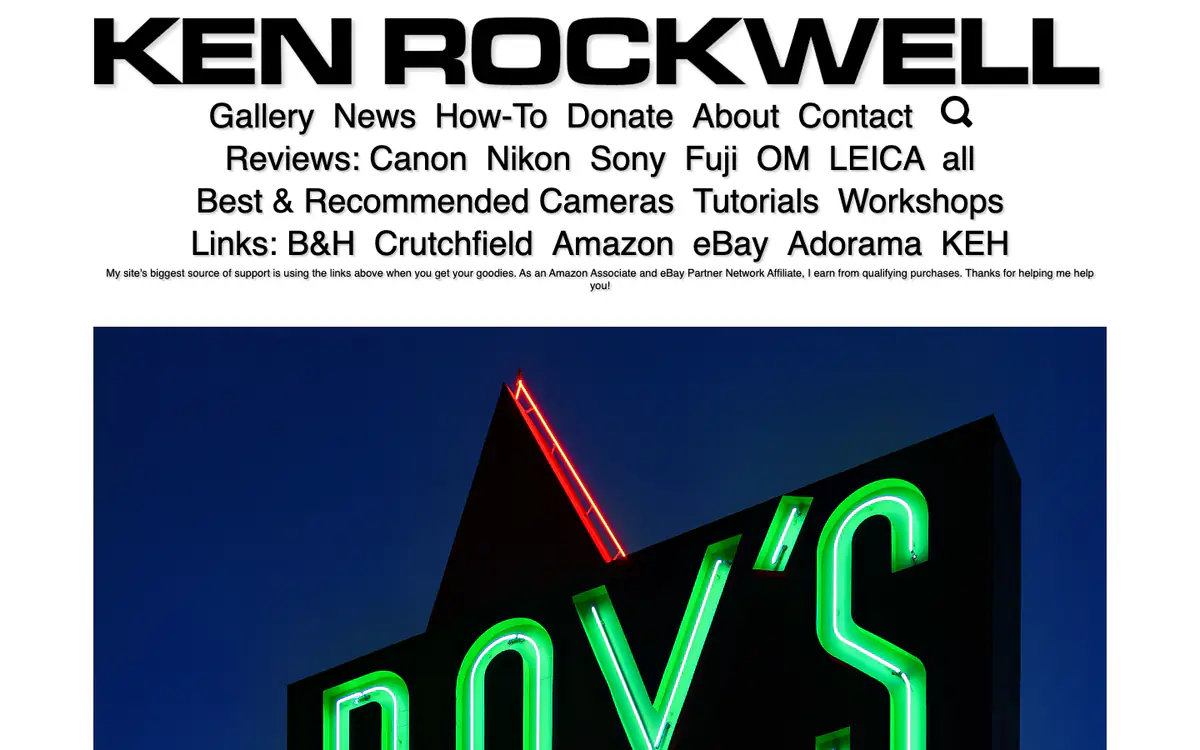
  • Ken Rockwell homepage: huge black name, a large text menu with camera brands and store links, and a neon sign photo

    Ken Rockwell

    kenrockwell.com

    Camera and lens reviews, how-tos and photography from Ken Rockwell.

    What makes it work

    • A giant black wordmark and a text-only menu in large type, with one link per camera brand (Canon, Nikon, Sony, Fuji, OM, Leica).
    • Store links (B&H, Crutchfield, Amazon, eBay, Adorama, KEH) sit in the header with a one-line note that buying through them supports the site.
    • A full-width photo follows the menu with nothing else around it.
    Visit Ken Rockwell(opens in a new tab)
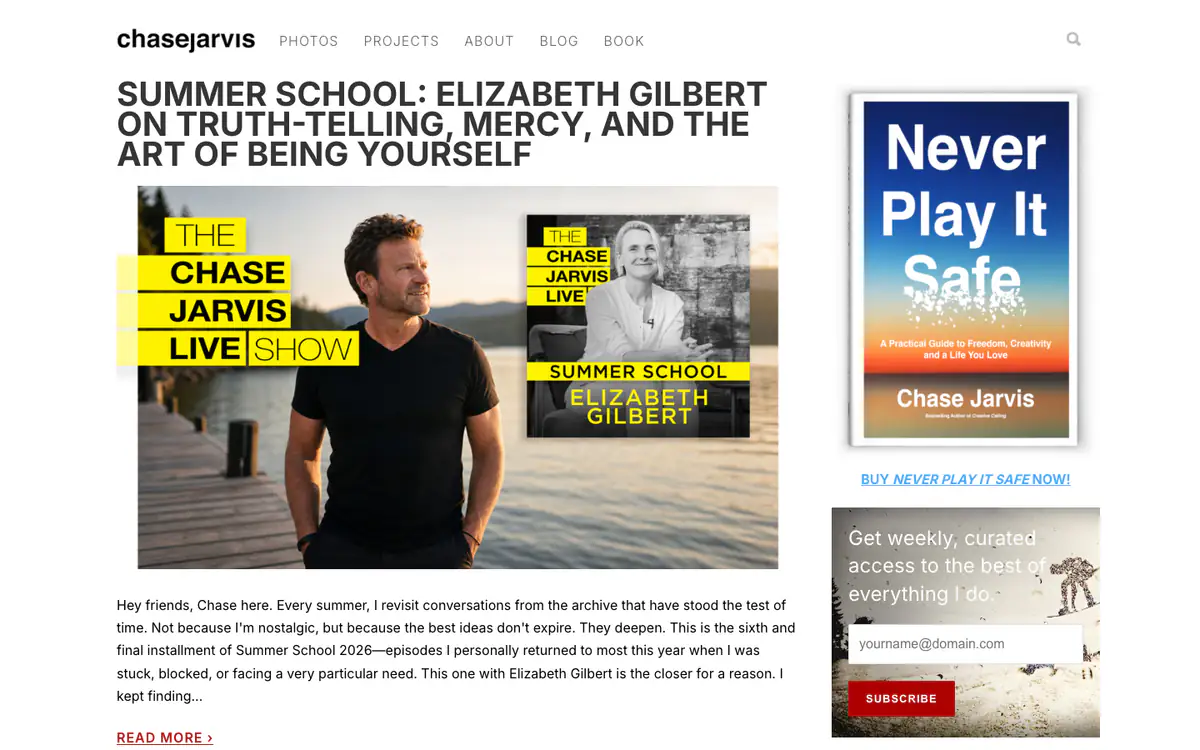
  • Chase Jarvis blog: all-caps post title, podcast artwork with Chase by a lake, and a sidebar with a book cover and email signup

    Chase Jarvis

    chasejarvis.com/blog · WordPress

    The blog of photographer Chase Jarvis, built around his podcast episodes.

    What makes it work

    • Blog posts double as podcast episode pages, with the show’s artwork as the lead image.
    • The excerpt opens in his own voice: “Hey friends, Chase here.”
    • The sidebar sells his book with a direct “Buy Never Play It Safe now!” link, then offers a weekly email.
    Visit Chase Jarvis(opens in a new tab)
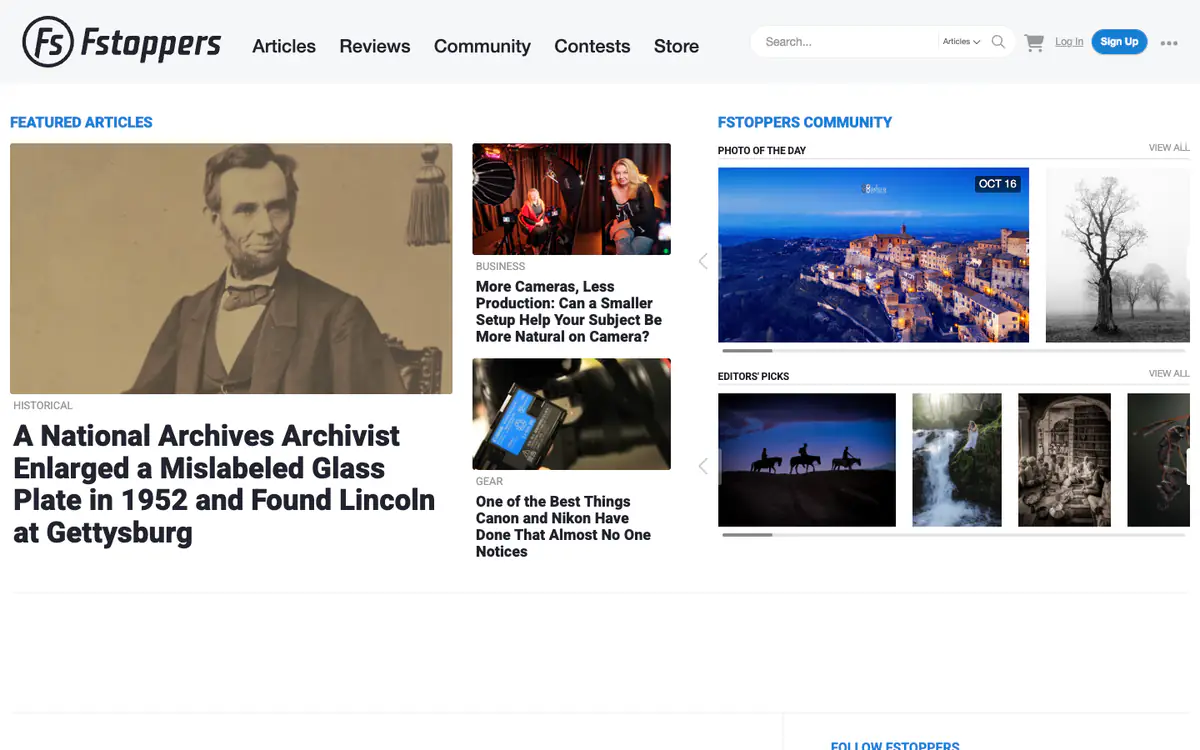
  • Fstoppers homepage: featured article with a Lincoln portrait, smaller stories and a Photo of the Day carousel

    Fstoppers

    fstoppers.com · Drupal

    Photography articles, reviews and a community of photographers.

    What makes it work

    • Featured articles sit next to the community: a “Photo of the day” and an “Editors’ picks” carousel of member photos.
    • Category labels (Historical, Business, Gear) sit above every headline.
    • The search box has a dropdown to choose what you search.
    Visit Fstoppers(opens in a new tab)
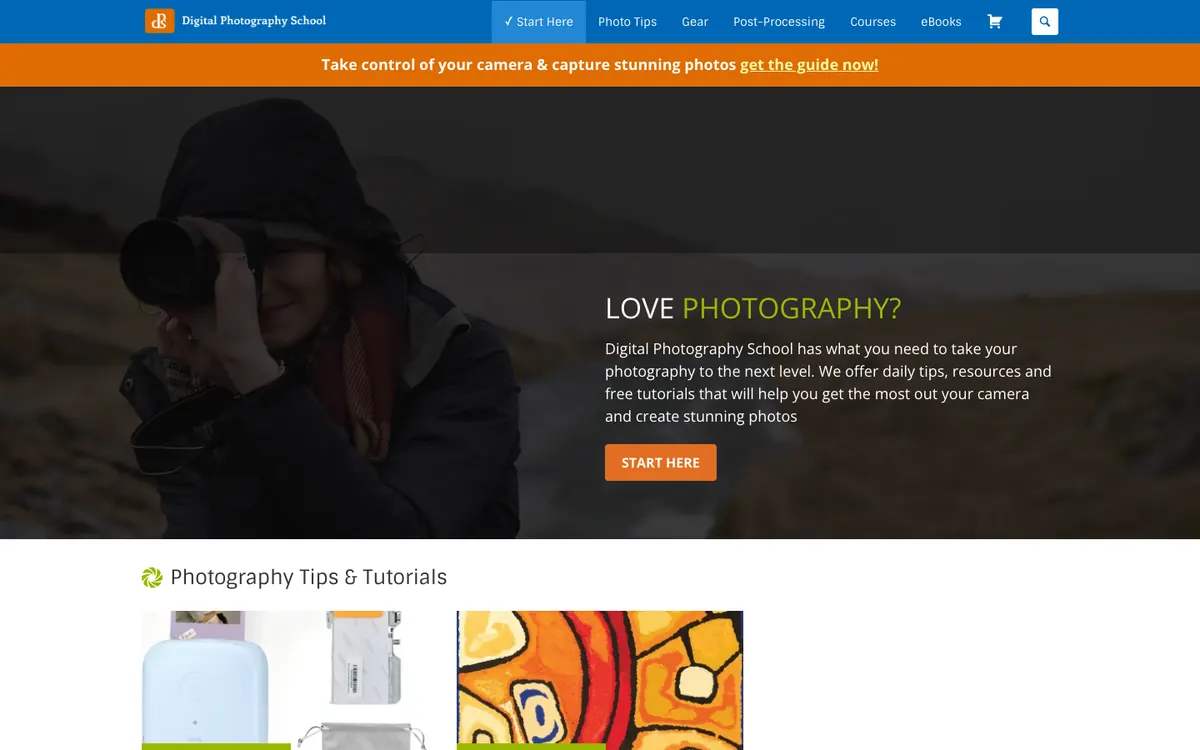
  • Digital Photography School homepage: blue menu bar, orange promo strip and a photographer hero with a Start Here button

    Digital Photography School

    digital-photography-school.com · WordPress

    Photography tips, gear guides and free tutorials for people learning to shoot.

    What makes it work

    • The hero asks “LOVE PHOTOGRAPHY?” over a photo of a hooded photographer lifting a camera, and offers one orange “START HERE” button as the clear first step for newcomers.
    • A blue top bar sorts the site into “Photo Tips”, “Gear”, “Post-Processing”, “Courses” and “eBooks”, with “Start Here” highlighted as the first item.
    • A thin orange strip above the hero promotes a guide (“get the guide now!”), and the “Photography Tips & Tutorials” section starts right below with picture thumbnails.
    Visit Digital Photography School(opens in a new tab)
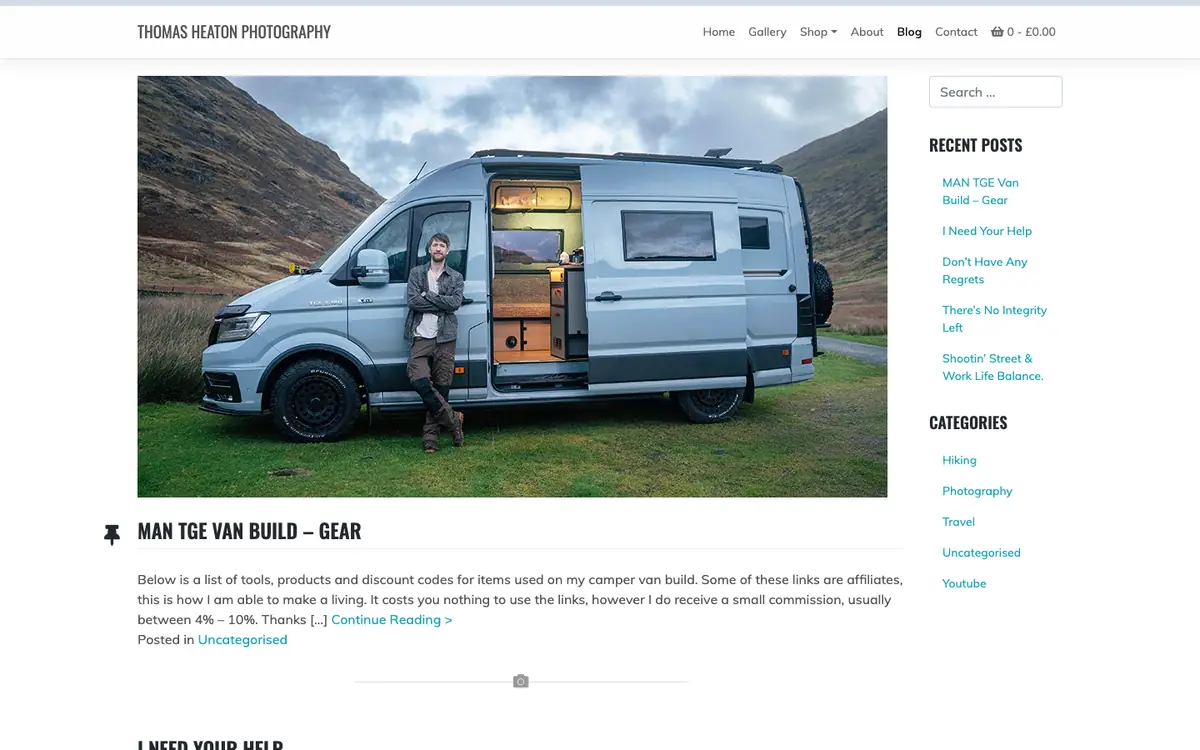
  • Thomas Heaton Photography blog: large photo of a man beside a camper van, with a recent posts and categories sidebar

    Thomas Heaton Photography

    thomasheaton.co.uk/blog · WordPress

    Photographer Thomas Heaton’s blog on photography, hiking, travel and his van build.

    What makes it work

    • The newest post opens with a big photo of the author leaning on his camper van in a mountain valley, above a pinned headline about the “MAN TGE Van Build”.
    • A right-hand sidebar has a search box, a “Recent Posts” list and “Categories” (Hiking, Photography, Travel, Uncategorised, Youtube), so readers can jump to a topic without scrolling the feed.
    • A plain top menu (“Home”, “Gallery”, “Shop”, “About”, “Blog”, “Contact”) with a small cart total shows the blog sitting next to the photographer’s shop.
    Visit Thomas Heaton Photography(opens in a new tab)
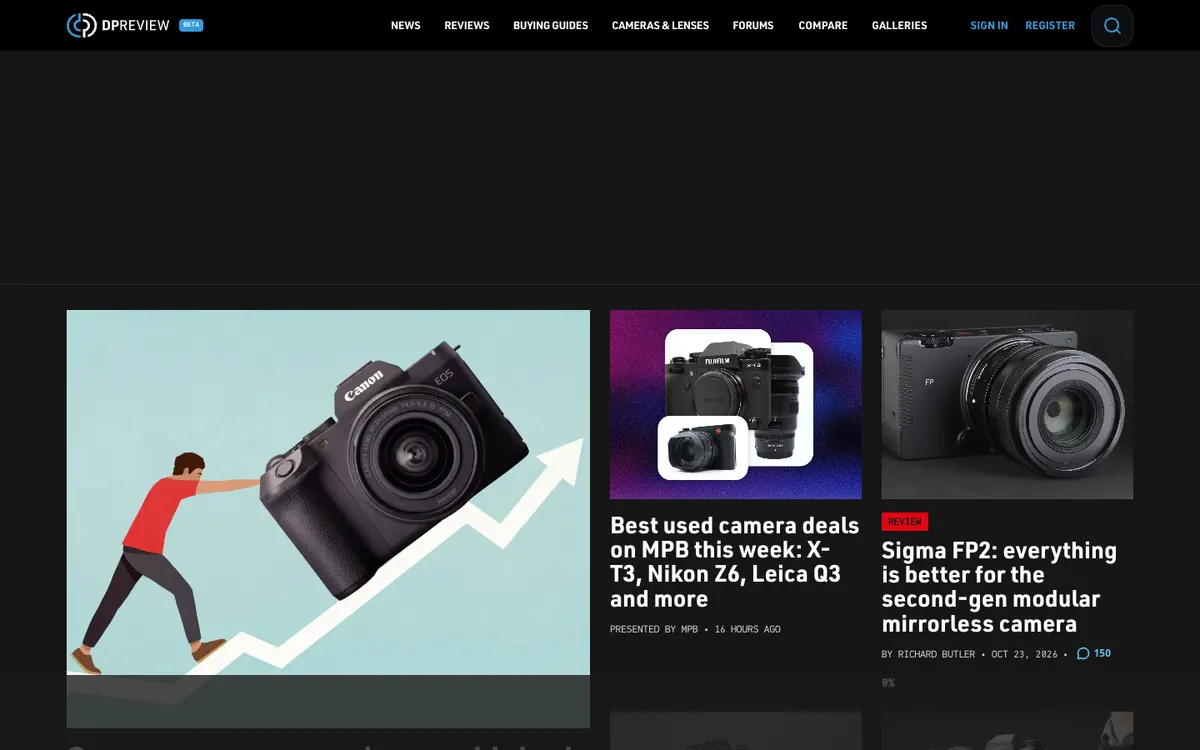
  • DPReview homepage: dark theme, a top menu, a large illustrated lead story and two story cards with camera photos

    DPReview

    dpreview.com · WordPress

    Camera news, gear reviews and photography features.

    What makes it work

    • A dark theme keeps the camera photos bright, and the top menu of “NEWS”, “REVIEWS”, “BUYING GUIDES”, “CAMERAS & LENSES”, “FORUMS”, “COMPARE” and “GALLERIES” sends readers to gear pages fast.
    • The red “REVIEW” tag on the Sigma FP2 card, its byline and its comment count of 150 sit beside a card marked “PRESENTED BY MPB”, so readers can tell reviews from sponsored posts.
    • The lead story is a large illustration of a person pushing a Canon camera up a rising arrow, shown beside two smaller cards with product photos.
    Visit DPReview(opens in a new tab)
No blog yet? Get one free with Outrank BlogsFree
A fast, SEO-ready blog on your own domain, live in one minute. Outrank publishes your articles to it automatically.
Create your blog for free

More blog examples by niche

See all blog examples
background

Your turn

Found a style you like? Start a blog like this, free.